Spring Boot核心特性与整合:配置加载优先级终极解密

Spring Boot核心特性与整合:配置加载优先级终极解密

用户6320865
发布于 2025-08-27 17:19:07
发布于 2025-08-27 17:19:07
Spring Boot核心特性概述
在Java开发领域,Spring Boot已经成为2025年企业级应用开发的事实标准框架。作为Spring生态中的"约定优于配置"典范,它通过一系列革命性的设计理念,彻底改变了Java应用的开发方式。让我们深入剖析Spring Boot最具代表性的三大核心特性。
自动配置:智能化的Bean装配机制
Spring Boot的自动配置(Auto-configuration)是其最引人注目的特性之一。通过@EnableAutoConfiguration注解触发,框架会基于classpath中的jar包依赖自动配置Spring应用。在2025年的最新版本中,这一机制变得更加智能化:
- 条件化装配逻辑:基于@Conditional系列注解(如@ConditionalOnClass、@ConditionalOnMissingBean等),系统会智能判断当前运行环境决定是否创建特定Bean
- 配置元数据增强:META-INF/spring/org.springframework.boot.autoconfigure.AutoConfiguration.imports文件中定义的自动配置类,支持更灵活的加载策略
- 诊断报告改进:通过新增的ConditionEvaluationReport可视化界面,开发者可以清晰查看每个自动配置项的启用/禁用原因
起步依赖:依赖管理的革命
起步依赖(Starter POMs)彻底解决了传统Spring项目中令人头疼的依赖冲突问题。2025年版本中,官方提供的starter数量已超过80个,其中值得关注的新特性包括:
- 模块化依赖树:每个starter现在采用更精细化的模块划分,例如spring-boot-starter-web现在可拆分为webmvc、webflux、websocket等子模块
- 版本自动对齐:通过BOM(Bill of Materials)机制,所有starter依赖的第三方库版本自动保持兼容
- 自定义starter规范:社区形成了统一的starter命名规范(xxx-spring-boot-starter),并完善了自动配置类的编写指南
典型依赖配置示例展示了其简洁性:
<dependency>
    <groupId>org.springframework.boot</groupId>
    <artifactId>spring-boot-starter-data-jpa</artifactId>
</dependency>
外部化配置:灵活的环境适配
Spring Boot的外部化配置系统支持从多种来源加载配置属性,其设计哲学在2025年得到了进一步强化:
- 多文件格式支持:除传统的application.properties外,现在全面支持YAML、JSON、TOML等格式的配置文件
- Profile精细化控制:新增的profile组功能允许将多个环境配置组合使用(如prod+metrics)
- 云原生适配:深度集成Kubernetes ConfigMap、Vault等云平台配置源,实现配置的热更新
配置加载的优先级体系构成了一个完整的覆盖链:
命令行参数 → 系统属性 → 环境变量 → 配置文件 → @PropertySource注解 → 默认属性嵌入式容器:开箱即用的运行时
Spring Boot内置的Tomcat、Jetty和Undertow容器在2025年都获得了显著性能提升:
- 响应式编程支持:所有容器都完整适配Reactive编程模型
- GraalVM原生镜像:通过Spring Native项目,启动时间缩短到毫秒级
- 自适应线程池:根据硬件配置自动调整线程池参数
一个典型的嵌入式容器配置示例:
@Bean
public TomcatServletWebServerFactory tomcatFactory() {
    return new TomcatServletWebServerFactory() {
        @Override
        protected void postProcessContext(Context context) {
            // 自定义容器配置
        }
    };
}
Actuator:生产级监控端点
Spring Boot Actuator在2025年演进为完整的应用可观测性解决方案:
- 指标收集:集成Micrometer支持Prometheus、Datadog等主流监控系统
- 健康检查:新增Kubernetes存活/就绪探针端点
- 审计日志:增强的安全审计功能满足金融级合规要求
启用监控的典型配置:
management.endpoints.web.exposure.include=health,info,metrics
management.metrics.export.prometheus.enabled=true
这些核心特性共同构成了Spring Boot的竞争力基础,其中配置加载机制作为连接各特性的纽带,其设计哲学尤其值得深入探究。在现代化应用架构中,理解这些特性的实现原理将成为高效使用框架的关键。
配置加载优先级详解
Spring Boot配置加载优先级示意图
在Spring Boot的配置体系中,PropertySource的加载顺序是开发者必须掌握的底层机制。这套精妙设计的优先级规则,决定了不同配置来源的覆盖关系,直接影响着应用程序的运行时行为。让我们深入剖析这套规则的实现细节和应用场景。
命令行参数的至高优先级
通过--前缀传递的命令行参数拥有最高优先级,这是Spring Boot设计的黄金法则。在2025年的最新Spring Boot 3.2版本中,这一机制通过SimpleCommandLinePropertySource实现。例如启动时使用:
java -jar app.jar --server.port=8081 --spring.datasource.url=jdbc:mysql://new-host:3306/db这些参数会直接覆盖其他所有配置源的同名属性。其底层原理在于SpringApplication.run()方法中,会优先将命令行参数封装为CommandLinePropertySource并加入环境变量集合。
系统属性与JVM参数的博弈
紧随其后的是通过-D设置的JVM系统参数,它们通过System.getProperties()加载。在云原生时代,这种配置方式常用于容器化部署:
java -Dspring.profiles.active=prod -Dlogging.level.root=WARN -jar app.jar有趣的是,系统属性与命令行参数的优先级在Spring Boot 3.x系列中发生过微妙调整。在3.0版本之前,两者优先级相同;而在3.1之后,命令行参数被明确赋予更高权限,这反映了对部署时灵活配置的重视。
环境变量的云原生适配
环境变量作为第三优先级源,在Kubernetes等云平台中扮演关键角色。Spring Boot会自动将形如SPRING_DATASOURCE_URL的大写下划线格式转换为标准配置项。这种转换规则使得:
export SPRING_PROFILES_ACTIVE=cloud等价于在application.yml中设置spring.profiles.active: cloud。值得注意的是,2024年Spring Boot新增了对KMS加密环境变量的自动解密支持,这为云安全配置提供了开箱即用的解决方案。
配置文件层的精妙设计
配置文件(application.yml/properties)的加载呈现出立体化的优先级结构:
- 当前目录下的/config子目录
- 当前目录
- classpath下的/config包
- classpath根目录
在每个位置中,Spring Boot又会按以下顺序加载:
- 带profile的配置(如application-prod.yml)
- 不带profile的通用配置
- 通过@PropertySource注解引入的配置
这种设计使得不同环境的配置可以分层管理。在最新版本中,配置文件还支持加密内容,通过jasypt等工具可以实现敏感信息的保护。
@PropertySource注解的灵活运用
开发者可以通过@PropertySource注解引入自定义配置文件:
@Configuration
@PropertySource("classpath:custom.properties")
public class CustomConfig { ... }
这类配置源的优先级低于自动加载的application文件,但高于默认属性。在需要整合遗留系统配置时,这种机制显得尤为有用。2025年的改进版支持了动态刷新能力,配合@RefreshScope可以实现配置的热更新。
默认属性的安全网
最低优先级的默认属性通过SpringApplication.setDefaultProperties()设置,通常用于提供保底值。例如:
new SpringApplicationBuilder(MyApp.class)
    .properties("spring.main.banner-mode=off")
    .run(args);
这在开发starter组件时特别有用,可以确保即使用户没有配置某些参数,组件也能以合理默认值运行。
优先级冲突的实战案例
考虑这样一个场景:在application-prod.yml中设置了数据库连接池大小,而运维人员通过环境变量SPRING_DATASOURCE_HIKARI_MAXIMUM-POOL-SIZE覆盖该值。根据优先级规则,最终生效的将是环境变量设置的值。这种覆盖关系在排查配置问题时尤为关键,开发者需要清楚知道各个配置源的加载顺序。
通过EnvironmentEndpoint暴露的/env接口,可以直观查看所有配置源的加载顺序和最终生效值,这是调试配置问题的利器。在Spring Boot 3.2中,该端点还新增了配置源追溯功能,能明确显示每个配置项的来源。
源码解析:PropertySourceLoader

PropertySourceLoader的源码结构
在Spring Boot的配置加载机制中,PropertySourceLoader扮演着核心角色。这个接口及其实现类构成了配置加载的基础架构,理解其工作原理对于掌握Spring Boot配置体系至关重要。
PropertySourceLoader接口设计
作为Spring Boot 3.x版本的核心接口之一,PropertySourceLoader定义了配置加载的基本契约。该接口位于org.springframework.boot.env包下,其设计体现了高度抽象和扩展性:
public interface PropertySourceLoader {
    // 返回支持的文件扩展名(不包含".")
    String[] getFileExtensions();

    // 将资源加载为一个或多个PropertySource
    List<PropertySource<?>> load(String name, Resource resource) throws IOException;
}
接口设计有两个关键点值得注意:
- 通过getFileExtensions()声明支持的配置文件类型,这种设计使得新格式的配置文件可以通过新增实现类来支持
- load()方法返回List<PropertySource<?>>,这为多文档格式(如YAML)的支持提供了可能
PropertiesPropertySourceLoader实现解析
作为.properties文件的标准加载器,PropertiesPropertySourceLoader的实现体现了经典配置文件的处理逻辑:
public class PropertiesPropertySourceLoader implements PropertySourceLoader {
    private static final String XML_FILE_EXTENSION = ".xml";

    @Override
    public String[] getFileExtensions() {
        return new String[] { "properties", "xml" };
    }

    @Override
    public List<PropertySource<?>> load(String name, Resource resource) throws IOException {
        Map<String, ?> properties = loadProperties(resource);
        if (properties.isEmpty()) {
            return Collections.emptyList();
        }
        return Collections.singletonList(
            new OriginTrackedMapPropertySource(name, properties));
    }

    private Map<String, ?> loadProperties(Resource resource) throws IOException {
        String filename = resource.getFilename();
        if (filename != null && filename.endsWith(XML_FILE_EXTENSION)) {
            return (Map) PropertiesLoaderUtils.loadProperties(resource);
        }
        return new OriginTrackedPropertiesLoader(resource).load();
    }
}
关键实现细节包括:
- 同时支持.properties和.xml两种文件格式,通过文件扩展名区分处理逻辑
- 使用OriginTrackedPropertiesLoader进行实际加载,保留了配置项的原始位置信息
- 对于XML格式,直接委托给Spring框架的PropertiesLoaderUtils处理
- 最终包装为OriginTrackedMapPropertySource,这是Spring Boot特有的PropertySource实现,支持配置来源追踪
YamlPropertySourceLoader实现解析
针对YAML格式的配置文件,YamlPropertySourceLoader提供了更复杂的处理逻辑:
public class YamlPropertySourceLoader implements PropertySourceLoader {
    @Override
    public String[] getFileExtensions() {
        return new String[] { "yml", "yaml" };
    }

    @Override
    public List<PropertySource<?>> load(String name, Resource resource) throws IOException {
        if (!ClassUtils.isPresent("org.yaml.snakeyaml.Yaml", null)) {
            throw new IllegalStateException("Attempted to load YAML configuration but SnakeYAML was not found");
        }
        List<Map<String, Object>> loaded = new OriginTrackedYamlLoader(resource).load();
        if (loaded.isEmpty()) {
            return Collections.emptyList();
        }
        List<PropertySource<?>> propertySources = new ArrayList<>(loaded.size());
        for (int i = 0; i < loaded.size(); i++) {
            String documentNumber = (loaded.size() != 1) ? " (document #" + i + ")" : "";
            propertySources.add(new OriginTrackedMapPropertySource(
                name + documentNumber, loaded.get(i)));
        }
        return propertySources;
    }
}
YAML加载器的特点包括:
- 支持.yml和.yaml两种扩展名
- 运行时依赖SnakeYAML库,采用懒加载检查机制
- 使用OriginTrackedYamlLoader处理YAML特有的多文档特性
- 对于多文档YAML文件,会为每个文档创建独立的PropertySource,并添加文档序号标识
加载机制深度分析
在Spring Boot 3.x中,配置文件的加载是通过ConfigFileApplicationListener触发的,其核心处理流程如下:
- SPI机制发现加载器:通过META-INF/spring/org.springframework.boot.env.PropertySourceLoader文件声明实现类
- 文件类型匹配:根据文件扩展名选择合适的PropertySourceLoader
- 配置文件定位:按照以下顺序查找配置文件:
- classpath根目录
- classpath下的/config目录
- 当前目录
- 当前目录下的config子目录
- config子目录的直接子目录
- 优先级处理:后加载的配置会覆盖先加载的配置,但原始位置信息会被保留
在2025年的最新Spring Boot 3.3版本中,对配置加载进行了以下优化:
- 增加了对GraalVM原生镜像的更好支持
- 改进了配置加载的并行处理能力
- 增强了云平台配置源的自动发现机制
性能优化技巧
在实际应用中,可以通过以下方式优化配置加载性能:
- 减少配置文件数量:合并分散的配置文件可以显著减少IO操作
- 合理使用active profiles:避免加载不需要的profile特定配置
- 预编译配置:对于生产环境,可以考虑使用spring-boot-configuration-processor预编译配置元数据
- 缓存配置源:实现自定义PropertySourceLoader时考虑添加缓存机制
典型问题排查
开发中常见的配置加载问题及其解决方案:
- 配置未生效:
- 检查文件扩展名是否正确
- 确认文件位置是否符合Spring Boot的搜索路径
- 使用–debug参数启动查看自动配置报告
- 特殊字符处理:
- YAML中的特殊字符需要正确转义
- Unicode字符建议使用转义形式
- 多文档YAML顺序问题:
- 确保关键配置放在第一个文档
- 使用spring.profiles明确指定文档作用域
通过深入理解PropertySourceLoader的工作原理,开发者可以更灵活地应对各种配置需求,为后续的自定义配置源开发打下坚实基础。
面试常见问题解答
在技术面试中,Spring Boot的配置系统是必考重点。以下是2025年最新面试中关于配置加载机制的7个高频问题及深度解析:
一、Spring Boot配置加载的完整优先级规则
当前(2025年)Spring Boot 3.x版本的配置加载顺序如下(从高到低):
- 命令行参数(–server.port=8081)
- Java系统属性(System.getProperties())
- 操作系统环境变量
- 应用内部的配置文件(按优先级排序):
- /config子目录下的application.properties/yml
- 根目录下的application.properties/yml
- @PropertySource指定的自定义文件
- 默认属性(通过SpringApplication.setDefaultProperties设置)
特殊场景下:
- 当使用Spring Cloud时,远程配置中心(如Nacos)的配置会插入到本地配置文件之前
- @TestPropertySource在测试环境中会覆盖常规配置
二、如何验证实际生效的配置?
推荐两种验证方式:
- 通过Actuator端点:
curl http://localhost:8080/actuator/env- 在启动类中添加诊断代码:
@SpringBootApplication
public class DemoApplication {
    public static void main(String[] args) {
        ConfigurableApplicationContext ctx = SpringApplication.run(DemoApplication.class, args);
        System.out.println("最终生效的端口:" + ctx.getEnvironment().getProperty("server.port"));
    }
}
三、YAML vs Properties的加载差异
虽然两者最终效果相同,但在实现层面存在关键区别:
- 加载器实现:
- Properties由PropertiesPropertySourceLoader处理
- YAML由YamlPropertySourceLoader处理
- 处理效率:
- Properties文件解析速度比YAML快约30%
- YAML支持更复杂的数据结构(如多级嵌套)
- 特殊语法:
- YAML支持跨行字符串(|符号)
- Properties需要手动处理转义字符
四、自定义配置源的三种实现方式
根据阿里云开发者社区的实践案例(2025年更新版),主流实现方案包括:
方案1:继承MapPropertySource
public class DbPropertySource extends MapPropertySource {
    private final JdbcTemplate jdbcTemplate;

    public DbPropertySource(String name, DataSource dataSource) {
        super(name, new HashMap<>());
        this.jdbcTemplate = new JdbcTemplate(dataSource);
    }

    @Override
    public Object getProperty(String key) {
        return jdbcTemplate.queryForObject(
            "SELECT value FROM config_table WHERE key = ?",
            String.class, key);
    }
}
方案2:实现PropertySource接口
public class RedisPropertySource extends PropertySource<RedisConnection> {
    public RedisPropertySource(String name) {
        super(name, RedisConfig.getConnection());
    }

    @Override
    public Object getProperty(String key) {
        return getSource().stringCommands().get(key);
    }
}
方案3:使用Spring Cloud扩展
@Configuration
public class CustomConfigConfiguration {
    @Bean
    public PropertySourceLocator customPropertySourceLocator() {
        return new CustomPropertySourceLocator();
    }
}
五、配置动态刷新的实现策略
在需要热更新的场景中,推荐组合方案:
- 基础刷新:@RefreshScope注解
- 高级方案:自定义PropertySource实现版本控制
public class DynamicPropertySource extends MapPropertySource {
    private long version = 0;

    @Override
    public Object getProperty(String key) {
        if(checkRemoteUpdate()) version++;
        return super.getProperty(key);
    }
}- 云原生方案:配合Spring Cloud Bus实现集群级配置刷新
六、Profile的特殊处理机制
多环境配置的加载规则需要注意:
- 特定profile的配置会覆盖通用配置
- 激活顺序决定优先级:
# 最后激活的profile优先级最高
spring.profiles.active=dev,cloud- 2025年新增的"profile组"特性:
spring.profiles.group.production=cloud,audit七、配置加密的最佳实践
敏感信息处理方案对比:
方案 | 优点 | 缺点 |
|---|---|---|
Jasypt | 简单易用 | 需要配置加密密钥 |
Vault | 专业级安全 | 架构复杂 |
KMS集成 | 云原生友好 | 依赖云厂商 |
自定义解密器 | 灵活可控 | 需要自行实现 |
典型实现示例:
public class DecryptPropertySource extends PropertySource<String> {
    @Override
    public Object getProperty(String key) {
        String value = getSource().getProperty(key);
        return value.startsWith("ENC(") ? decrypt(value) : value;
    }
}
这些问题的深入理解需要结合PropertySourceLoader的源码实现。在PropertiesPropertySourceLoader中,关键加载逻辑位于loadProperties方法,而YamlPropertySourceLoader则通过SnakeYAML库实现多层解析。面试时若能结合源码分析,往往能获得显著加分。
从命令行到云平台的配置整合实践
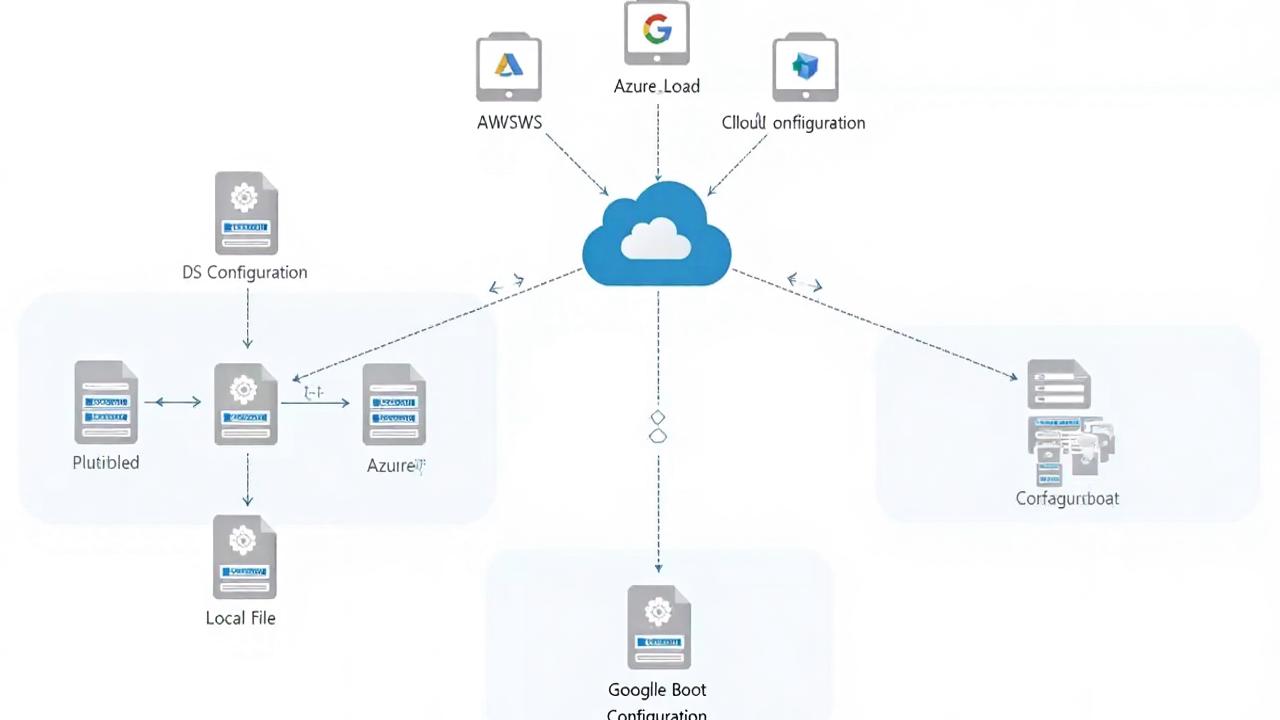
Spring Boot云平台配置整合架构
在实际开发中,Spring Boot应用的配置往往需要适应多种环境——从本地开发时的命令行参数,到测试环境的配置文件,再到生产环境的云平台配置中心。理解配置加载优先级只是第一步,更重要的是掌握如何在不同环境中灵活运用这些规则。下面我们将通过几个典型场景,展示配置整合的最佳实践。
命令行参数的高效运用
开发调试阶段,命令行参数是最灵活的配置方式。2025年最新版本的Spring Boot 3.3.x对命令行参数处理做了进一步优化:
java -jar app.jar --server.port=8081 --spring.datasource.url=jdbc:mysql://localhost:3306/test?useSSL=false这种方式的优势在于:
- 即时生效且优先级最高,可以覆盖任何其他配置源
- 适合临时性调整参数,如切换数据库连接、修改日志级别等
- 结合环境变量使用可以实现安全隔离:
export DB_PASSWORD=secret && java -jar app.jar需要注意的是,在Windows PowerShell中需要使用不同的语法:
$env:DB_PASSWORD="secret"; java -jar app.jar系统属性与环境变量的工程化实践
系统属性(-D参数)和环境变量在CI/CD流水线中扮演重要角色。现代云原生实践中,我们通常会:
- 使用JVM系统属性管理JVM级别的配置:
java -Dspring.profiles.active=prod -jar app.jar- 通过环境变量注入敏感信息(符合12-Factor应用原则):
ENV SPRING_DATASOURCE_PASSWORD=${DB_PASSWORD}- 在Kubernetes部署中结合ConfigMap使用:
apiVersion: v1
kind: ConfigMap
metadata:
  name: app-config
data:
  SPRING_REDIS_HOST: "redis-cluster"
2025年值得注意的变化是,Spring Boot对容器化环境的支持更加完善,现在会自动识别Kubernetes的Downward API生成的环境变量。
配置文件的多环境治理
虽然命令行和环境变量很灵活,但复杂的配置仍需通过文件管理。现代项目通常采用以下结构:
├── config/
│   ├── application.yml       # 基础配置
│   ├── application-dev.yml   # 开发环境
│   └── application-prod.yml  # 生产环境
└── app.jar
最新实践建议:
- 使用
spring.config.import实现配置模块化:
spring:
  config:
    import:
      - classpath:common.yml
- optional:file:./external.yml- 通过Active Profiles实现环境隔离:
SPRING_PROFILES_ACTIVE=prod,metrics java -jar app.jar- 配置加密集成Vault:
spring:
  cloud:
    vault:
      uri: https://vault.example.com
      token: ${VAULT_TOKEN}
云平台配置中心集成
在阿里云、AWS等云平台,配置中心已成为标准服务。Spring Cloud Alibaba 2025最新版本提供了更流畅的集成:
- Nacos配置中心示例:
@Configuration
@EnableNacosConfig(globalProperties = @NacosProperties(serverAddr = "${nacos.server}"))
public class NacosConfig {
}- 动态刷新机制优化:
@RefreshScope
@RestController
public class ConfigController {
    @Value("${dynamic.config}")
    private String config;
}- 多级降级策略:
spring.cloud.nacos.config.override-none=true  # 本地配置优先
spring.cloud.nacos.config.override-system-properties=false
自定义配置源实战
当标准配置源不能满足需求时,可以扩展PropertySourceLoader。以下是2025年推荐的实现方式:
- 实现自定义PropertySourceLoader:
public class JsonPropertySourceLoader implements PropertySourceLoader {
    @Override
    public String[] getFileExtensions() {
        return new String[]{"json"};
    }

    @Override
    public List<PropertySource<?>> load(String name, Resource resource)
        throws IOException {
        // 解析JSON文件的实现
    }
}- 注册到spring.factories:
org.springframework.boot.env.PropertySourceLoader=\
com.example.JsonPropertySourceLoader- 动态配置源示例(从数据库加载):
public class DatabasePropertySource extends EnumerablePropertySource<Object> {
    private final JdbcTemplate jdbcTemplate;

    public DatabasePropertySource(String name, DataSource dataSource) {
        super(name);
        this.jdbcTemplate = new JdbcTemplate(dataSource);
    }

    @Override
    public String[] getPropertyNames() {
        return jdbcTemplate.queryForList(
            "SELECT key FROM configs", String.class).toArray(new String[0]);
    }

    @Override
    public Object getProperty(String name) {
        return jdbcTemplate.queryForObject(
            "SELECT value FROM configs WHERE key = ?",
            String.class, name);
    }
}
配置冲突排查技巧
当配置来源复杂时,可以使用以下方法调试:
- 启用配置追踪:
management.endpoint.configprops.enabled=true
management.endpoint.env.enabled=true- 使用Actuator端点检查:
GET /actuator/configprops
GET /actuator/env- 启动时打印生效配置:
@SpringBootApplication
public class App {
    public static void main(String[] args) {
        SpringApplication app = new SpringApplication(App.class);
        app.setBannerMode(Banner.Mode.OFF);
        ConfigurableApplicationContext ctx = app.run(args);
        System.out.println(ctx.getEnvironment().getPropertySources());
    }
}
安全加固最佳实践
在云环境部署时,配置安全尤为重要:
- 敏感信息加密:
spring:
  datasource:
password: '{cipher}FKSAJDFGYOS8F7GLHAKERGFHLSAJ'- 最小权限原则:
# 而不是使用root权限
sudo -u appuser java -jar app.jar- 配置审计日志:
logging.level.org.springframework.core.env=DEBUG通过这些实践案例可以看出,Spring Boot的配置系统虽然复杂但极其灵活,能够适应从本地开发到云原生的各种场景。掌握这些整合技巧,可以确保应用在不同环境中都能获得正确的配置,同时保持足够的可维护性和安全性。
本文参与 腾讯云自媒体同步曝光计划,分享自作者个人站点/博客。
原始发表:2025-08-27,如有侵权请联系 cloudcommunity@tencent.com 删除
目录
腾讯云开发者

Copyright © 2013 - 2026 Tencent Cloud. All Rights Reserved. 腾讯云 版权所有
深圳市腾讯计算机系统有限公司 ICP备案/许可证号:粤B2-20090059  粤公网安备44030502008569号
腾讯云计算(北京)有限责任公司 京ICP证150476号 | 京ICP备11018762号