
“颤振构建apk”,用于在“颤振崩溃”打开应用程序时发布。
我已经设置为构建应用程序发布,如专业卫士,图标,清单等没有flavor。我将dir /android迁移到AndroidX,因为如果没有,在运行flutter build apk时无法构建应用程序发布。所以我迁移了它并取得了成功。如下所示:
rifafauzi6@Anonymous-X456UR:/media/rifafauzi6/NM/Materi/BackUp Aplikasi Android/Flutter Project/vallery$ flutter build apk
You are building a fat APK that includes binaries for android-arm, android-arm64.
If you are deploying the app to the Play Store, it's recommended to use app bundles or split the APK to reduce the APK size.
    To generate an app bundle, run:
        flutter build appbundle --target-platform android-arm,android-arm64
        Learn more on: https://developer.android.com/guide/app-bundle
    To split the APKs per ABI, run:
        flutter build apk --target-platform android-arm,android-arm64 --split-per-abi
        Learn more on:  https://developer.android.com/studio/build/configure-apk-splits#configure-abi-split
Initializing gradle...                                              1.3s
Resolving dependencies...                                           2.9s
Running Gradle task 'assembleRelease'...
Running Gradle task 'assembleRelease'... Done                      59.6s
Built build/app/outputs/apk/release/app-release.apk (16.1MB).
成功之后,我用两种方式安装它:
使用颤振安装
rifafauzi6@Anonymous-X456UR:/media/rifafauzi6/NM/Materi/BackUp Aplikasi Android/Flutter Project/vallery$ flutter install
Initializing gradle...                                              1.3s
Resolving dependencies...                                           2.5s
Installing app.apk to SM A600G...
Installing build/app/outputs/apk/app.apk...                        16.4s
使用手册,转到dir,并安装它。
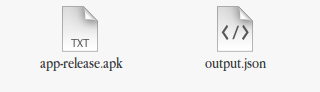
我已经尝试了flutter build apk --split-per-abi,然后像上面一样,我也用两种方式安装它。但是,当我打开这个应用程序时,它还是会崩溃,然后才会显示屏幕。这是dir main中发布应用程序的清单。
<manifest xmlns:android="http://schemas.android.com/apk/res/android"
    package="my_package">

    <!-- io.flutter.app.FlutterApplication is an android.app.Application that
         calls FlutterMain.startInitialization(this); in its onCreate method.
         In most cases you can leave this as-is, but you if you want to provide
         additional functionality it is fine to subclass or reimplement
         FlutterApplication and put your custom class here. -->
    <uses-permission android:name="android.permission.INTERNET"/>

    <application
        android:name="io.flutter.app.FlutterApplication"
        android:label="Vallery"
        android:usesCleartextTraffic="true"
        android:icon="@mipmap/ic_vallery">
        <activity
            android:name=".MainActivity"
            android:launchMode="singleTop"
            android:theme="@style/LaunchTheme"
            android:configChanges="orientation|keyboardHidden|keyboard|screenSize|locale|layoutDirection|fontScale|screenLayout|density|uiMode"
            android:hardwareAccelerated="true"
            android:windowSoftInputMode="adjustResize">
            <!-- This keeps the window background of the activity showing
                 until Flutter renders its first frame. It can be removed if
                 there is no splash screen (such as the default splash screen
                 defined in @style/LaunchTheme). -->
            <meta-data
                android:name="io.flutter.app.android.SplashScreenUntilFirstFrame"
                android:value="true" />
            <intent-filter>
                <action android:name="android.intent.action.MAIN"/>
                <category android:name="android.intent.category.LAUNCHER"/>
            </intent-filter>
        </activity>
    </application>
</manifest>这是flutter doctor -v的输出
[✓] Flutter (Channel stable, v1.7.8+hotfix.4, on Linux, locale en_US.UTF-8)
    • Flutter version 1.7.8+hotfix.4 at /media/rifafauzi6/NM/Materi/flutter
    • Framework revision 20e59316b8 (8 weeks ago), 2019-07-18 20:04:33 -0700
    • Engine revision fee001c93f
    • Dart version 2.4.0


[✓] Android toolchain - develop for Android devices (Android SDK version 29.0.2)
    • Android SDK at /home/rifafauzi6/Android/Sdk
    • Android NDK location not configured (optional; useful for native profiling support)
    • Platform android-29, build-tools 29.0.2
    • Java binary at: /opt/android-studio/jre/bin/java
    • Java version OpenJDK Runtime Environment (build 1.8.0_202-release-1483-b49-5587405)
    • All Android licenses accepted.

[✓] Android Studio (version 3.5)
    • Android Studio at /opt/android-studio
    • Flutter plugin version 39.0.3
    • Dart plugin version 191.8423
    • Java version OpenJDK Runtime Environment (build 1.8.0_202-release-1483-b49-5587405)

[✓] VS Code (version 1.38.0)
    • VS Code at /usr/share/code
    • Flutter extension version 3.3.0

[✓] Connected device (1 available)
    • SM A600G • 5200e3e7f01e45f3 • android-arm • Android 9 (API 28)

• No issues found!
有人能帮我吗?因为我需要先安装它(释放apk)到真正的设备上,然后再上传到Play Store。
回答 5
Stack Overflow用户
发布于 2019-12-04 08:10:12
这是崩溃,因为安装项目的发布应用程序,如保护等。
Stack Overflow用户
发布于 2020-02-07 04:10:17
试一试
flutter build apk --no-shrink更新
flutter build apk --release --split-per-abi --no-shrink这解决了我的问题
Stack Overflow用户
发布于 2020-04-10 04:02:34
如果您生成了发布版本,当您在Android设备上安装apk时,它正在崩溃,请确保您按照https://flutter.dev/docs/deployment/android中提到的正确执行指令。
这包括在app/build.gradle中进行所需的更改
添加key.properties文件
最后生成你的发行版apk。
https://stackoverflow.com/questions/57919327
复制相似问题
腾讯云开发者

Copyright © 2013 - 2026 Tencent Cloud. All Rights Reserved. 腾讯云 版权所有
深圳市腾讯计算机系统有限公司 ICP备案/许可证号:粤B2-20090059  粤公网安备44030502008569号
腾讯云计算(北京)有限责任公司 京ICP证150476号 | 京ICP备11018762号