
如何使用openlayers在浏览器中显示高分辨率图像
我试图使用openlayers 5在浏览器中显示高分辨率的图像。我找到了一个示例,说明如何使用缩放创建图像块并使用openlayers映射来呈现它。但是我不能用它来实现我自己的形象。我对此完全陌生。我问的问题可能很琐碎。请容忍我的无知。
示例代码 --这是openlayers网站的例子。我也试图对这幅图像做同样的事情。

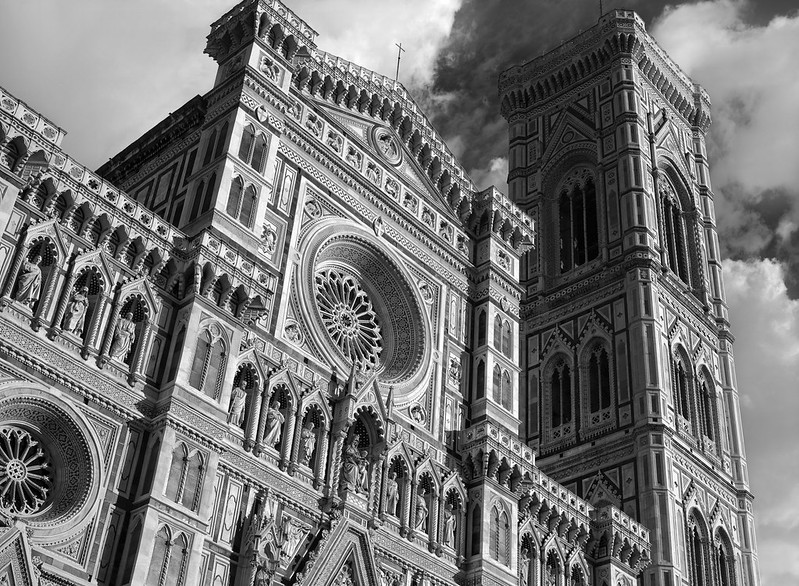
我试着用我的映像url替换zoomifyUrl和iipUrl,但是它没有工作。
import Map from 'ol/Map.js';
import View from 'ol/View.js';
import TileLayer from 'ol/layer/Tile.js';
import Zoomify from 'ol/source/Zoomify.js';

var imgWidth = 799;
var imgHeight = 586;

var zoomifyUrl = 'https://live.staticflickr.com/8173/7993440342_5d9c68faec_c.jpg';
var iipUrl = 'https://live.staticflickr.com/8173/7993440342_5d9c68faec_c.jpg' + '&JTL={z},{tileIndex}';

var layer = new TileLayer({
  source: new Zoomify({
    url: zoomifyUrl,
    size: [imgWidth, imgHeight],
    crossOrigin: 'anonymous'
  })
});

var extent = [0, -imgHeight, imgWidth, 0];

var map = new Map({
  layers: [layer],
  target: 'map',
  view: new View({
    // adjust zoom levels to those provided by the source
    resolutions: layer.getSource().getTileGrid().getResolutions(),
    // constrain the center: center cannot be set outside this extent
    extent: extent
  })
});
map.getView().fit(extent);

var control = document.getElementById('zoomifyProtocol');
control.addEventListener('change', function(event) {
  var value = event.currentTarget.value;
  if (value === 'iip') {
    layer.setSource(new Zoomify({
      url: iipUrl,
      size: [imgWidth, imgHeight],
      crossOrigin: 'anonymous'
    }));
  } else if (value === 'zoomify') {
    layer.setSource(new Zoomify({
      url: zoomifyUrl,
      size: [imgWidth, imgHeight],
      crossOrigin: 'anonymous'
    }));
  }

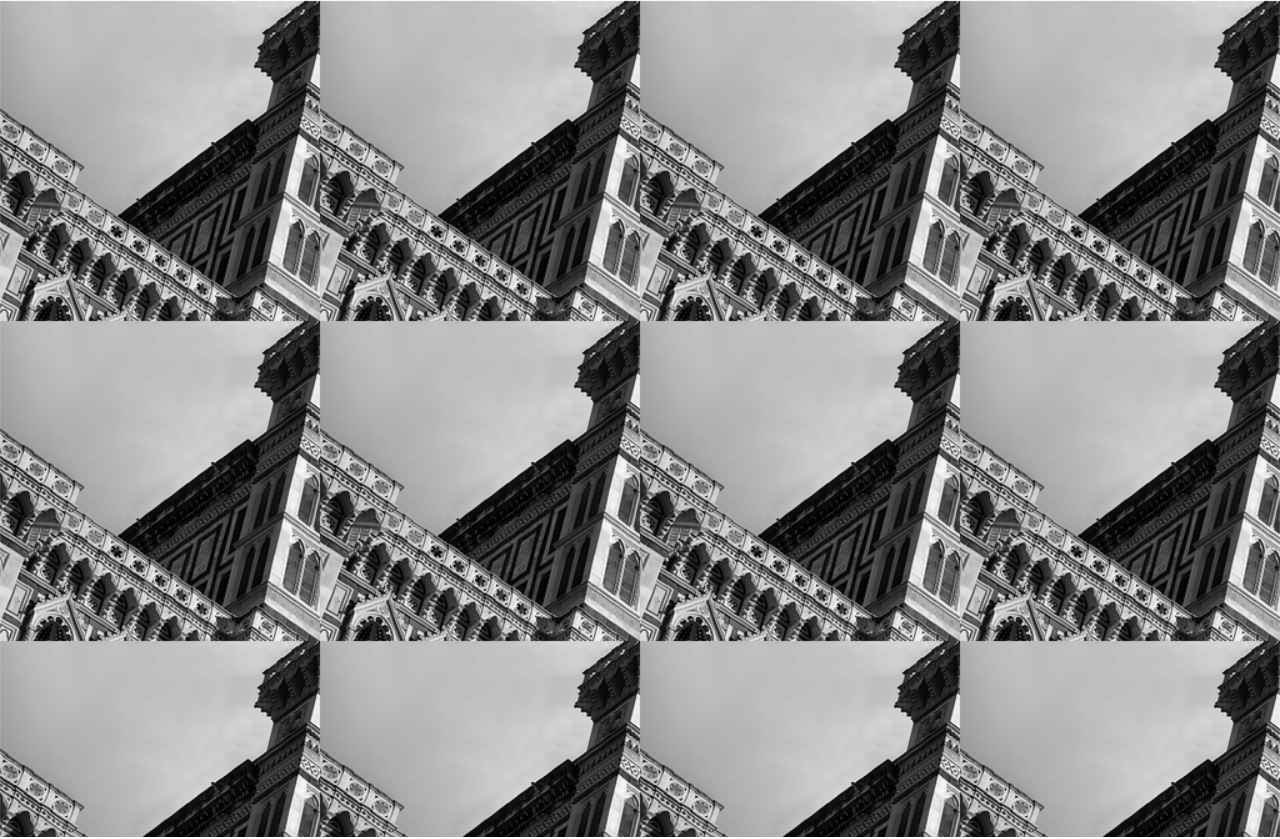
});我想要实现类似于openseadragon网站的演示。在对上面的代码进行修改后,我得到了一个重复部分图像的网格。
回答 2
Stack Overflow用户
发布于 2019-06-26 14:31:38
要使用Zoomify,您需要一个服务器,它支持用作tiles的映像。您使用的url是flickr上的静态图像,OpenLayers需要将其处理为ImageStatic。下面是使用flickr中的最高分辨率图像的代码
  var extent = [0, 0, 10000, 7328];
  var resolutions = [64, 32, 16, 8, 4, 2, 1];

  var layer = new ol.layer.Image({
    source: new ol.source.ImageStatic({
      url: 'https://live.staticflickr.com/8173/7993440342_6a1f281898_o_d.jpg',
      imageExtent: extent
    })
  });

  var map = new ol.Map({
    layers: [layer],
    target: 'map',
    view: new ol.View({
      // adjust zoom levels to those provided by the source
      resolutions: resolutions,
      // constrain the center: center cannot be set outside this extent
      extent: extent
    })
  });
map.getView().fit(extent);html, body, .map {
margin: 0;
padding: 0;
width: 100%;
height: 100%;
}<link href="https://cdn.rawgit.com/openlayers/openlayers.github.io/master/en/v5.3.0/css/ol.css" rel="stylesheet" />
<script src="https://cdn.rawgit.com/openlayers/openlayers.github.io/master/en/v5.3.0/build/ol.js"></script>
<div id="map" class="map"></div>
或者,您可以链接到OpenSeadragon使用的url。惊人的是,缩放级别从8级到14级,第8级有一个瓷砖,第14级有55x41个网格,其中最右边列的瓷砖宽206 in,底部行41 in高。Zoomify可以使用,但是需要一个自定义的贴片url函数来将8添加到OpenLayers期望的缩放级别。
  var imgWidth = 54*256 + 206;
  var imgHeight = 40*256 + 41;

  var zoomifyUrl = 'https://openseadragon.github.io/example-images/duomo/duomo_files/{z}/{x}_{y}.jpg';

  var layer = new ol.layer.Tile({
    source: new ol.source.Zoomify({
      url: zoomifyUrl,
      size: [imgWidth, imgHeight],
      crossOrigin: 'anonymous'
    })
  });

  layer.getSource().setTileUrlFunction(function(tileCoord) {
    return zoomifyUrl.replace(
      '{z}', tileCoord[0]+8
    ).replace(
      '{x}', tileCoord[1]
    ).replace(
      '{y}', -(tileCoord[2]+1)
    );
  });

  var extent = [0, -imgHeight, imgWidth, 0];

  var map = new ol.Map({
    layers: [layer],
    target: 'map',
    view: new ol.View({
      // adjust zoom levels to those provided by the source
      resolutions: layer.getSource().getTileGrid().getResolutions(),
      // constrain the center: center cannot be set outside this extent
      extent: extent
    })
  });
map.getView().fit(extent);html, body, .map {
margin: 0;
padding: 0;
width: 100%;
height: 100%;
}<link href="https://cdn.rawgit.com/openlayers/openlayers.github.io/master/en/v5.3.0/css/ol.css" rel="stylesheet" />
<script src="https://cdn.rawgit.com/openlayers/openlayers.github.io/master/en/v5.3.0/build/ol.js"></script>
<div id="map" class="map"></div>
从这一尝试的结果来看,很明显,有些瓷砖只有255 to,而不是标准256,这使得输出中出现了白线。我添加了一个自定义的瓷砖加载函数来将255 be宽度或高度拉伸到256 (但它不能在右边缘和底部边缘拉伸瓷砖,可以小于255 be)。
  var imgWidth = 54*256 + 206;
  var imgHeight = 40*256 + 41;

  var zoomifyUrl = 'https://openseadragon.github.io/example-images/duomo/duomo_files/{z}/{x}_{y}.jpg';

  var layer = new ol.layer.Tile({
    source: new ol.source.Zoomify({
      url: zoomifyUrl,
      size: [imgWidth, imgHeight],
      crossOrigin: 'anonymous'
    })
  });

  layer.getSource().setTileUrlFunction(function(tileCoord) {
    return zoomifyUrl.replace(
      '{z}', tileCoord[0]+8
    ).replace(
      '{x}', tileCoord[1]
    ).replace(
      '{y}', -(tileCoord[2]+1)
    );
  });

  var tileSize = ol.size.toSize(layer.getSource().getTileGrid().getTileSize(0));

  layer.getSource().setTileLoadFunction(function(imageTile, src) {
    var img = document.createElement('img');
    img.onload = function() {
      var width = img.naturalWidth >= tileSize[0]-1 ? tileSize[0] : img.naturalWidth;
      var height = img.naturalHeight >= tileSize[1]-1 ? tileSize[1] : img.naturalHeight;
      var canvas = document.createElement('canvas');
      canvas.width = width;
      canvas.height = height;
      var ctx = canvas.getContext('2d');
      ctx.drawImage(img, 0, 0, width, height);
      imageTile.getImage().src = canvas.toDataURL();
    };
    img.crossOrigin = 'anonymous';
    img.src = src;
  });

  var extent = [0, -imgHeight, imgWidth, 0];

  var map = new ol.Map({
    layers: [layer],
    target: 'map',
    view: new ol.View({
      // adjust zoom levels to those provided by the source
      resolutions: layer.getSource().getTileGrid().getResolutions(),
      // constrain the center: center cannot be set outside this extent
      extent: extent
    })
  });
map.getView().fit(extent);html, body, .map {
margin: 0;
padding: 0;
width: 100%;
height: 100%;
}<link href="https://cdn.rawgit.com/openlayers/openlayers.github.io/master/en/v5.3.0/css/ol.css" rel="stylesheet" />
<script src="https://cdn.rawgit.com/openlayers/openlayers.github.io/master/en/v5.3.0/build/ol.js"></script>
<div id="map" class="map"></div>
使用dzi XML解析器:
var map = new ol.Map({
target: 'map',
logo: false
});
var layer = dzi.loadUrl(
'https://openseadragon.github.io/example-images/duomo/duomo.dzi',
{ attributions: 'Image © 2012, <a href="https://www.flickr.com/photos/projectese/" target="_blank">Dario Morelli</a>' }
);
layer.on('change:source', function(evt) {
map.setView(
new ol.View({
resolutions: layer.getSource().getTileGrid().getResolutions(),
extent: layer.getExtent()
})
);
map.getView().fit(layer.getExtent(), { size: map.getSize() });
});
map.addLayer(layer);html, body, .map {
margin: 0;
padding: 0;
width: 100%;
height: 100%;
}<link href="https://cdn.rawgit.com/openlayers/openlayers.github.io/master/en/v5.3.0/css/ol.css" rel="stylesheet" />
<script src="https://cdn.rawgit.com/openlayers/openlayers.github.io/master/en/v5.3.0/build/ol.js"></script>
<script>
dzi = function() {
function loadUrl ( url,
opt_options // attributions (defaults to undefined), crossOrigin (defaults to 'anonymous')
) {
var options = opt_options || {};
var crossOrigin = options.crossOrigin === undefined ? 'anonymous' : options.crossOrigin;
var layer = new ol.layer.Tile();
var last = url.lastIndexOf('.');
var path = url.slice(0, last);
var xhr = new XMLHttpRequest();
xhr.open('GET', url);
xhr.onload = function() {
var parser = new DOMParser();
var xmlDoc = parser.parseFromString(xhr.responseText,'text/xml');
var elements = xmlDoc.getElementsByTagName('Image');
var tileSize = Number(elements[0].getAttribute('TileSize'));
var format = elements[0].getAttribute('Format');
var width = Number(elements[0].getElementsByTagName('Size')[0].getAttribute('Width'));
var height = Number(elements[0].getElementsByTagName('Size')[0].getAttribute('Height'));
var url = path + '_files/{z}/{x}_{y}.' + format;
var source = new ol.source.Zoomify({
attributions: options.attributions,
url: url,
size: [width, height],
tileSize: tileSize,
crossOrigin: crossOrigin
});
var offset = Math.ceil(Math.log(tileSize)/Math.LN2);
source.setTileUrlFunction(function(tileCoord) {
return url.replace(
'{z}', tileCoord[0] + offset
).replace(
'{x}', tileCoord[1]
).replace(
'{y}', -(tileCoord[2]+1)
);
});
layer.setExtent([0, -height, width, 0]);
layer.setSource(source);
}
xhr.send();
return layer;
}
return {
"loadUrl" : loadUrl
}
} ();
</script>
<div id="map" class="map"></div>
Stack Overflow用户
发布于 2019-10-22 08:34:58
https://stackoverflow.com/questions/56767948
复制相似问题
腾讯云开发者

Copyright © 2013 - 2026 Tencent Cloud. All Rights Reserved. 腾讯云 版权所有
深圳市腾讯计算机系统有限公司 ICP备案/许可证号:粤B2-20090059  粤公网安备44030502008569号
腾讯云计算(北京)有限责任公司 京ICP证150476号 | 京ICP备11018762号