
Bixby如何从以前的NL输入中保留数据?
Bixby如何从以前的NL输入中保留数据?
提问于 2019-05-21 15:58:01
我不明白Bixby如何保留以前NL输入的数据。下面的示例使用胶囊胶囊样衬衫。
- 我首先使用NL输入
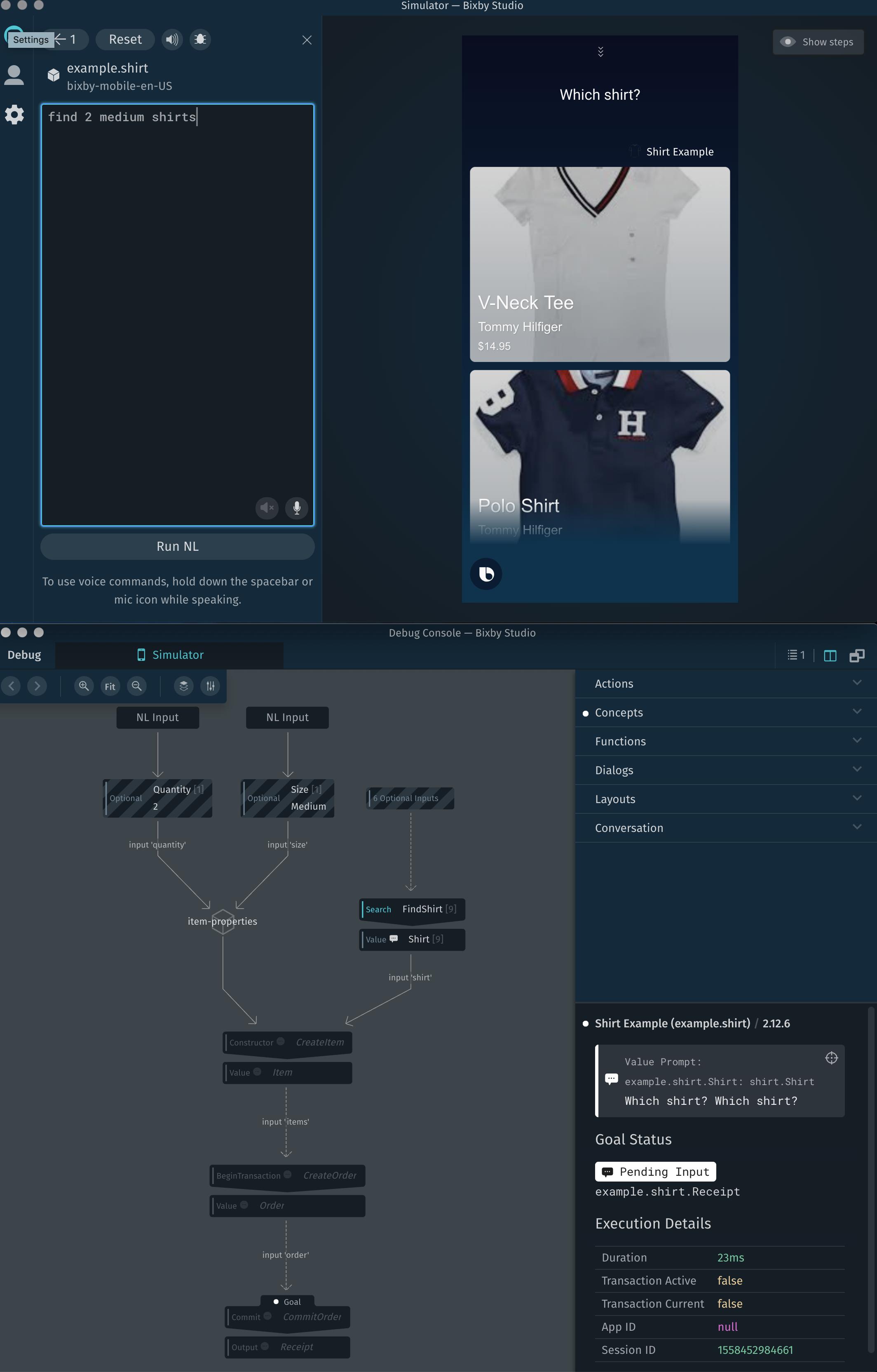
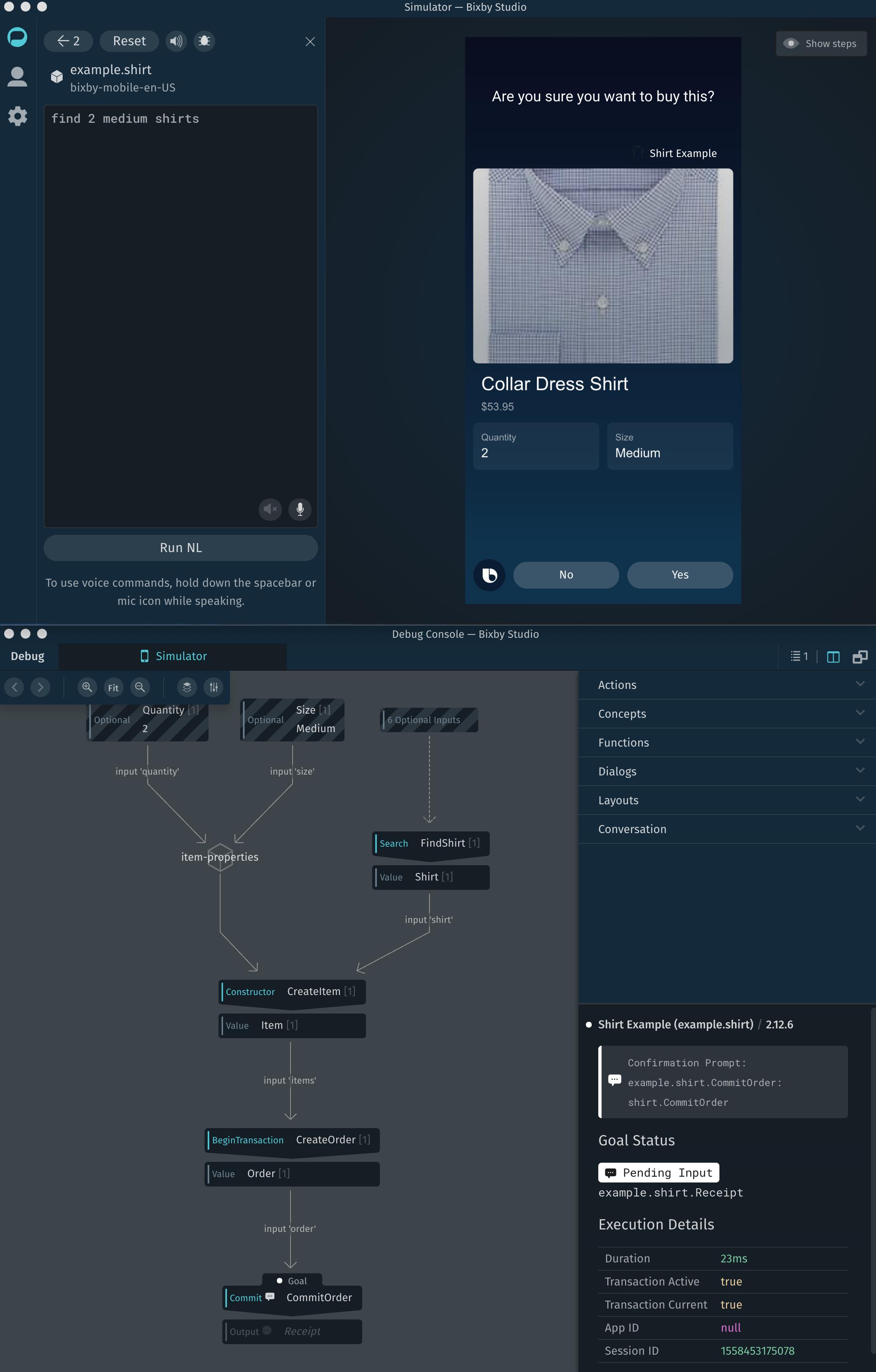
find 2 medium shirts来获取衬衫列表。 - 我点击其中任何一个(在这里我使用领连衣裙),比克斯比问我是否想买它。
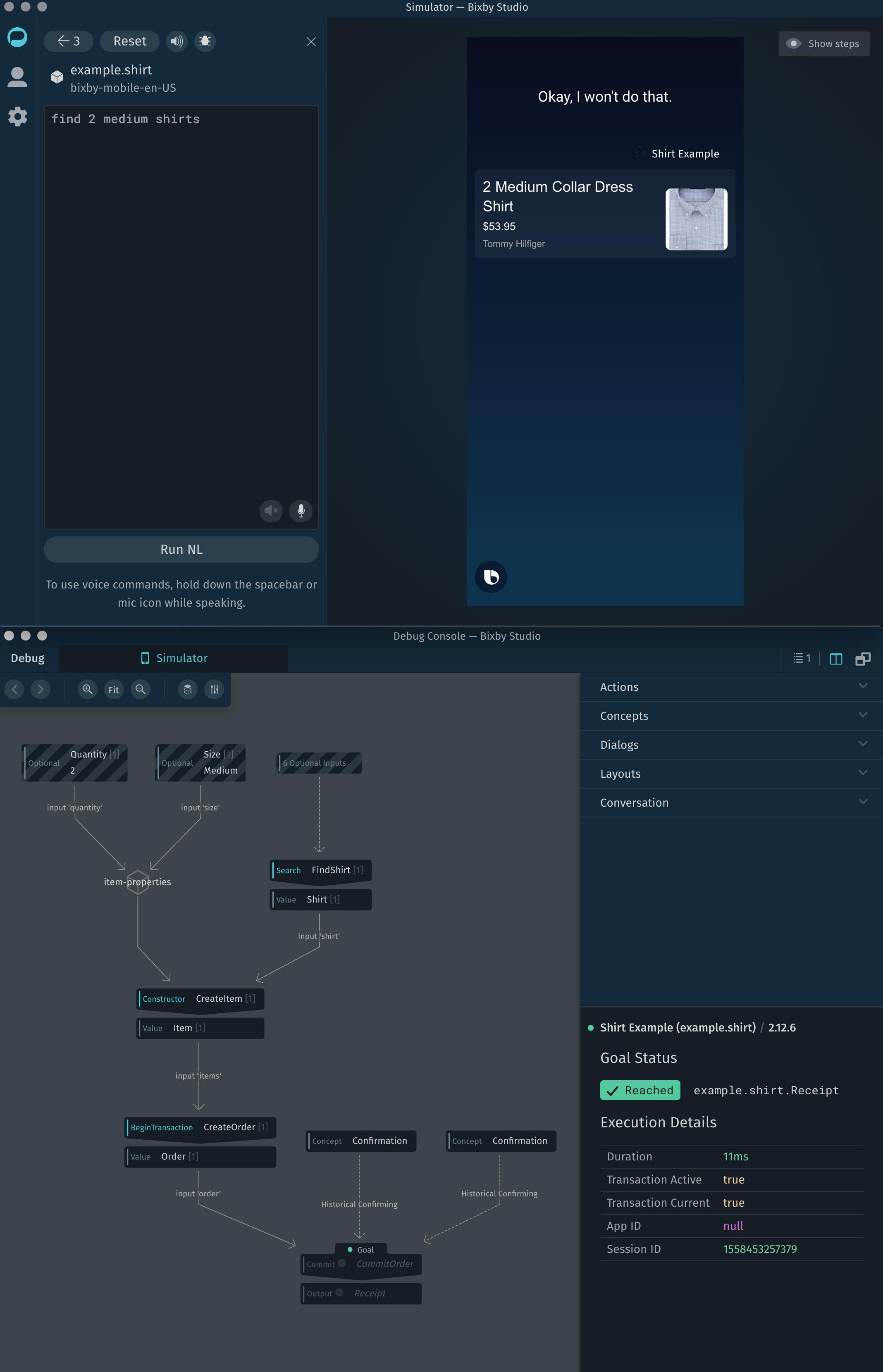
- 我点击No,Bixby告诉我一个好的,我不会那么做。
- 现在我立即再次运行相同的NL输入
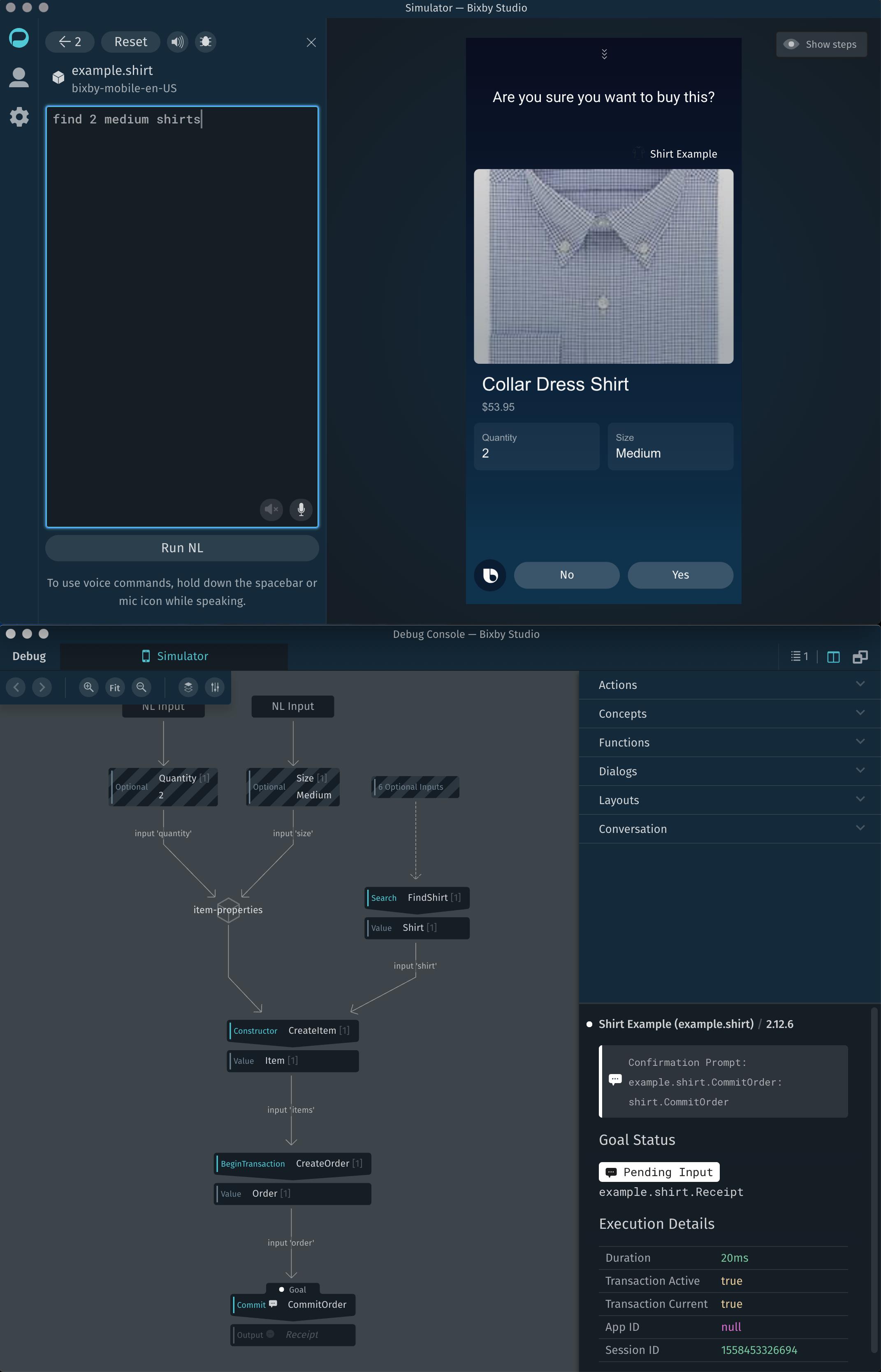
find 2 medium shirts,并期望Bixby再次向我展示衬衫列表,就像第一次一样。比克斯比现在不再是预期的衬衫清单,而是再问我一次,你确定要买这个吗?我以前选过的领裙衬衫。
为什么比克斯比第二次把find 2 medium shirts 作为NL输入时不显示衬衫列表?第一次使用此NL输入使Bixby显示列表需要发生什么?
在NL输入后的衬衫列表:
Bixby正在等待确认:
Bixby表示取消了提示符:
Bixby没有显示列表,而是立即请求确认:
回答 1
Stack Overflow用户
回答已采纳
发布于 2019-05-21 18:52:07
这是关于比克斯比的人工智能部分。
没有按下重置键的每个会话(话语)都被认为是最后一句(如果有的话)的延续。因此,选择领连衣裙并取消它,但后来要求找到2件中等衬衫,Bixby将尝试填补空白与最后选择用户所做的。
一个明显的问题是,除非重置,否则现在无法更改衬衫的类型,但是修复将很容易,使衬衫的图像可点击,并在视图模型Confirmation.view.bxb中链接操作。
                image-card {
                  aspect-ratio (4:3)
                  image-url ("[#{value(item.shirt.images[0].url)}]")
                  title-area {
                    halign (Start)
                    slot1 {
                      text {
                        value ("")
                        style (Title_M)
                      }
                    }
                  }
                  // Add on-click here
                }
您可以添加“类似”按钮以更改大小和数量。
                    input-cell {
                      label ("Quantity")
                      value ("#{value(item.quantity)}")
                      on-click {
                        //This intent relies on searchTerm matching the item which is not a good practice, a better approach
                        //was to allow an ID as input to SelectItem and use `this.id` in the intent
                        intent {
                          goal {
                            UpdateOrder
                            @context (Continuation) { Order }
                          }
                          value { SearchTerm$expr(item.shirt.title) }
                          route { GetQuantity }
                        }
                      }
                    }
您可能需要添加其他模型以正确地提升用户。
希望这会有所帮助,并与Bixby玩得开心!
页面原文内容由Stack Overflow提供。腾讯云小微IT领域专用引擎提供翻译支持
原文链接:
https://stackoverflow.com/questions/56242169
复制相关文章
相似问题
腾讯云开发者

Copyright © 2013 - 2026 Tencent Cloud. All Rights Reserved. 腾讯云 版权所有
深圳市腾讯计算机系统有限公司 ICP备案/许可证号:粤B2-20090059  粤公网安备44030502008569号
腾讯云计算(北京)有限责任公司 京ICP证150476号 | 京ICP备11018762号