
如何使用python从点云数据(从.PCD文件)中选择3D点?
如何使用python从点云数据(从.PCD文件)中选择3D点?
提问于 2019-05-17 09:48:00
我有一个.pcd文件,我需要可视化并从中挑选点。
我正在使用:
- Python 3.6
- open3D
- pcl
import numpy as np
from open3d import *

def main():
    pcd = read_point_cloud("C:/Users/rsr5le/Desktop/m_data_2018_11_19__15_58_08.pcd") # Read the point cloud
    draw_geometries([pcd]) # Visualize the point cloud


if __name__ == "__main__":
    main()
xyz是我需要在文件中选择的要点。
回答 2
Stack Overflow用户
发布于 2019-05-22 10:31:36
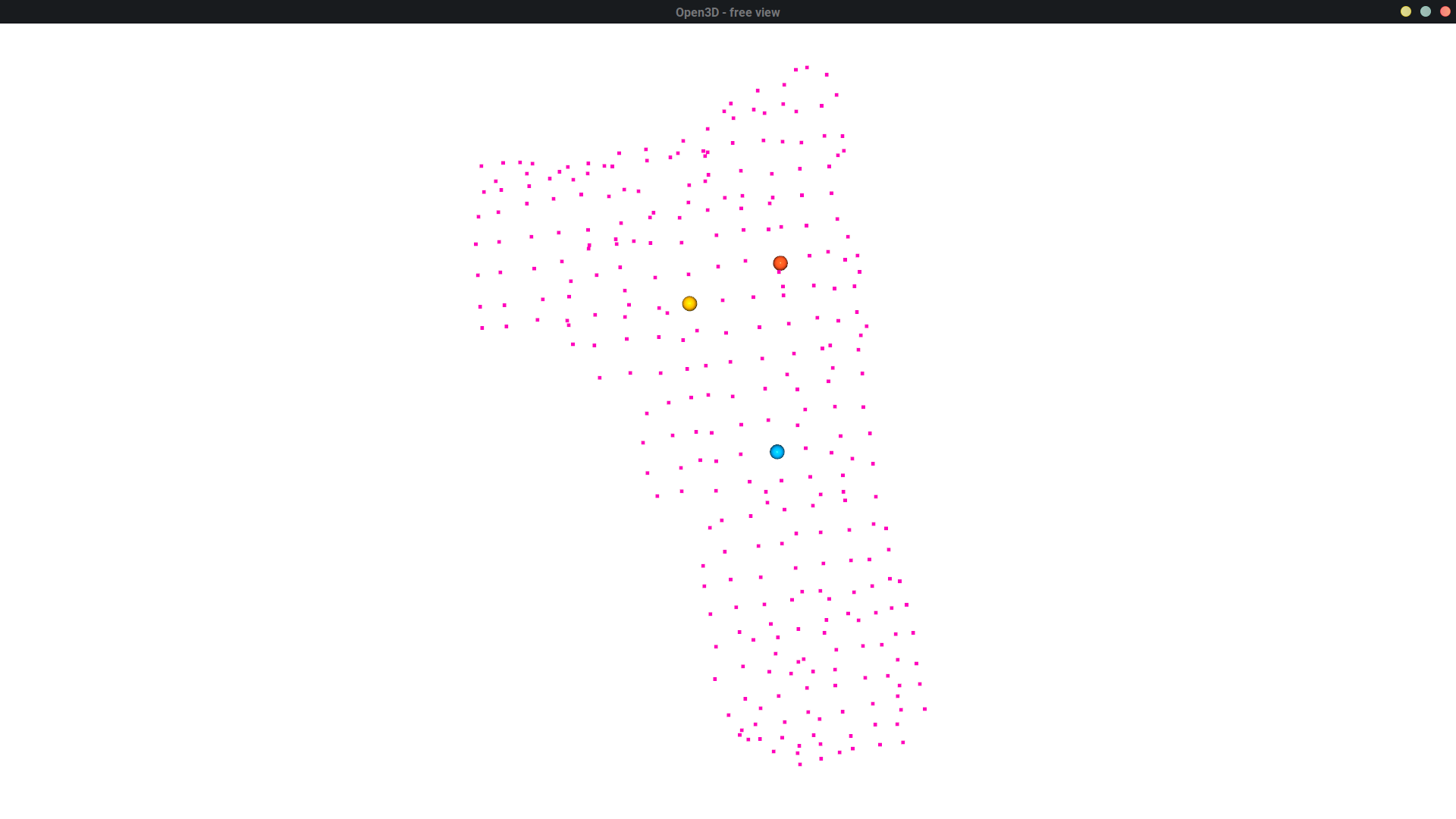
请在下面的代码中使用open3d.VisualizerWithEditing。记住,当可视化工具运行时,请按Shift +左键。如果按压正确,您应该能够看到添加到可视化工具中的球体。
import open3d
a = open3d.read_point_cloud("a.pcd")
# Visualize cloud and edit
vis = open3d.VisualizerWithEditing()
vis.create_window()
vis.add_geometry(a)
vis.run()
# Picked point #84 (-0.00, 0.01, 0.01) to add in queue.
# Picked point #119 (0.00, 0.00, -0.00) to add in queue.
# Picked point #69 (-0.01, 0.02, 0.01) to add in queue.
vis.destroy_window()
print(vis.get_picked_points()) #[84, 119, 69]
Stack Overflow用户
发布于 2019-05-17 11:30:43
您可以将这些点放入一个numpy数组中&搜索它们以在点数组中找到它的索引,
point_to_find = np.array([2, 3, 4]) # this is your xyz
point_cloud_array = np.asarray(pcd.points)

try:
    print(np.where(np.all(point_cloud_array==point_to_find, axis=1))[0][0])
except:
print("not in array")页面原文内容由Stack Overflow提供。腾讯云小微IT领域专用引擎提供翻译支持
原文链接:
https://stackoverflow.com/questions/56183844
复制相关文章
相似问题
腾讯云开发者

Copyright © 2013 - 2026 Tencent Cloud. All Rights Reserved. 腾讯云 版权所有
深圳市腾讯计算机系统有限公司 ICP备案/许可证号:粤B2-20090059  粤公网安备44030502008569号
腾讯云计算(北京)有限责任公司 京ICP证150476号 | 京ICP备11018762号