
如何在文本组件中匹配图像?
如何在文本组件中匹配图像?
提问于 2019-03-11 16:48:51
我需要在文本中插入一个图像,所以,我用最简单的方法:
const avatarurl = 'https://upload.wikimedia.org/wikipedia/commons/6/6e/Golde33443.jpg'

<ScrollView>
    <View style={styles.articleContent}>
      <View style={styles.p}>
        <Text style={{backgroundColor:'pink', width: 300, height: 100 }}>
          <Image style={{width: 300, height: 50}} source={{uri: avatarurl}}/>
        </Text>
      </View>
    </View>
</ScrollView>

const styles = {
  articleContent: {
    paddingTop: 50,
    paddingLeft: 20,
    paddingRight: 20,
    borderColor: 'red',
  },
 p: {
    paddingBottom: 15,
    flex: 1,
 },
 textCaption: {
  fontSize: 13,
  color: 'black',
 },
}
这里的结果是:
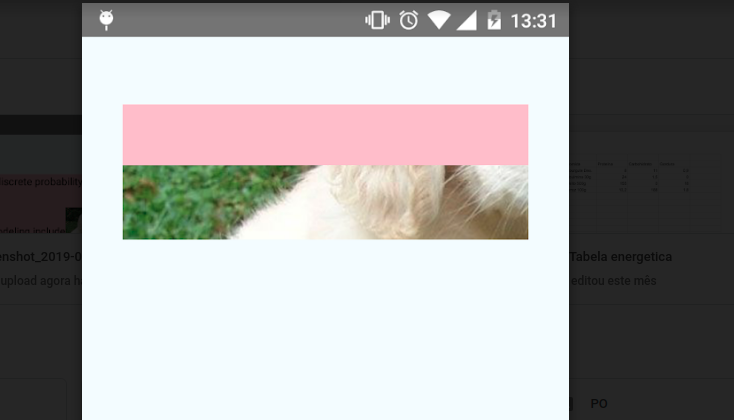
我不知道为什么整个图像不在文本中。所以,我又试了一次文本:
  <ScrollView>
    <View style={styles.articleContent}>
      <View style={styles.p}>
        <Text style={{backgroundColor:'pink', width: 300, height: 200}}>
          <Text style={styles.textCaption}>Well-known discrete probability distributions used in statistical modeling include</Text>
          <Image style={{width: 30, height: 30}} source={{uri: avatarurl}}/>
          <Text style={styles.textCaption}> the Poisson distribution, the Bernoulli distribution, the binomial distribution, </Text>
        </Text>
        <Text style={styles.text}>asdasd asd asd asd asd asdas das das d</Text>
      </View>
    </View>
  </ScrollView>
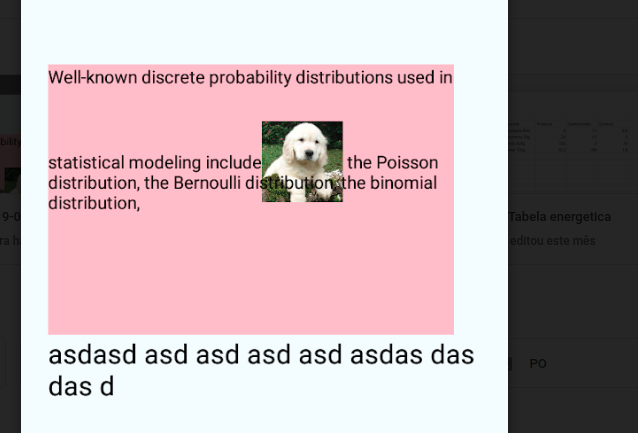
好的,图像不适合于文本的行内。我尝试了一些样式,比如:textAlign,lineHeight。但什么都帮不上忙。有办法这样做吗?图像需要在文本中:,如:
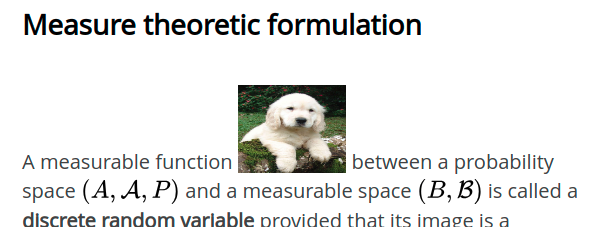
图像可能不会侵入另一行的空间。而单词则需要保持在最下面。
回答 1
Stack Overflow用户
发布于 2019-03-12 03:00:00
为了将图像放入文本中,您必须像这样将图像放入其中;
<View>
 <Text> BIG TITLE </Text>

  <Text><Text>Caption text bla bla ajdjj </Text><Image style={{width: 30, height: 30}} source={{uri: avatarurl}}/> More Text bla blah blah blah blahhhhh </Text>

</View>页面原文内容由Stack Overflow提供。腾讯云小微IT领域专用引擎提供翻译支持
原文链接:
https://stackoverflow.com/questions/55106658
复制相关文章
相似问题
腾讯云开发者

Copyright © 2013 - 2026 Tencent Cloud. All Rights Reserved. 腾讯云 版权所有
深圳市腾讯计算机系统有限公司 ICP备案/许可证号:粤B2-20090059  粤公网安备44030502008569号
腾讯云计算(北京)有限责任公司 京ICP证150476号 | 京ICP备11018762号