
Webpack 4开发工具选项不适用webpack-dev-server。
在我决定发布这个问题之前,我做了很多事情作为背景调查。所以我的问题是:
-我使用webpack v4.6.0和webpack-dev-server v3.1.3 -它们一起工作很好,但是现在我试图为我的应用程序设置源代码映射,似乎 devtool选项 不工作。
至少对我来说,我试过并测试了清单上的每一个选项:
- Webpack 4-原始地图:这个问题意味着
devtool: 'source-map'应该开箱即用,但对我来说并非如此。 - 如何制作webpack源文件地图:将
devtoolModuleFilenameTemplate: info =>'file://' + path.resolve(info.absoluteResourcePath).replace(/\\/g, '/')添加到输出配置中没有多大帮助,而不是client.js,而是为我显示了index.js
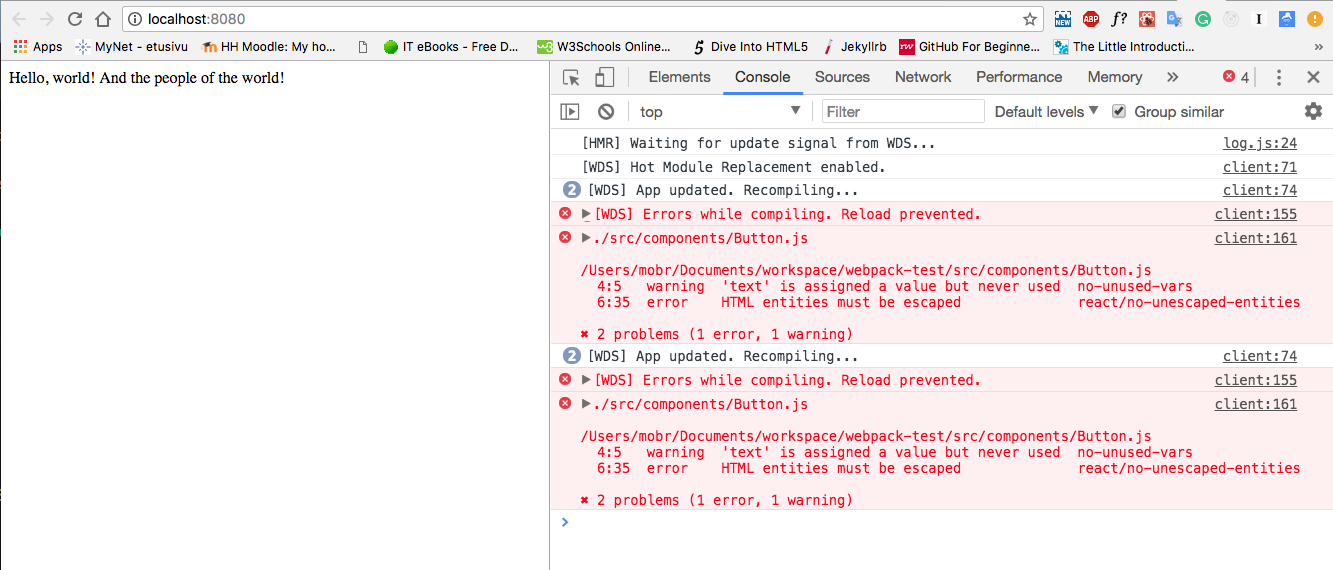
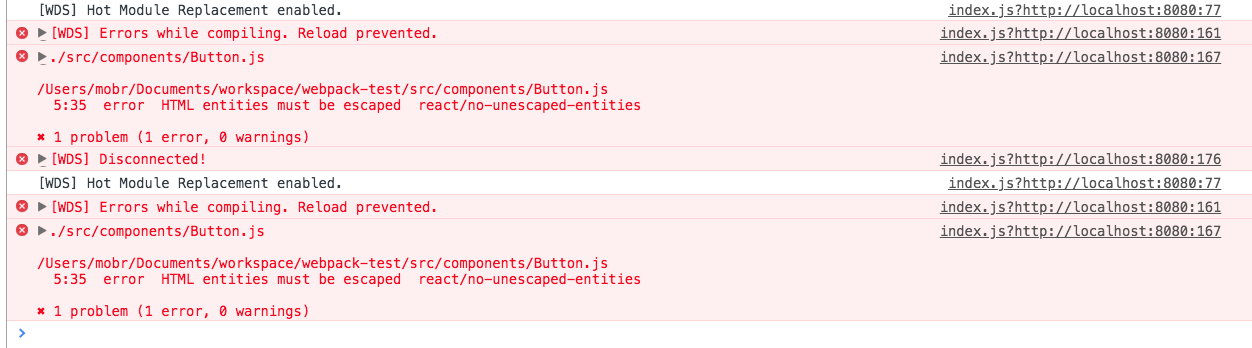
- https://github.com/webpack/webpack/issues/6400:这个并不是对我的问题的准确描述,尝试这里的方法似乎对我也没有帮助。
- 我尝试使用
webpack.SourceMapDevToolPlugin,但它也不适用于我的安装程序,即使我删除了devtools或将它们设置为false - 我这里不使用UglifyJS插件
- 我知道现在webpack-dev-server正在维护中,所以我尝试了webpack-serve,但是源代码映射似乎也不能使用它。
- 我也尝试过源代码地图支持包,但也没有运气,有类似于这里的情况:
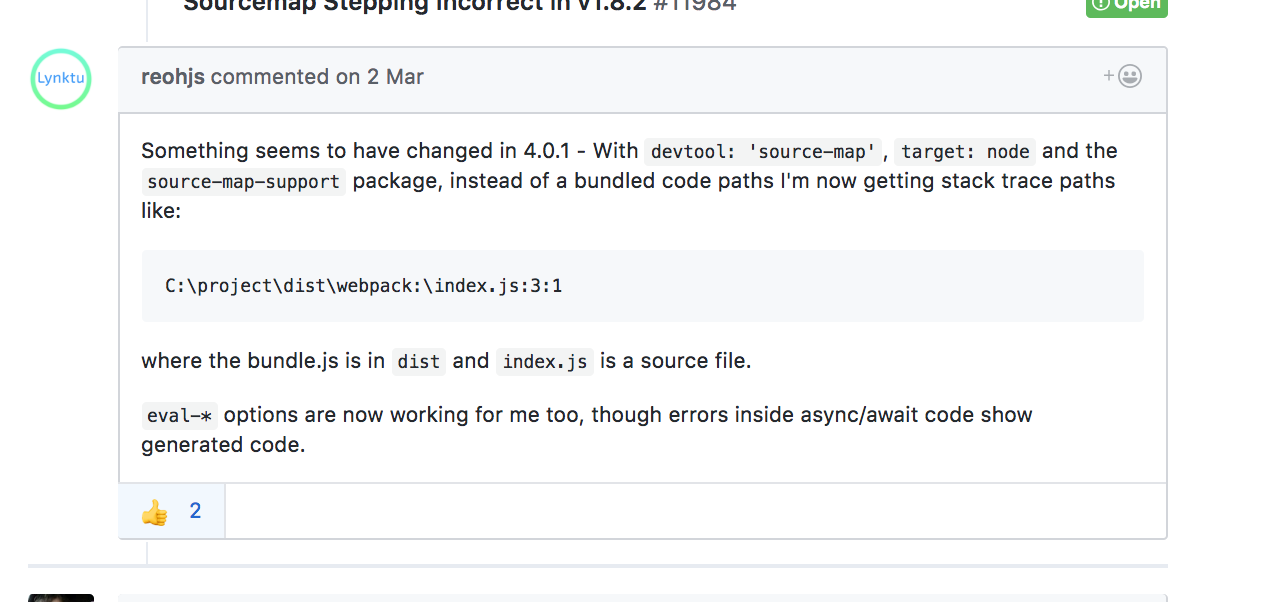
你知道这个问题是由某个公关来解决的,还是你自己尝试过解决这个问题?任何提示或帮助都是非常感谢的!
--我想像这里描述的那样获得输出, 在博客上 直接链接到我的文件和原始文件代码.
我的webpack.js
// webpack v4.6.0
const path = require('path');
const HtmlWebpackPlugin = require('html-webpack-plugin');
const WebpackMd5Hash = require('webpack-md5-hash');
const CleanWebpackPlugin = require('clean-webpack-plugin');
const stylish = require('eslint/lib/formatters/stylish');
const webpack = require('webpack');

module.exports = {
  entry: { main: './src/index.js' },
  output: {
    devtoolModuleFilenameTemplate: info =>
      'file://' + path.resolve(info.absoluteResourcePath).replace(/\\/g, '/'),
    path: path.resolve(__dirname, 'dist'),
    filename: '[name].[hash].js'
  },
  devtool: 'source-map',
  devServer: {
    contentBase: './dist',
    hot: true
  },
  module: {
    rules: [
      {
        test: /\.js$/,
        exclude: /node_modules/,
        loader: 'babel-loader'
      },
      {
        test: /\.js$/,
        exclude: /node_modules/,
        loader: 'eslint-loader',
        options: {
          formatter: stylish
        }
      }
    ]
  },
  plugins: [
    // new webpack.SourceMapDevToolPlugin({
    //   filename: '[file].map',
    //   moduleFilenameTemplate: undefined,
    //   fallbackModuleFilenameTemplate: undefined,
    //   append: null,
    //   module: true,
    //   columns: true,
    //   lineToLine: false,
    //   noSources: false,
    //   namespace: ''
    // }),
    new CleanWebpackPlugin('dist', {}),
    new HtmlWebpackPlugin({
      inject: false,
      hash: true,
      template: './src/index.html',
      filename: 'index.html'
    }),
    new WebpackMd5Hash(),
    new webpack.NamedModulesPlugin(),
    new webpack.HotModuleReplacementPlugin()
  ]
};
我的package.json
{
  "name": "post",
  "version": "1.0.0",
  "description": "",
  "main": "index.js",
  "scripts": {
    "storybook": "start-storybook -p 9001 -c .storybook",
    "dev": "webpack-dev-server --mode development --open",
    "build": "webpack --mode production"
  },
  "author": "",
  "license": "ISC",
  "devDependencies": {
    "@storybook/addon-actions": "^3.4.3",
    "@storybook/react": "v4.0.0-alpha.4",
    "babel-cli": "^6.26.0",
    "babel-core": "^6.26.0",
    "babel-loader": "^7.1.4",
    "babel-preset-env": "^1.6.1",
    "babel-preset-react": "^6.24.1",
    "babel-runtime": "^6.26.0",
    "clean-webpack-plugin": "^0.1.19",
    "eslint": "^4.19.1",
    "eslint-config-prettier": "^2.9.0",
    "eslint-loader": "^2.0.0",
    "eslint-plugin-prettier": "^2.6.0",
    "eslint-plugin-react": "^7.7.0",
    "html-webpack-plugin": "^3.2.0",
    "prettier": "^1.12.1",
    "react": "^16.3.2",
    "react-dom": "^16.3.2",
    "webpack": "v4.6.0",
    "webpack-cli": "^2.0.13",
    "webpack-dev-server": "v3.1.3",
    "webpack-md5-hash": "0.0.6",
    "webpack-serve": "^0.3.1"
  },
  "dependencies": {
    "source-map-support": "^0.5.5"
  }
}
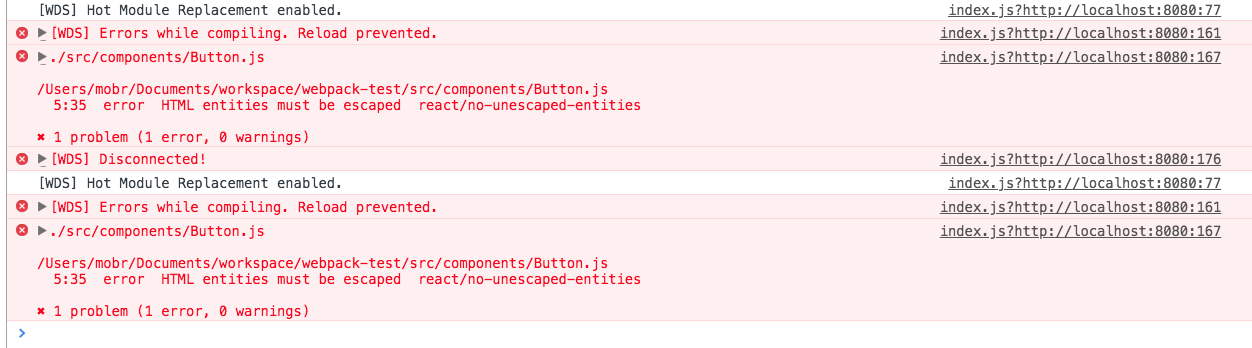
我在控制台中的输出是:
编辑:
我看到了一个类似的问题,这里,但似乎没有人回答。错误是故意犯的!,这不仅适用于皮毛错误,而且适用于我的应用程序的每一个错误。https://github.com/marharyta/webpack-fast-development
更新01.05.2018
我创建了另一个带有更干净设置的回购:https://github.com/marharyta/webpack-4.6.0-test,并详细解释了我是如何到达这里的:https://medium.com/p/79fb676417f4/edit,webpack的贡献者给出了一些建议,但对我来说仍然没有效果:https://github.com/marharyta/webpack-4.6.0-test/issues/1。
更新02.05.2018
经过长时间的调查,我在下面贴出了我的答案。问题是ESLint,可能是一些模式标记,因为我不得不这样做。我在ESLint加载程序中也有一个问题:https://github.com/webpack-contrib/eslint-loader/issues/227,我还在这里创建了一个包含更详细描述的帖子:https://medium.com/@riittagirl/how-to-solve-webpack-problems-the-practical-case-79fb676417f4
回答 2
Stack Overflow用户
发布于 2018-05-01 15:10:37
所以,经过长期的尝试和错误,我终于得到了webpack的一位维护人员的帮助。主要问题是含糊其辞。如果将其作为加载程序加载,则会产生意外行为。通过删除js webpack装载机中的eslint,您可以修复这个问题。
webpack之前的设置:
// webpack v4
const path = require('path');
const HtmlWebpackPlugin = require('html-webpack-plugin');
const WebpackMd5Hash = require('webpack-md5-hash');
const CleanWebpackPlugin = require('clean-webpack-plugin');

const baseConfig = {
  entry: { main: './src/index.js' },
  output: {
    path: path.resolve(__dirname, 'dist'),
    filename: '[name].[hash].js'
  },
  devServer: {
    contentBase: './dist',
    hot: true,
    open: true
  },
  module: {
    rules: [
      {
        test: /\.js$/,
        exclude: /node_modules/,
        **use: [
          { loader: 'babel-loader' },
          {
            loader: 'eslint-loader',
            options: { formatter: require('eslint/lib/formatters/stylish') }
          }**
        ]
      }
    ]
  },
  plugins: [
    new CleanWebpackPlugin('dist'),
    new HtmlWebpackPlugin({
      inject: false,
      hash: true,
      template: './src/index.html',
      filename: 'index.html'
    }),
    new WebpackMd5Hash()
  ]
};

if (process.env.NODE_ENV === 'development') {
  baseConfig.devtool = 'inline-source-map';
}

module.exports = baseConfig
webpack在以下几个地方工作:
// webpack v4
const path = require('path');
const HtmlWebpackPlugin = require('html-webpack-plugin');
const WebpackMd5Hash = require('webpack-md5-hash');
const CleanWebpackPlugin = require('clean-webpack-plugin');
module.exports = {
  entry: { main: './src/index.js' },
  output: {
    path: path.resolve(__dirname, 'dist'),
    filename: '[name].[hash].js'
  },
  devtool: 'cheap-module-source-map',
  devServer: {
    contentBase: './dist',
    hot: true,
    open: true
  },
  module: {
    rules: [
      {
        test: /\.js$/,
        exclude: /node_modules/,
        **use: [{ loader: 'babel-loader' }]**
      }
    ]
  },
  plugins: [
    new CleanWebpackPlugin('dist'),
    new HtmlWebpackPlugin({
      inject: false,
      hash: true,
      template: './src/index.html',
      filename: 'index.html'
    }),
    new WebpackMd5Hash()
  ]
};
我的packeje.json看起来像:
{
  "name": "post",
  "version": "1.0.0",
  "description": "",
  "main": "index.js",
  "scripts": {
    "build": "webpack --mode=production",
    "start": "NODE_ENV=development webpack-dev-server --mode=development --hot"
  },
  "author": "",
  "license": "ISC",
  "devDependencies": {
    "babel-cli": "^6.26.0",
    "babel-core": "^6.26.0",
    "babel-loader": "^7.1.4",
    "babel-preset-env": "^1.6.1",
    "babel-preset-react": "^6.24.1",
    "babel-runtime": "^6.26.0",
    "clean-webpack-plugin": "^0.1.19",
    "eslint": "^4.19.1",
    "eslint-config-prettier": "^2.9.0",
    "eslint-loader": "^2.0.0",
    "eslint-plugin-prettier": "^2.6.0",
    "eslint-plugin-react": "^7.7.0",
    "html-webpack-plugin": "^3.2.0",
    "prettier": "^1.12.1",
    "react": "^16.3.2",
    "react-dom": "^16.3.2",
    "webpack": "^4.6.0",
    "webpack-cli": "^2.0.13",
    "webpack-md5-hash": "0.0.6"
  },
  "dependencies": {
    "webpack-dev-server": "^3.1.3"
  }
}
还请参阅在我的分支上创建的问题的建议:https://github.com/marharyta/webpack-4.6.0-test
Stack Overflow用户
发布于 2018-04-30 18:29:47
在webpack4中,您需要在webpack配置中设置模式。请添加
mode: "development"给你webpack配置。
您可以删除NamedModulesPlugin,因为它已经在dev模式中使用了。
source-map选项是用于生产构建的。对于开发工具的构建,我将删除devtool支柱,因为这样,webpack使用eval作为默认设置。如果它不起作用,那就试试:
devtool: 'cheap-module-eval-source-map'我就是这么用的。最起码的配置。
const path = require('path');
const HtmlWebpackPlugin = require('html-webpack-plugin');
const CleanWebpackPlugin = require('clean-webpack-plugin');
const stylish = require('eslint/lib/formatters/stylish');
const webpack = require('webpack');

module.exports = {
  mode: 'development',
  entry: { main: './src/index.js' },
  output: {
    filename: '[name].[hash].js'
  },
  resolve: {
    extensions: ['.js', '.jsx']
  },
  devtool: 'cheap-module-eval-source-map',
  devServer: {
    hot: true,
    open: true
  },
  module: {
    rules: [
      {
        test: /\.jsx?$/,
        exclude: /node_modules/,
        use: [
          { loader: 'babel-loader' },
          { loader: 'eslint-loader', options: { formatter: stylish } }
        ]
      }
    ]
  },
  plugins: [
    new CleanWebpackPlugin('dist'),
    new HtmlWebpackPlugin({
      template: './src/index.html'
    }),
    new webpack.HotModuleReplacementPlugin()
  ]
};https://stackoverflow.com/questions/50105741
复制相似问题
腾讯云开发者

Copyright © 2013 - 2026 Tencent Cloud. All Rights Reserved. 腾讯云 版权所有
深圳市腾讯计算机系统有限公司 ICP备案/许可证号:粤B2-20090059  粤公网安备44030502008569号
腾讯云计算(北京)有限责任公司 京ICP证150476号 | 京ICP备11018762号