
Swift 4中的UIImagePickerController内存泄漏Xcode 9
在我的应用程序中,当我使用UIImagePickerController时,我发现了一个内存泄漏,我认为它是我的应用程序,但在寻找解决方案时,我找到了一个苹果的示例,我还发现这个示例具有相同的内存泄漏。
您可以在以下URL中找到该示例。
根据UIImagePickerController文档:
https://developer.apple.com/documentation/uikit/uiimagepickercontroller
在第5点中,您说您必须使用您的委托对象来解雇图像选择器,在苹果的示例中,UIImagePickerDelegate正在进行解聘。
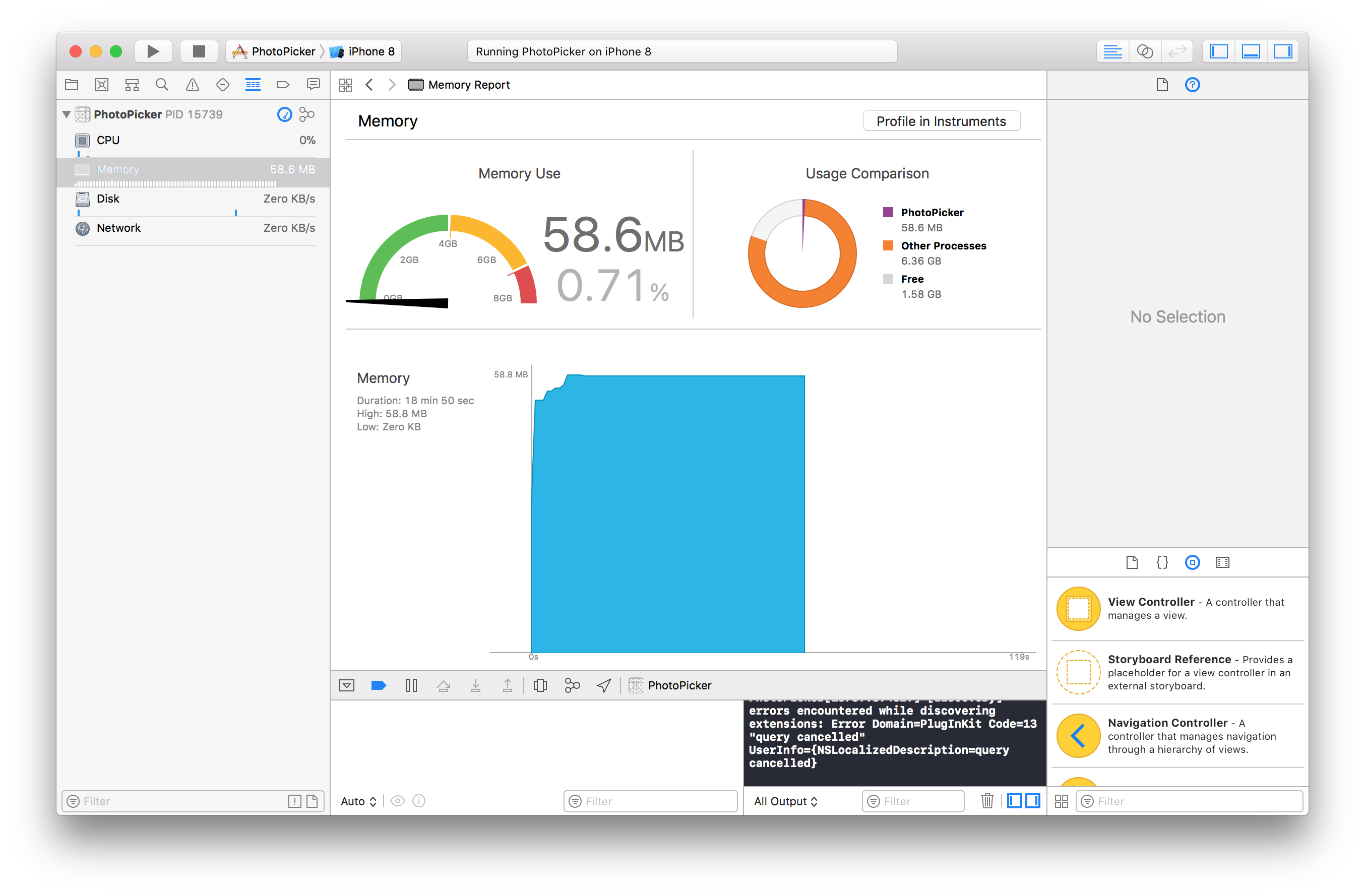
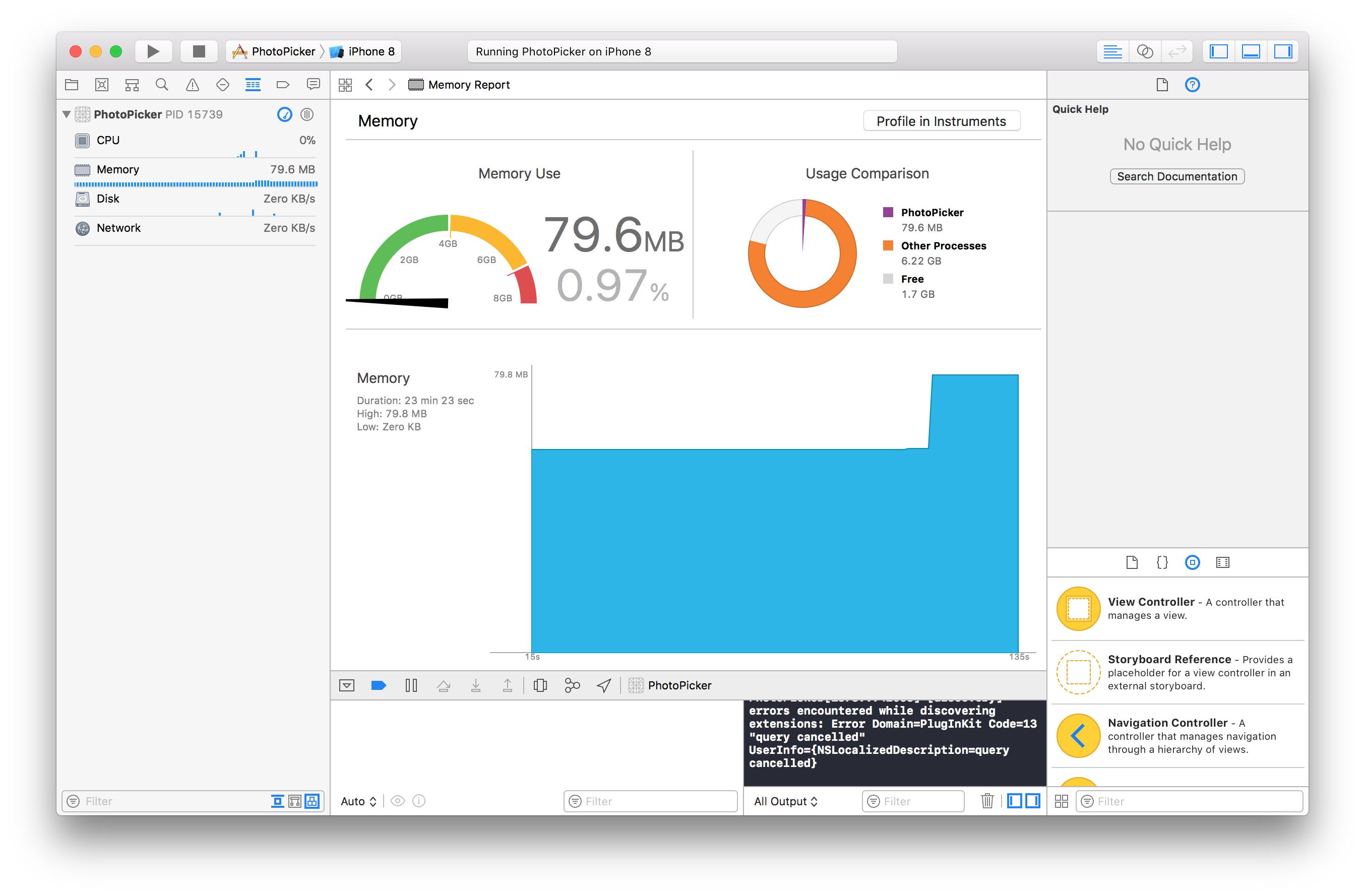
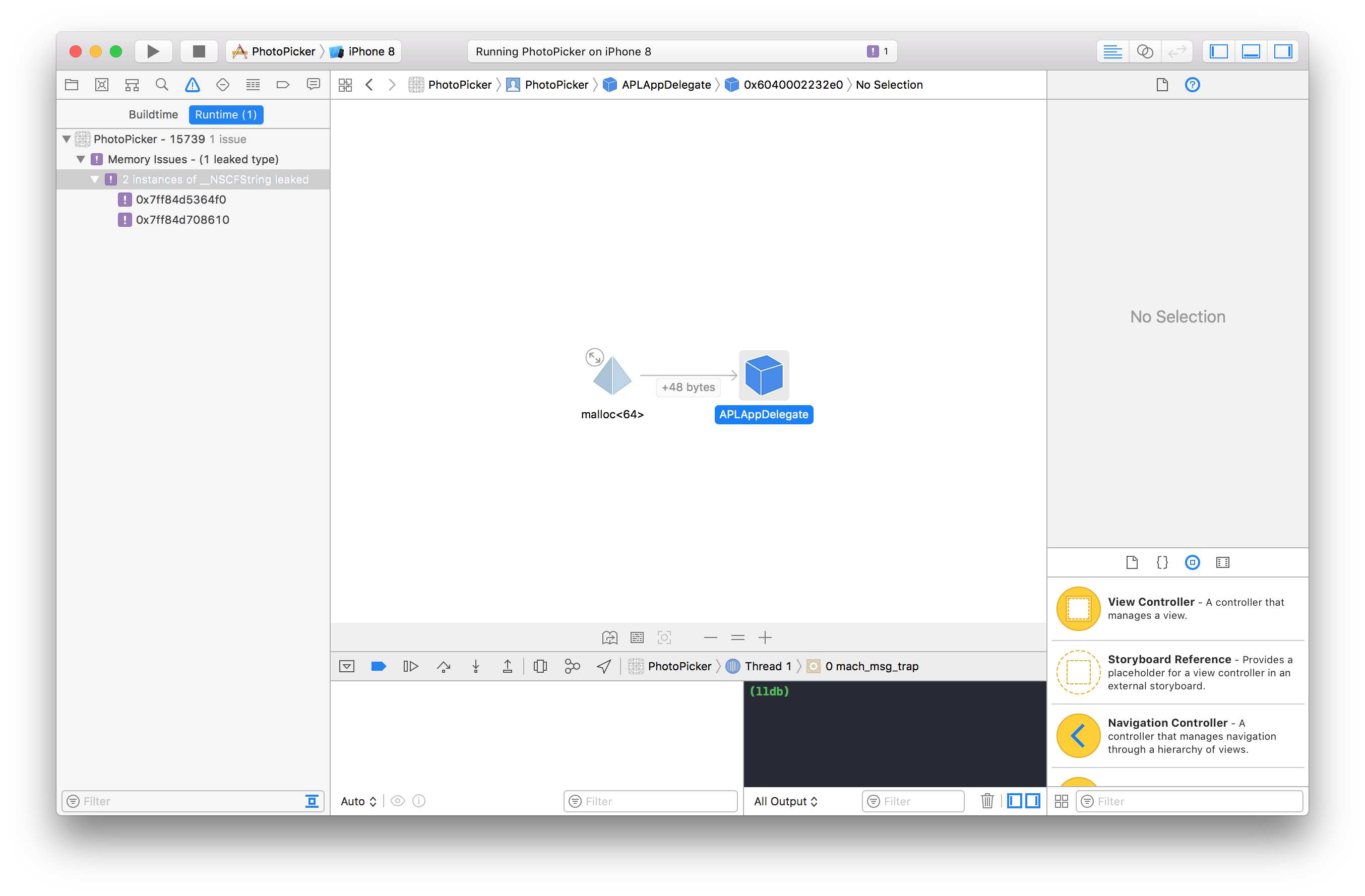
问题是当您选择一个映像并使用它时,内存泄漏正在浪费大约21 MB的内存。
使用没有内存泄漏的内存
使用内存泄漏
内存泄漏
这是表示UIImagePickerController的代码
@IBAction func showImagePickerForPhotoPicker(_ sender: UIBarButtonItem) {
    showImagePicker(sourceType: UIImagePickerControllerSourceType.photoLibrary, button: sender)
}

fileprivate func showImagePicker(sourceType: UIImagePickerControllerSourceType, button: UIBarButtonItem) {
    // If the image contains multiple frames, stop animating.
    if (imageView?.isAnimating)! {
        imageView?.stopAnimating()
    }
    if capturedImages.count > 0 {
        capturedImages.removeAll()
    }

    imagePickerController.sourceType = sourceType
    imagePickerController.modalPresentationStyle =
        (sourceType == UIImagePickerControllerSourceType.camera) ?
            UIModalPresentationStyle.fullScreen : UIModalPresentationStyle.popover

    let presentationController = imagePickerController.popoverPresentationController
    presentationController?.barButtonItem = button   // Display popover from the UIBarButtonItem as an anchor.
    presentationController?.permittedArrowDirections = UIPopoverArrowDirection.any

    if sourceType == UIImagePickerControllerSourceType.camera {
        // The user wants to use the camera interface. Set up our custom overlay view for the camera.
        imagePickerController.showsCameraControls = false

        // Apply our overlay view containing the toolar to take pictures in various ways.
        overlayView?.frame = (imagePickerController.cameraOverlayView?.frame)!
        imagePickerController.cameraOverlayView = overlayView
    }

    present(imagePickerController, animated: true, completion: {
        // Done presenting.
    })
}这是委托中拒绝UIImagePickerController的代码
func imagePickerController(_ picker: UIImagePickerController, didFinishPickingMediaWithInfo info: [String : Any]) {
    let image = info[UIImagePickerControllerOriginalImage]
    capturedImages.append(image as! UIImage)

    if !cameraTimer.isValid {
        // Timer is done firing so Finish up until the user stops the timer from taking photos.
        finishAndUpdate()
    } else {
        dismiss(animated: true, completion: nil)
    }
}

func imagePickerControllerDidCancel(_ picker: UIImagePickerController) {
    dismiss(animated: true, completion: {
        // Done cancel dismiss of image picker.
    })
}

fileprivate func finishAndUpdate() {
    dismiss(animated: true, completion: { [weak self] in
        guard let `self` = self else {
            return
        }

        if `self`.capturedImages.count > 0 {
            if self.capturedImages.count == 1 {
                // Camera took a single picture.
                `self`.imageView?.image = `self`.capturedImages[0]
            } else {
                // Camera took multiple pictures; use the list of images for animation.
                `self`.imageView?.animationImages = `self`.capturedImages
                `self`.imageView?.animationDuration = 5    // Show each captured photo for 5 seconds.
                `self`.imageView?.animationRepeatCount = 0   // Animate forever (show all photos).
                `self`.imageView?.startAnimating()
            }

            // To be ready to start again, clear the captured images array.
            `self`.capturedImages.removeAll()
        }
    })
}
我仍在寻找解决办法,任何帮助都将不胜感激。
回答 1
Stack Overflow用户
发布于 2018-08-08 06:28:27
我也有过同样的问题。很多其他人也是。可以追溯到2008年。相当疯狂。
- http://iphonedevsdk.com/forum/iphone-sdk-development/3816-uiimagepickercontroller-memory-issues.html
- UIImagePickerController leaking memory after launch and during taking a picture. Makes app crash after taking more than a 100 pictures
- UIImagePickerController Memory Leak
不幸的是,我能找到的最好的答案是使用单身,这很糟糕。也就是说,有意保留一个UIImagePickerController实例,因此您只需在每次选择图像时访问该实例。这就是其他人所建议的。
此外,我只花了一个小时用使用单例的代码编写这个答案,我只是无法避免内存泄漏,尽管我认为我有一秒钟的时间。也许我只是做错了-尽管试试吧。但我不会把我的功能失调的代码作为答案。
最好的答案,也就是我如何解决我的问题,是使用第三方的荚/库。我使用ImagePicker,它是快速,快速,免费,美丽,没有内存泄漏!MIT许可证
https://stackoverflow.com/questions/48734044
复制相似问题
腾讯云开发者

Copyright © 2013 - 2026 Tencent Cloud. All Rights Reserved. 腾讯云 版权所有
深圳市腾讯计算机系统有限公司 ICP备案/许可证号:粤B2-20090059  粤公网安备44030502008569号
腾讯云计算(北京)有限责任公司 京ICP证150476号 | 京ICP备11018762号