
覆盖未在React组件中工作的类名
覆盖未在React组件中工作的类名
提问于 2017-09-19 10:44:00
我试着做一件看似容易的事,但没有多少运气。我有一个使用Grommet UX框架的React应用程序。在应用程序中,我使用了我想要样式的Web聊天组件。
grommet样式被正确地应用于字体,但我对web聊天组件的自定义更改没有被应用。
任何帮助都将不胜感激。
App.js
import  '../scss/custom.scss';
...
class PatientApp extends React.Component {
...
render() {
...
<Chat className='wc-app' directline='GUID_Entered_Here />
Custom.scss
    @import 'elu.defaults.scss';
    @import '~grommet/scss/grommet-core/index.scss';

    body .wc-app, .wc-app button, .wc-app input, .wc-app textarea {
        font-family: 'Segoe UI', sans-serif;
        font-size: 15px;
        background-color: #2AD2C9;
    }

.wc-chatview-panel {
    font-family: 'Segoe UI', sans-serif;
    font-size: 15px;
    font-style: #2AD2C9;
}

.wc-header {
    font-family: 'Segoe UI', sans-serif;
    font-size: 15px;
    font-style: #2AD2C9;
}

.wc-message-pane {
    font-family: 'Segoe UI', sans-serif;
    font-size: 15px;
    font-style: #2AD2C9;
}
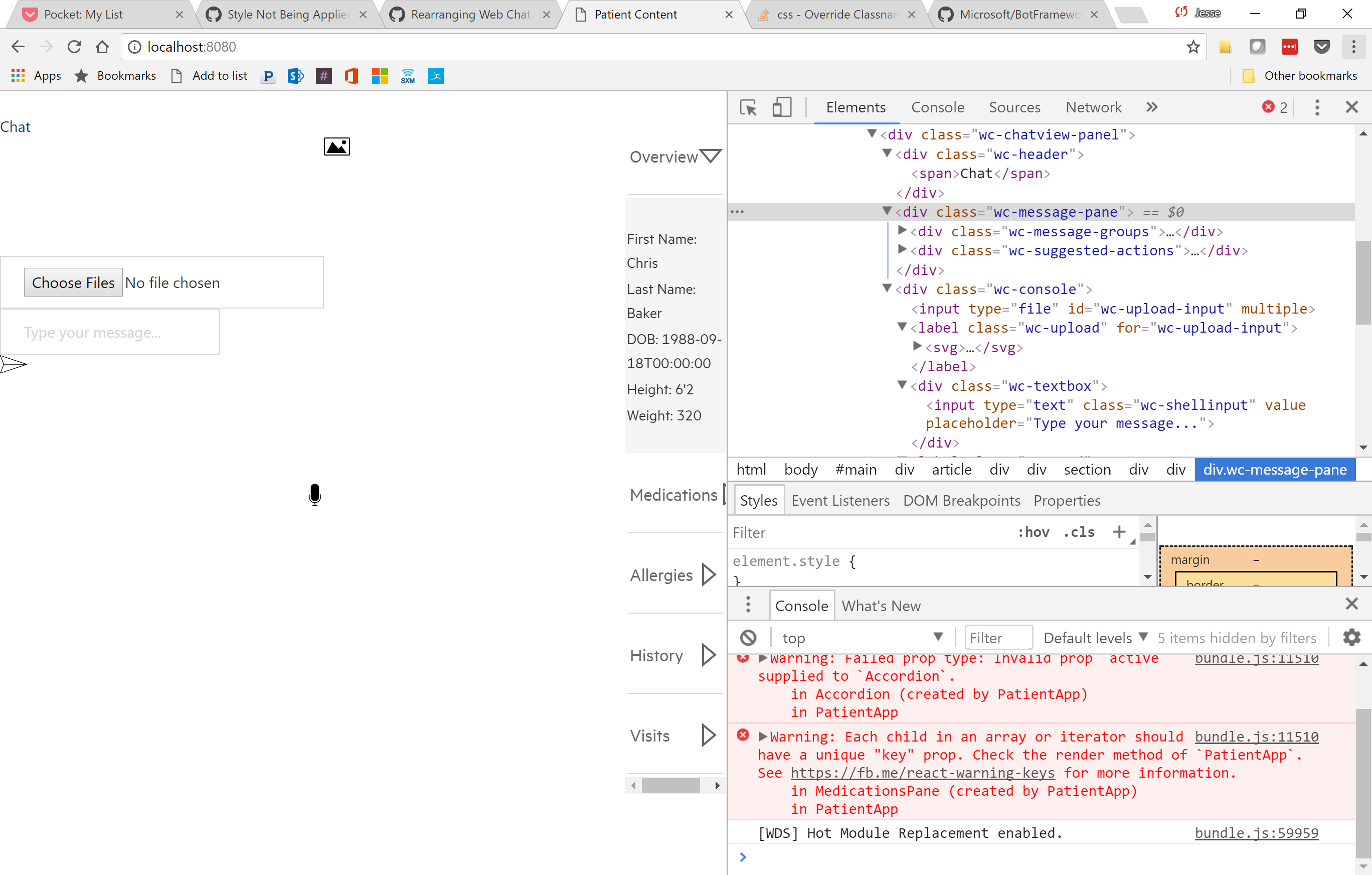
下面是一个屏幕截图,它显示了当我运行代码时输出的HTML。在右边,您将注意到正在引用的classNames。
回答 2
Stack Overflow用户
回答已采纳
发布于 2017-09-23 22:11:29
所有的,我能够得到这个工作,只需设置一个高度和宽度内的聊天面板,现在一切都是正确的。
Stack Overflow用户
发布于 2017-09-19 11:16:37
正如文档所说:
在/src/scss/文件夹中,您将找到生成/botchat.css的源文件。运行npm,运行build来编译一旦你做了你的改变。对于基本品牌,请更改colors.scss以匹配您的配色方案。对于高级样式,请更改botchat.scss。
页面原文内容由Stack Overflow提供。腾讯云小微IT领域专用引擎提供翻译支持
原文链接:
https://stackoverflow.com/questions/46298402
复制相关文章
相似问题
腾讯云开发者

Copyright © 2013 - 2026 Tencent Cloud. All Rights Reserved. 腾讯云 版权所有
深圳市腾讯计算机系统有限公司 ICP备案/许可证号:粤B2-20090059  粤公网安备44030502008569号
腾讯云计算(北京)有限责任公司 京ICP证150476号 | 京ICP备11018762号