
转换到Xcode 9- pod框架没有出现转换?
好的,在Xcode 9中找到一个特定的吊舱有一些困难。这是一个很大的问题,我不知道在这里该怎么做--问题是https://github.com/tinypass/piano-sdk-for-ios上一次用SWIFT3.1编写,Xcode 9只导入SWIFT3.2。
我把其他的东西都转换成Swift 4-
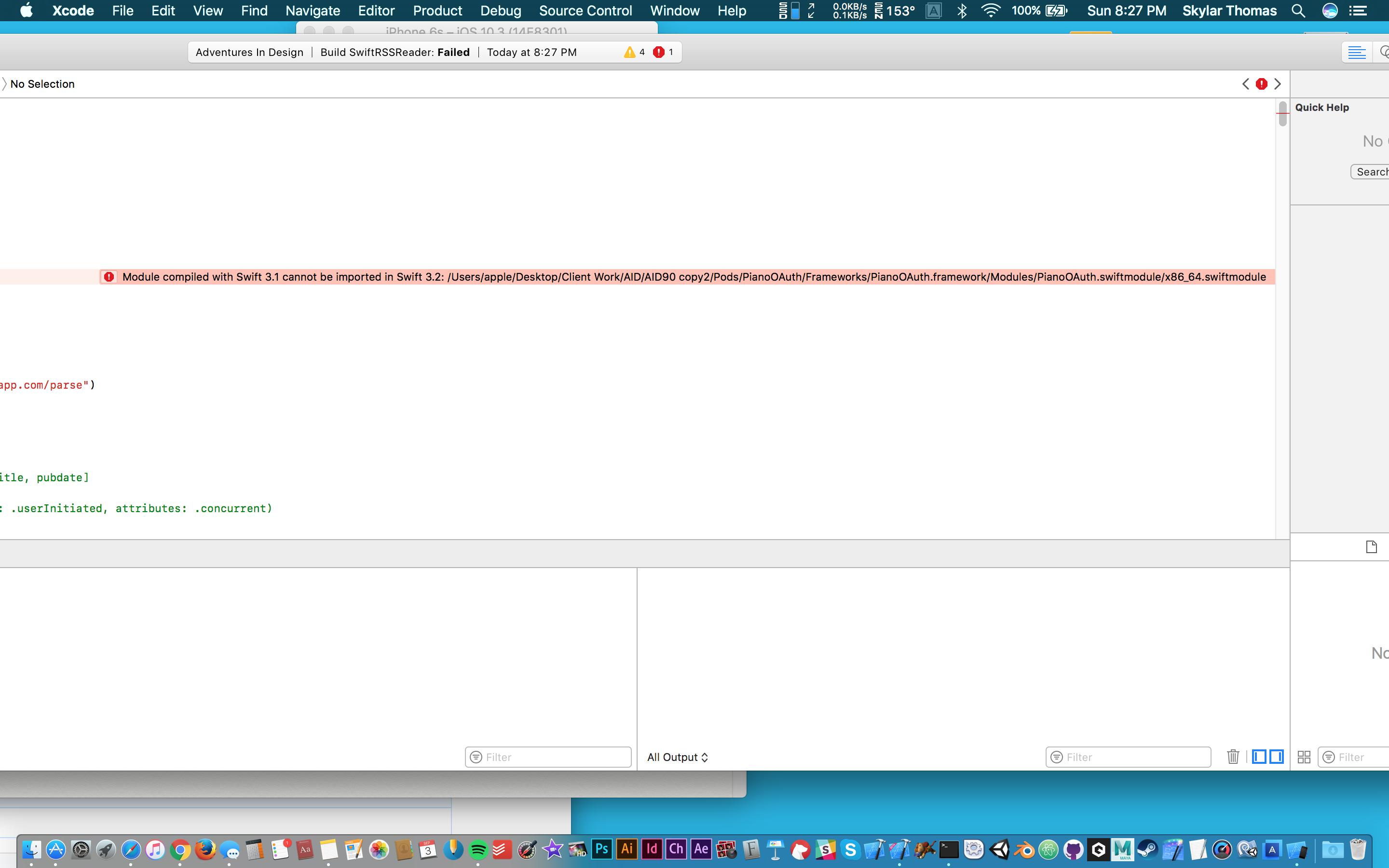
因此,在查看了其他答案之后,我再次在Xcode 8中打开了这个项目,因为据我所知,它可以转换为SWIFT3.2。然而,在那里之后,当我“转换到当前的Swift语法”时,它不会在框架/内容下拉出这个特定的结束符,您可以在菜单中签入。钢琴OAuth不在那里。
我试图直接找到错误引用的.swiftmodule,但是"Modules文件夹“在我的项目中是不可见的--只有使用查找器我才能打开它,这是一堆随机字符。
我需要帮助。我怎样才能把这个吊舱转换成3.2然后变成4?我试着将pod分解,然后安装pod,然后在Xcode 8中进行清理,然后再使用9,而这个3.1pod并没有任何地方可以使用。
PODFILE:
   # Uncomment this line to define a global platform for your project
# platform :ios, '9.0'

target 'Adventures In Design' do
  # Comment this line if you're not using Swift and don't want to use dynamic frameworks
  use_frameworks!

  # Pods for Adventures In Design

pod 'PianoOAuth', '~>2.0.1'
pod 'AudioPlayerManager'
pod 'FontAwesome.swift'
pod 'Parse'
pod 'ParseUI'

  target 'Adventures In DesignTests' do
    inherit! :search_paths
    # Pods for testing
  end

end

post_install do |installer|
    installer.pods_project.targets.each do |target|
        if target.name == 'Adventures In Design'
            target.build_configurations.each do |config|
                config.build_settings['SWIFT_VERSION'] = '3.2'
            end
        end
    end

end现在把这个放到另一个吊舱上:The “Swift Language Version” (SWIFT_VERSION) build setting must be set to a supported value for targets which use Swift. This setting can be set in the build settings editor.
即使是斯威夫特3
回答 1
Stack Overflow用户
发布于 2017-09-04 12:54:15
为了能够将Swift 4编译成Swift 4,吊舱本身需要支持Swift 4。至于Swift 3.2,在Xcode 9 beta版(从GitHub 问题复制的代码)中使用Swift 3.2编译豆荚有一个解决办法:
post_install do |installer|
    installer.pods_project.targets.each do |target|
        if target.name == '<insert target name of your pod here>'
            target.build_configurations.each do |config|
                config.build_settings['SWIFT_VERSION'] = '3.2'
            end
        end
    end
end
但是,如果pod包含一些使用SWIFT3.1编译的预先构建的二进制文件,您不能做任何事情来更新该结束符,您需要等待项目的开发人员将其更新为SWIFT3.2。
https://stackoverflow.com/questions/46029003
复制相似问题
腾讯云开发者

Copyright © 2013 - 2026 Tencent Cloud. All Rights Reserved. 腾讯云 版权所有
深圳市腾讯计算机系统有限公司 ICP备案/许可证号:粤B2-20090059  粤公网安备44030502008569号
腾讯云计算(北京)有限责任公司 京ICP证150476号 | 京ICP备11018762号