
FineUploader Azure的CORS配置问题
我使用React版本的FineUploader将文件上传到Azure blob存储区,上传程序给了我以下错误:
请求的资源上没有“访问-控制-允许-原产地”标题。
我用下面的代码设置后端以设置CORS设置。此代码是FineUploader中的代码示例的一个稍微修改过的版本:https://github.com/FineUploader/server-examples/blob/master/C%23/azure/FineUploaderAzureServer.cs
public async Task ConfigureCors()
{
   var ALLOWED_CORS_ORIGINS = new List<String> { "http://myapp.com", "http://localhost:3333"};
   var ALLOWED_CORS_HEADERS = new List<String> { "x-ms-meta-qqfilename", "Content-Type", "x-ms-blob-type", "x-ms-blob-content-type" };
   const CorsHttpMethods ALLOWED_CORS_METHODS = CorsHttpMethods.Delete | CorsHttpMethods.Put | CorsHttpMethods.Options;
   const int ALLOWED_CORS_AGE_DAYS = 5;

   var properties = await _client.GetServicePropertiesAsync();

   properties.DefaultServiceVersion = "2013-08-15";
   await _client.SetServicePropertiesAsync(properties);

   var addRule = true;
   if (addRule)
   {
      var ruleWideOpenWriter = new CorsRule()
      {
         AllowedHeaders = ALLOWED_CORS_HEADERS,
         AllowedOrigins = ALLOWED_CORS_ORIGINS,
         AllowedMethods = ALLOWED_CORS_METHODS,
         MaxAgeInSeconds = (int)TimeSpan.FromDays(ALLOWED_CORS_AGE_DAYS).TotalSeconds
      };
   properties.Cors.CorsRules.Clear();
   properties.Cors.CorsRules.Add(ruleWideOpenWriter);
   await _client.SetServicePropertiesAsync(properties);
   }
}
以上代码运行良好。当我登录到Azure门户时,我会在我的存储帐户的CORS选项卡下看到这些设置。
当我在研究的时候,我注意到有人建议这个问题可能是因为本地主机的请求。我把这个应用程序移到Azure网站来测试它,但我仍然收到同样的错误。我在CORS设置中包含了这个测试站点的新URL。
下面是我良好的上传器包装初始化:
const uploader = new FineUploaderAzure({
    options: {
      cors: {
          expected: true,
          sendCredentials: true
      },
      signature: {
        endpoint: 'http://localhost:49065/getsas'
      },
      request: {
          endpoint: 'https://myaccount.blob.core.windows.net/test-container'
      },
      uploadSuccess: {
        endpoint: 'http://localhost:49065/success'
      }
    }
})
知道是什么导致了这个问题吗?
更新:下面是我在Azure门户上看到的CORS设置的屏幕截图:

下面是指定选项的代码:
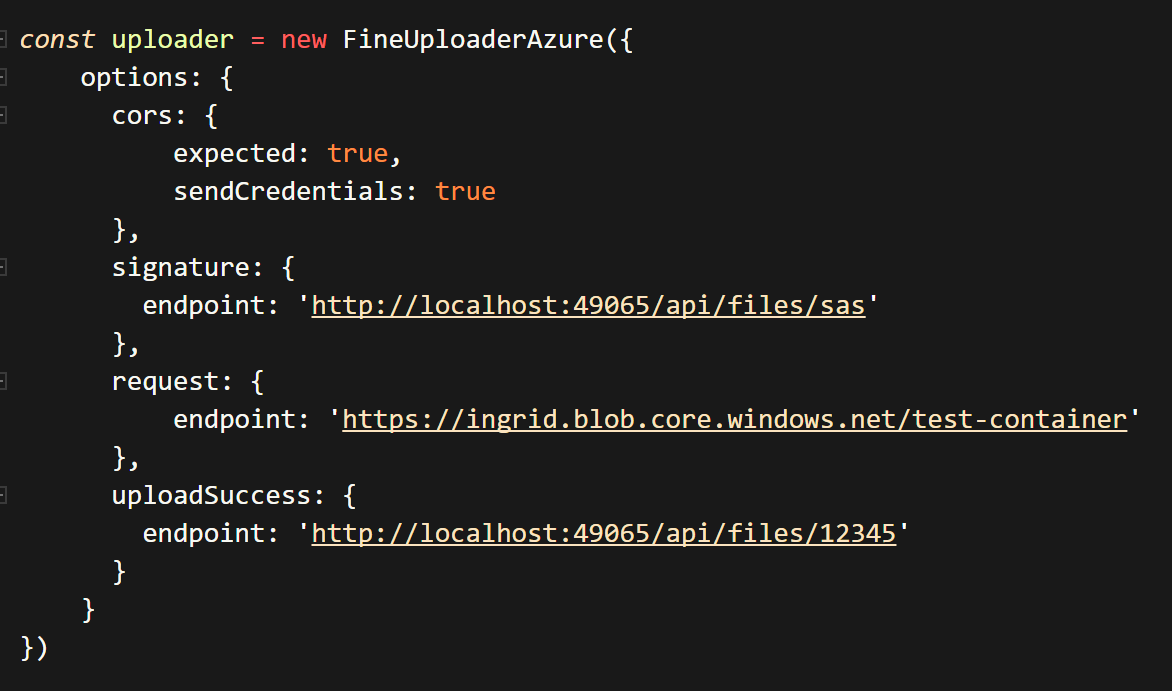
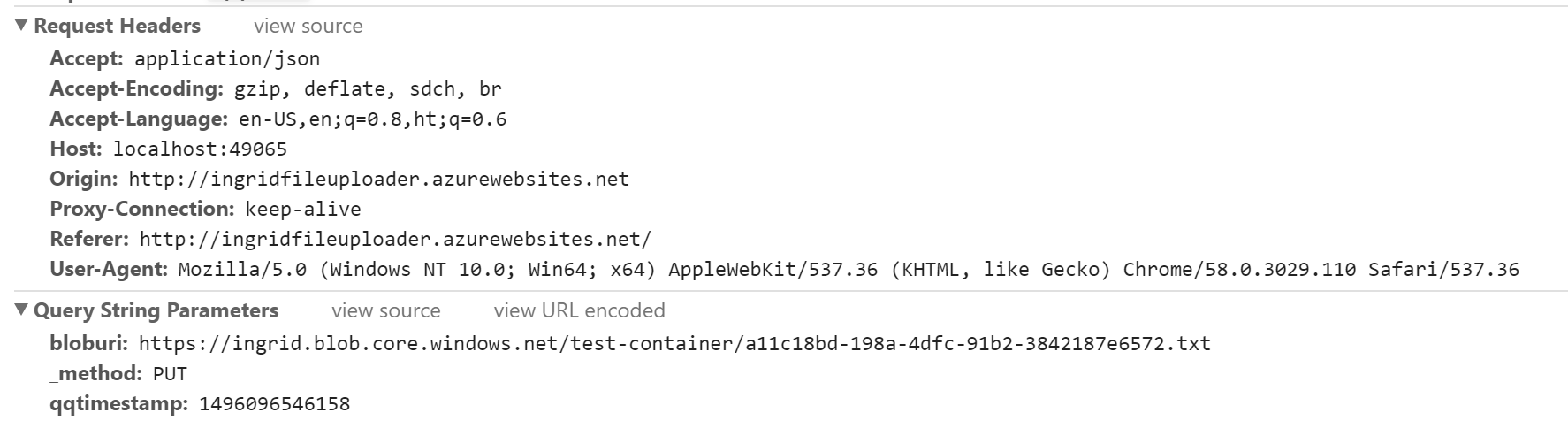
以下是来自Chrome的请求头的屏幕截图:
回答 1
Stack Overflow用户
发布于 2017-05-30 03:46:47
问题在于您的SAS端点(https://ingridapp.azurewebsites.net),而不是Azure。您还没有设置SAS端点来处理CORS/跨源请求。
https://stackoverflow.com/questions/44250482
复制相似问题
腾讯云开发者

Copyright © 2013 - 2026 Tencent Cloud. All Rights Reserved. 腾讯云 版权所有
深圳市腾讯计算机系统有限公司 ICP备案/许可证号:粤B2-20090059  粤公网安备44030502008569号
腾讯云计算(北京)有限责任公司 京ICP证150476号 | 京ICP备11018762号