
JS停止当前播放新音频对象
JS停止当前播放新音频对象
提问于 2017-05-19 21:19:29
我正在使用Ionic和AngularJS创建一个Podcast应用程序
我有两种看法:
- 列表视图(显示所有播客)
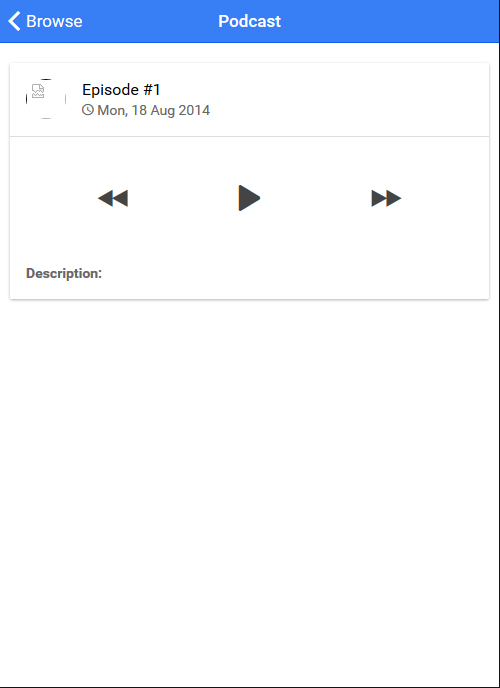
- 详细视图(精选播客)
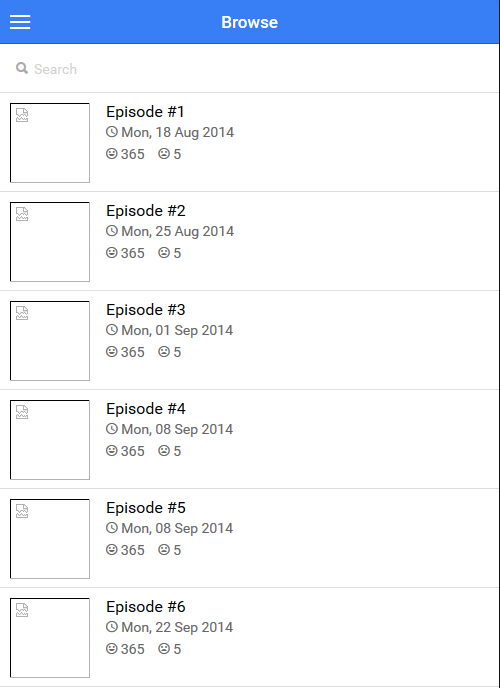
每次用户打开详细视图时,我都会从数据库获取新的播客URL,并将其加载到一个新的Audio对象中。
sound = new Audio($scope.mp3);如果我播放一个播客,然后返回列表视图,选择另一个播客并播放它,那么当前播放的一个不停止,然后我有两个(或多个)同时播放。
angular.module('starter.controllers', ['firebase'])


.controller('AppCtrl', function($scope, $ionicModal, $timeout) {

   // Initialize Firebase


  // With the new view caching in Ionic, Controllers are only called
  // when they are recreated or on app start, instead of every page change.
  // To listen for when this page is active (for example, to refresh data),
  // listen for the $ionicView.enter event:
  //$scope.$on('$ionicView.enter', function(e) {
  //});

  // Form data for the login modal
  $scope.loginData = {};

  // Create the login modal that we will use later
  $ionicModal.fromTemplateUrl('templates/login.html', {
    scope: $scope
  }).then(function(modal) {
    $scope.modal = modal;
  });

  // Triggered in the login modal to close it
  $scope.closeLogin = function() {
    $scope.modal.hide();
  };

  // Open the login modal
  $scope.login = function() {
    $scope.modal.show();
  };

  // Perform the login action when the user submits the login form
  $scope.doLogin = function() {
    console.log('Doing login', $scope.loginData);

    // Simulate a login delay. Remove this and replace with your login
    // code if using a login system
    $timeout(function() {
      $scope.closeLogin();
    }, 1000);
  };

})

// Browse Controller
.controller('BrowseCtrl', function($scope, $http, $firebaseArray) {
  // Create Podcast reference
  const dbRefObject = firebase.database().ref().child('podcasts');
  $scope.playlists = $firebaseArray(dbRefObject);
  console.log($firebaseArray(dbRefObject));
})


// Podcast Detailed Controller
.controller('PodcastCtrlDetailed', function($scope, $http, $stateParams, $firebaseArray) {

  // URL Parameter
  var podcastRefID = $stateParams.playlistId;

  const oneRef = firebase.database().ref().child('podcasts').child(podcastRefID).on("value", function(snapshot) {

    $scope.mp3 = snapshot.val().audio;
    sound = new Audio($scope.mp3);

    $scope.playSong = function() {

      if (sound.duration > 0 && !sound.paused) {
        sound.pause();
      } else {
          sound.play();
      }

    };


  }, function (errorObject) {
    console.log("The read failed: " + errorObject.code);
  });


});
这就是我如何削弱戏剧和停顿
<i class="ion-play" ng-click="playSong()" ></i> 有没有办法让当前播放的播客停止并启动新选定的播客?
提前感谢!
回答 1
Stack Overflow用户
发布于 2017-05-22 11:33:59
看起来为每个播客引用创建了一个新的New Audio($scope.mp3) (..child('podcasts').child(podcastRefID).)。
尝试使用单个共享音频引用,方法是在更高的范围内声明它,并与var podcastRefID = $stateParams.playlistId一起使用
此单个实例是您希望暂停的方式,并在所选播客更改时更新src。
页面原文内容由Stack Overflow提供。腾讯云小微IT领域专用引擎提供翻译支持
原文链接:
https://stackoverflow.com/questions/44079138
复制相关文章
相似问题
腾讯云开发者

Copyright © 2013 - 2026 Tencent Cloud. All Rights Reserved. 腾讯云 版权所有
深圳市腾讯计算机系统有限公司 ICP备案/许可证号:粤B2-20090059  粤公网安备44030502008569号
腾讯云计算(北京)有限责任公司 京ICP证150476号 | 京ICP备11018762号