
CSS中的4个梯度边框
我需要帮助应用一个梯度边框的所有四个边的盒子。我试过了,但只适用于两方面。在查看了所有的链接和答案之后,我得到了以下信息:
.test{
  height:250px;
  border: 2px solid;
  border-image: linear-gradient(to left,rgba(78,137,176,1)  1%, rgba(115,192,85,1)  100%) 100% 0 100% 0/2px 0 2px 0;
  padding-top:50px;
}<div class="test">
This is a box and I want borders for all the sides
</div>
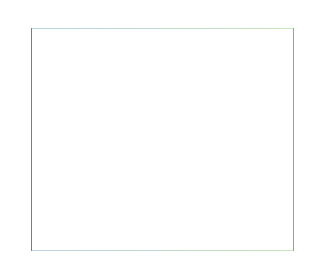
我很感谢你的帮助。我正在尝试与下面的图片类似的东西。谢谢。
回答 2
Stack Overflow用户
发布于 2017-02-20 15:02:02
使用背景图像的:(生成准确的输出作为图像)
您的渐变在两边都是不同的,因此很难通过border-image属性来实现这一点。您可以尝试并模仿使用background-image的行为,如下面的片段所示。
基本上,下面的片段是作为梯度背景图像条为四个边的每一个创建梯度,然后使用background-position将它们放置在正确的位置。
父节点上的透明边框是一个占位符,在该占位符中,模拟边框最终会出现。background-origin: border-box使元素的背景从border-box区域本身开始(而不是padding-box或content-box)。这两个步骤只是避免在background-position中使用不必要的background-position内容的额外步骤。
.test {
  height: 250px;
  border: 2px solid transparent;
  background-image: linear-gradient(to right, rgb(187, 210, 224), rgb(203, 231, 190)), linear-gradient(to bottom, rgb(114, 191, 87), rgb(116, 191, 86)), linear-gradient(to left, rgb(204, 233, 187), rgb(187, 210, 224)), linear-gradient(to top, rgb(84, 144, 184), rgb(80, 138, 176));
  background-origin: border-box;
  background-size: 100% 2px, 2px 100%, 100% 2px, 2px 100%;
  background-position: top left, top right, bottom right, bottom left;
  background-repeat: no-repeat;
  padding-top: 50px;
}<div class="test">
This is a box and i want border for all the side
</div>
使用边框图像的:(在所有4面生成一个边框,但输出结果与图像不同)
使用border-image属性可以获得的最佳输出如下所示,但从演示中可以看到,它与图像(或第一个片段的输出)不完全相同:
.test {
  height: 250px;
  border: 2px solid;
  border-image: linear-gradient(to left, rgba(78, 137, 176, 1) 1%, rgba(115, 192, 85, 1) 100%);
  border-image-slice: 1;
  padding-top:50px;
}<div class="test">
This is a box and i want border for all the side
</div>
Stack Overflow用户
发布于 2020-02-27 14:17:14
我以这样的方式意识到了这一点:
背景在背景图像中发生变化。
div {
  width: 170px;
  height: 48px;
  border-style: solid;
  border-width: 2px;
  border-image-source: linear-gradient(to bottom, #fff042, #ff5451);
  border-image-slice: 1;
  background-image: linear-gradient(to bottom, #f9e6e6, #c5e0c3), linear-gradient(to bottom, #fff042, #ff5451);
  background-origin: border-box;
  background-clip: content-box, border-box;
  display: flex;
  align-items: center;
  justify-content: center;
  text-transform: uppercase;
}<div>text</div>
https://stackoverflow.com/questions/42347586
复制相似问题
腾讯云开发者

Copyright © 2013 - 2026 Tencent Cloud. All Rights Reserved. 腾讯云 版权所有
深圳市腾讯计算机系统有限公司 ICP备案/许可证号:粤B2-20090059  粤公网安备44030502008569号
腾讯云计算(北京)有限责任公司 京ICP证150476号 | 京ICP备11018762号