
Junit 4不识别测试
我克隆了一个存储库,并试图运行一个测试。不幸的是,JUnit 4无法识别我手动添加的目录。
测试GUI说,在尝试加载测试之后:
没有发现任何测试。 测试已经完成。 空荡荡的测试套件。
这是由另一个项目复制的带有ExampleUnitTest的目录(这是一个不起作用的默认文件)。
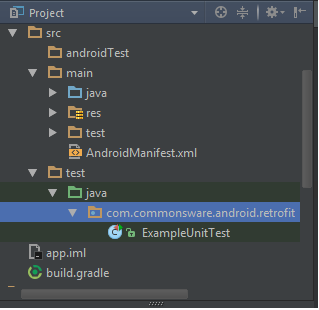
这是我的build.gradle
apply plugin: 'com.android.application'

android {
    compileSdkVersion 23
    buildToolsVersion "23.0.3"

    defaultConfig {
        testApplicationId "com.commonsware.android.retrofit.test"
    }
}

dependencies {
    compile 'com.squareup.retrofit:retrofit:1.6.1'
    compile 'de.greenrobot:eventbus:2.2.1'
    testCompile 'junit:junit:4.12'
    androidTestCompile 'com.android.support.test:rules:0.4.1'
}
根据这里的要求编辑ExampleUnitTest和运行/调试配置的内容。
package com.commonsware.android.retrofit;

/**
 * To work on unit tests, switch the Test Artifact in the Build Variants view.
 */
public class ExampleUnitTest {
    @Test
    public void addition_isCorrect() throws Exception {
        assertEquals(4, 2 + 2);
    }
}
运行/调试配置
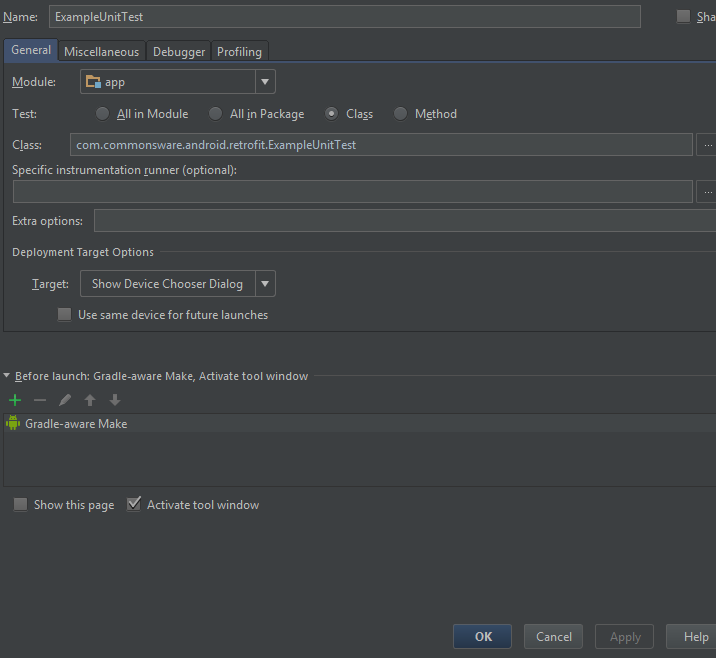
回答 2
Stack Overflow用户
发布于 2016-08-20 20:13:53
首先,确保Android在Run/Debug配置菜单中没有看到任何测试。为此,单击Edit Configurations...选项,然后检查左边的JUnit部分。
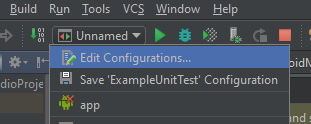
如果没有测试,请单击

,选择JUnit,选择app模块和ExampleUnitTest类。不要忘记应用更改,然后尝试再次运行测试。
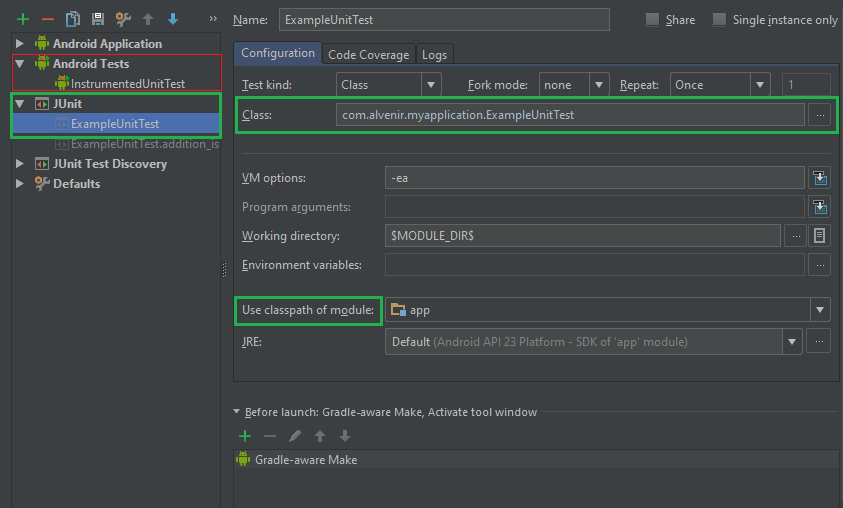
如果这没有帮助,请尝试从版本切换到,并确保Android选项卡中没有异常的堆栈跟踪。
Stack Overflow用户
发布于 2016-08-20 21:36:12
如果要在“编辑配置”对话框中手动创建运行配置,则应该为本地测试选择"JUnit“,而只为检测测试选择"Android”。对于单个测试类或方法,最简单的方法是在编辑器窗口中单击左侧的任何运行图标。您也可以右键单击项目视图中的任何类或包,然后选择"Run 'Tests .“,或者单击类或包并推送Ctrl+Shift+F10。
https://stackoverflow.com/questions/39057943
复制相似问题
腾讯云开发者

Copyright © 2013 - 2026 Tencent Cloud. All Rights Reserved. 腾讯云 版权所有
深圳市腾讯计算机系统有限公司 ICP备案/许可证号:粤B2-20090059  粤公网安备44030502008569号
腾讯云计算(北京)有限责任公司 京ICP证150476号 | 京ICP备11018762号