
使用.csv将列从一个.csv文件添加到另一个.csv文件
我目前正在编写一个脚本,其中我正在创建一个csv文件('tableau_input.csv'),它由我自己创建的其他csv文件列和列组成。我尝试了以下代码:
def make_tableau_file(mp, current_season = 2016):
     # Produces a csv file containing predicted and actual game results for the current season
     # Tableau uses the contents of the file to produce visualization

     game_data_filename = 'game_data' + str(current_season) + '.csv'
     datetime_filename = 'datetime' + str(current_season) + '.csv'

     with open('tableau_input.csv', 'wb') as writefile:
         tableau_write = csv.writer(writefile)
         tableau_write.writerow(['Visitor_Team', 'V_Team_PTS', 'Home_Team', 'H_Team_PTS', 'True_Result', 'Predicted_Results', 'Confidence', 'Date'])

         with open(game_data_filename, 'rb') as readfile:
             scores = csv.reader(readfile)
             scores.next()

             for score in scores:
                 tableau_content = score[1::]
                 # Append True_Result
                 if int(tableau_content[3]) > int(tableau_content[1]):
                     tableau_content.append(1)
                 else:
                     tableau_content.append(0)
                 # Append 'Predicted_Result' and 'Confidence'
                 prediction_results = mp.make_predictions(tableau_content[0], tableau_content[2])
                 tableau_content += list(prediction_results)

                 tableau_write.writerow(tableau_content)

         with open(datetime_filename, 'rb') as readfile2:
             days = csv.reader(readfile2)
             days.next()

             for day in days:
                 tableau_write.writerow(day)
“tableau_input.csv”是我正在创建的文件。列'Visitor_Team‘、'V_Team_PTS’、'Home_Team‘、'H_Team_PTS’来自‘game_data_filename’(例如tableau_content = score1::)。在第一个for循环中创建的列'True_Result‘、'Predicted_Results’、‘置信度’是在第一个for循环中创建的列。到目前为止,一切都正常,但最后我尝试使用与上面相同的结构从'datetime_filename‘中添加'Date’列数据,但是当我打开'tableau_input‘文件时,'Date’列中没有数据。有人能解决这个问题吗?
关于信息,下面是“game_data_filename”和“datetime_filename”的csv文件的截图(nb: datetime值为datetime格式)
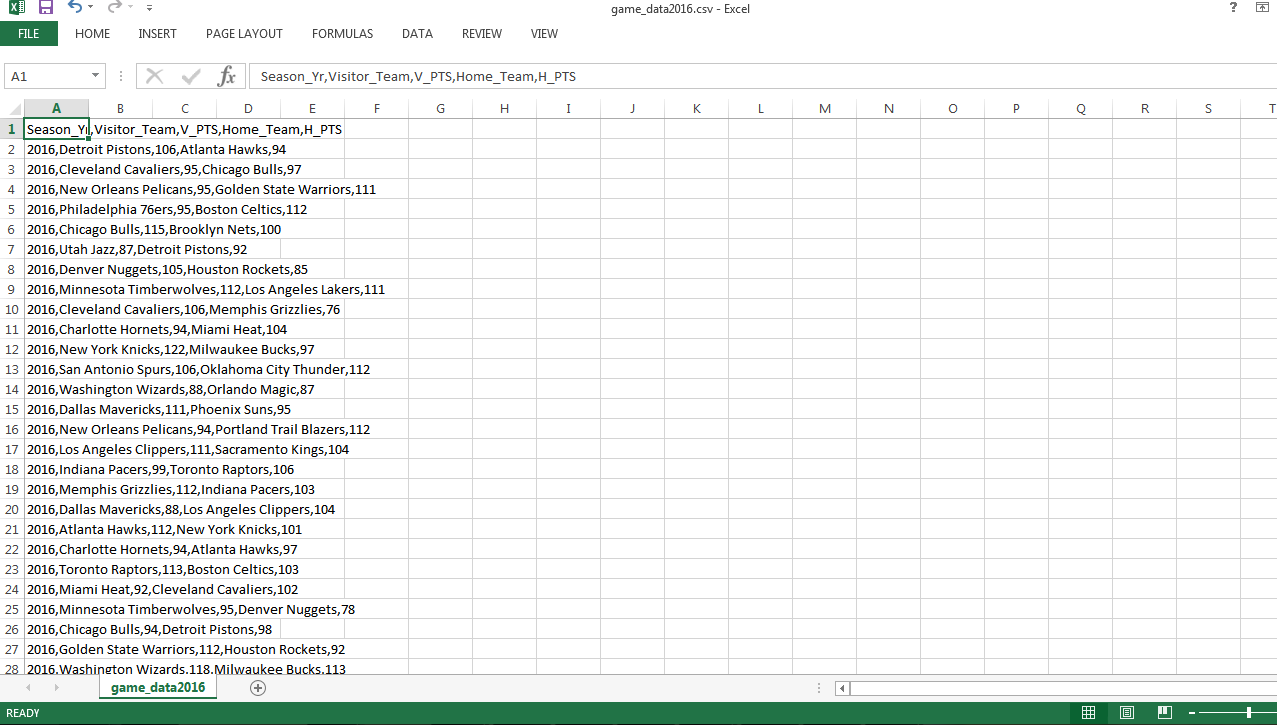
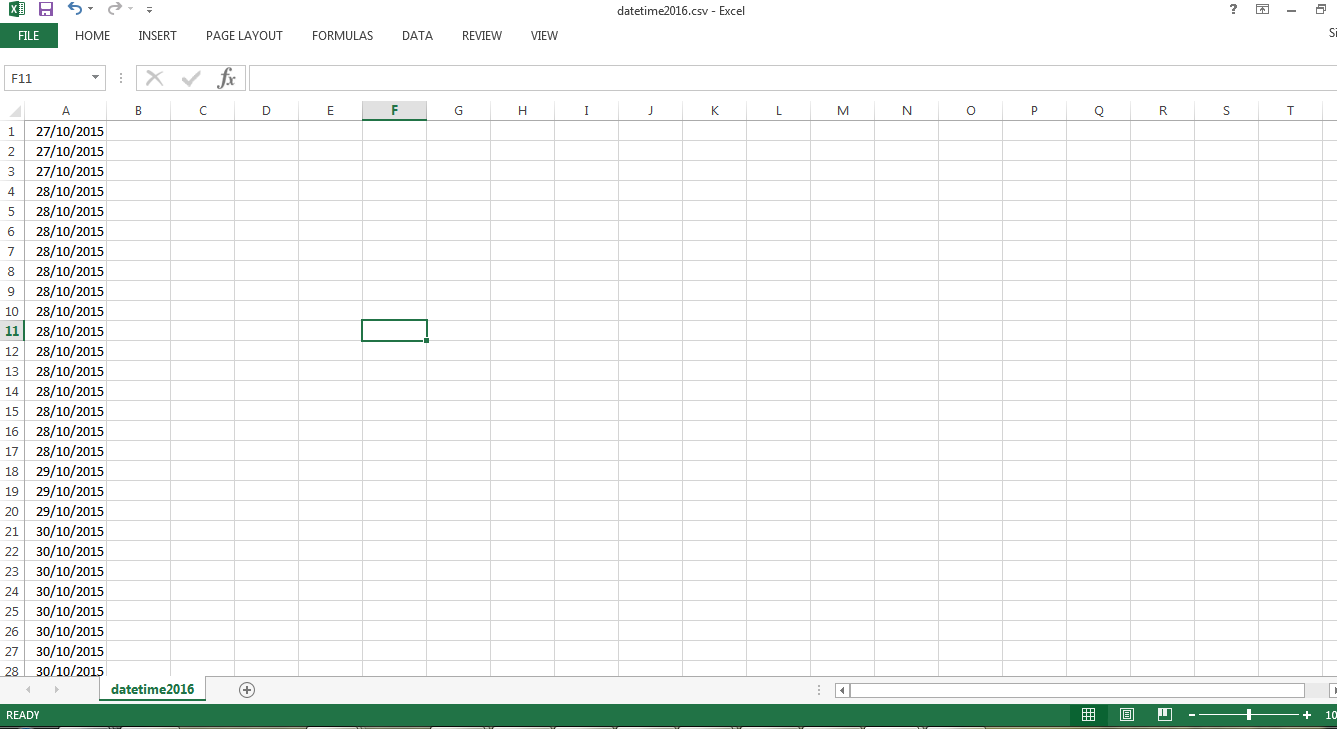
回答 1
Stack Overflow用户
发布于 2016-04-25 12:24:17
由于我不知道输入应该是什么样子,所以很难测试它,但是可以这样做:
def make_tableau_file(mp, current_season=2016):
    # Produces a csv file containing predicted and actual game results for the current season
    # Tableau uses the contents of the file to produce visualization

    game_data_filename = 'game_data' + str(current_season) + '.csv'
    datetime_filename = 'datetime' + str(current_season) + '.csv'

    with open('tableau_input.csv', 'wb') as writefile:
        tableau_write = csv.writer(writefile)
        tableau_write.writerow(
            ['Visitor_Team', 'V_Team_PTS', 'Home_Team', 'H_Team_PTS', 'True_Result', 'Predicted_Results', 'Confidence', 'Date'])

        with open(game_data_filename, 'rb') as readfile, open(datetime_filename, 'rb') as readfile2:
        scoreReader = csv.reader(readfile)
        scores = [row for row in scoreReader]
        scores = scores[1::]
        daysReader = csv.reader(readfile2)
        days = [day for day in daysReader]
        if(len(scores) != len(days)):
            print("File lengths do not match")
        else:
            for i in range(len(days)):
                tableau_content = scores[i][1::]
                tableau_date = days[i]
                # Append True_Result
                if int(tableau_content[3]) > int(tableau_content[1]):
                    tableau_content.append(1)
                else:
                    tableau_content.append(0)
                # Append 'Predicted_Result' and 'Confidence'
                prediction_results = mp.make_predictions(tableau_content[0], tableau_content[2])
                tableau_content += list(prediction_results)
                tableau_content += tableau_date

                tableau_write.writerow(tableau_content)
这将文件读取部分合并为一个部分。
以下是你的问题:
scoreReader = csv.reader(readfile)
scores = [row for row in scoreReader]
scores = scores[1::]这使用列表理解来创建一个名为scores的列表,每个元素都是来自scoreReader的行之一。由于scorereader是一个generator,每次我们请求它时,它都会为我们吐出一个,直到没有更多的数据为止。
第二行scores = scores[1::]只删除列表的第一个元素,因为您不想要标题。
要获得更多信息,请尝试如下:
祝好运!
https://stackoverflow.com/questions/36838403
复制相似问题
腾讯云开发者

Copyright © 2013 - 2026 Tencent Cloud. All Rights Reserved. 腾讯云 版权所有
深圳市腾讯计算机系统有限公司 ICP备案/许可证号:粤B2-20090059  粤公网安备44030502008569号
腾讯云计算(北京)有限责任公司 京ICP证150476号 | 京ICP备11018762号