
使用Python请求刮取booking.com
我正在尝试从booking.com中抓取数据,现在几乎所有的东西都在工作,但是我无法得到价格,我到目前为止读到这是因为这些价格是通过AJAX调用加载的。这是我的代码:
import requests
import re

from bs4 import BeautifulSoup

url = "http://www.booking.com/searchresults.pl.html"
payload = {
'ss':'Warszawa',
'si':'ai,co,ci,re,di',
'dest_type':'city',
'dest_id':'-534433',
'checkin_monthday':'25',
'checkin_year_month':'2015-10',
'checkout_monthday':'26',
'checkout_year_month':'2015-10',
'sb_travel_purpose':'leisure',
'src':'index',
'nflt':'',
'ss_raw':'',
'dcid':'4'
}

r = requests.post(url, payload)
html = r.content
parsed_html = BeautifulSoup(html, "html.parser")

print parsed_html.head.find('title').text

tables = parsed_html.find_all("table", {"class" : "sr_item_legacy"})

print "Found %s records." % len(tables)

with open("requests_results.html", "w") as f:
    f.write(r.content)

for table in tables:
    name = table.find("a", {"class" : "hotel_name_link url"})
    average = table.find("span", {"class" : "average"})
    price = table.find("strong", {"class" : re.compile(r".*\bprice scarcity_color\b.*")})
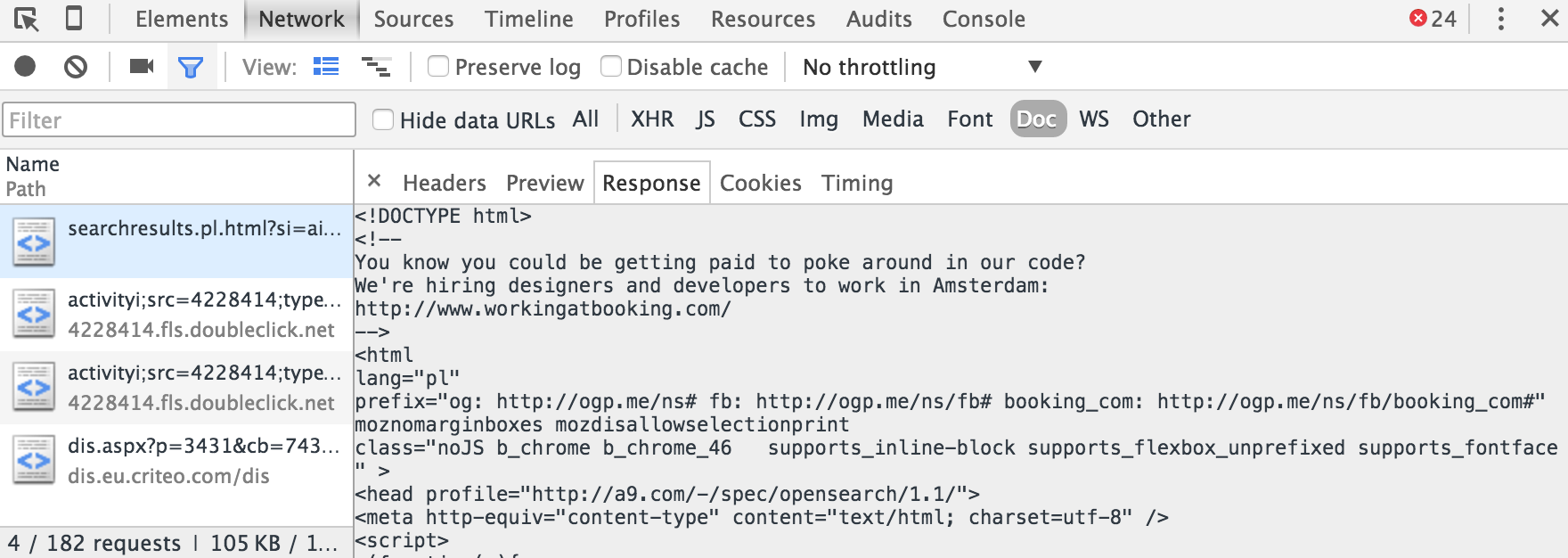
print name.text + " " + average.text + " " + price.text使用Chrome的Developers Tools,我注意到网页发送了所有数据(包括价格)的原始响应。在处理了其中一个选项卡的响应内容后,有价格的原始值,那么为什么我不能使用我的脚本检索它们,如何解决呢?
回答 2
Stack Overflow用户
发布于 2015-10-22 11:08:14
第一个问题是站点格式不正确:在您的表中打开一个div,关闭一个em。因此,html.parser找不到包含价格的strong标记。安装和使用lxml可以修复这个问题。
parsed_html = BeautifulSoup(html, "lxml")第二个问题在你的正则表达式中。它什么也找不到。将其更改为:
price = table.find("strong", {"class" : re.compile(r".*\bscarcity_color\b.*")})现在你会发现价格。但是,有些条目不包含任何价格,因此您的print语句将引发错误。要解决这个问题,可以将print更改为以下内容:
print name.text, average.text, price.text if price else 'No price found'请注意,您可以在Python中使用逗号(,)分隔字段以打印,因此不需要将它们与+ " " +连接起来。
Stack Overflow用户
发布于 2022-06-08 05:09:26
Booking.com已经更新了它的搜索端点,但是我们仍然可以轻松地通过操作URL参数来刮取它。
例如,如果我们在这里键入搜索查询:
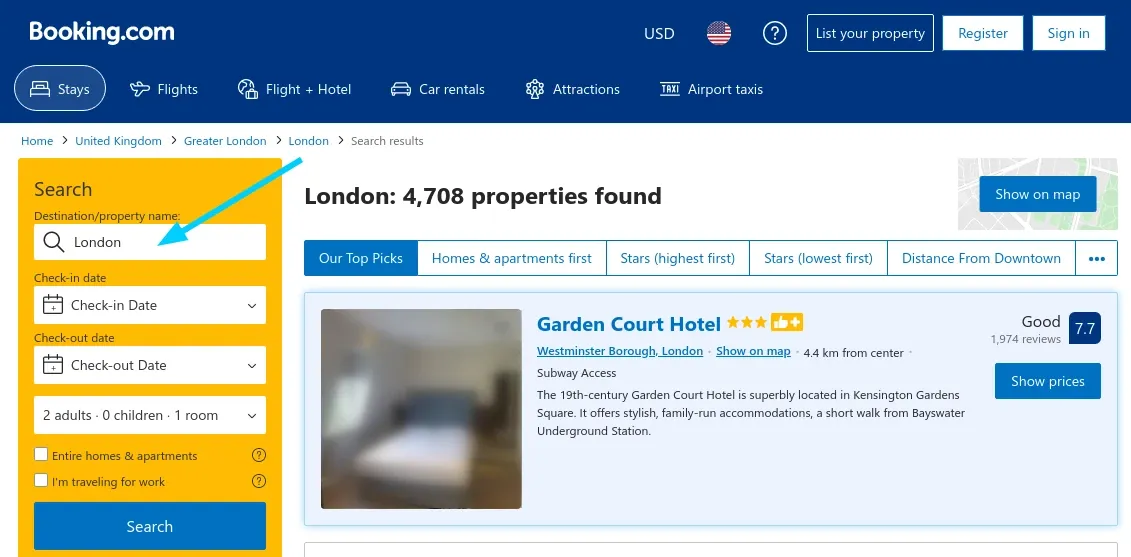
我们可以在网络检查器中看到一个复杂的GET请求。然而,它比看起来简单得多--我们可以很容易地在Python中复制它:
from urllib.parse import urlencode
from httpx import AsyncClient
from parsel import Selector

def parse_search_page(html: str):
    """parse hotel preview data from search page HTML"""
    sel = Selector(text=html)

    hotel_previews = {}
    for hotel_box in sel.xpath('//div[@data-testid="property-card"]'):
        url = hotel_box.xpath('.//h3/a[@data-testid="title-link"]/@href').get("").split("?")[0]
        hotel_previews[url] = {
            "name": hotel_box.xpath('.//h3/a[@data-testid="title-link"]/div/text()').get(""),
            "location": hotel_box.xpath('.//span[@data-testid="address"]/text()').get(""),
            "score": hotel_box.xpath('.//div[@data-testid="review-score"]/div/text()').get(""),
            "review_count": hotel_box.xpath('.//div[@data-testid="review-score"]/div[2]/div[2]/text()').get(""),
            "stars": len(hotel_box.xpath('.//div[@data-testid="rating-stars"]/span').getall()),
            "image": hotel_box.xpath('.//img[@data-testid="image"]/@src').get(),
        }
    return hotel_previews


async def search_page(
    query,
    session: AsyncClient,
    checkin: str = "",
    checkout: str = "",
    number_of_rooms=1,
    offset: int = 0,
):
    """scrapes a single hotel search page of booking.com"""
    checkin_year, checking_month, checking_day = checkin.split("-") if checkin else "", "", ""
    checkout_year, checkout_month, checkout_day = checkout.split("-") if checkout else "", "", ""

    url = "https://www.booking.com/searchresults.html"
    url += "?" + urlencode(
        {
            "ss": query,
            "checkin_year": checkin_year,
            "checkin_month": checking_month,
            "checkin_monthday": checking_day,
            "checkout_year": checkout_year,
            "checkout_month": checkout_month,
            "checkout_monthday": checkout_day,
            "no_rooms": number_of_rooms,
            "offset": offset,
        }
    )
    return await session.get(url, follow_redirects=True)

# Example use:
# first we need to immitate web browser headers to not get blocked instantly
HEADERS = {
    "User-Agent": "Mozilla/5.0 (Windows NT 10.0; Win64; x64) AppleWebKit/537.36 (KHTML, like Gecko) Chrome/62.0.3202.94 Safari/537.36",
    "Accept-Encoding": "gzip, deflate, br",
    "Accept": "text/html,application/xhtml+xml,application/xml;q=0.9,image/webp,image/apng,*/*;q=0.8",
    "Connection": "keep-alive",
    "Accept-Language": "en-US,en;q=0.9,lt;q=0.8,et;q=0.7,de;q=0.6",
}


async def run():
    async with AsyncClient(headers=HEADERS) as session:
        # For example, lets search for hotels in London:
        response = await search_page("London", session)
        results = parse_search_page(response.text)

if __name__ == "__main__":
asyncio.run(run())上面的示例使用httpx和parsel社区库来搜索booking.com酒店搜索结果。
我在我的博客booking.com上写了更多关于抓取booking.com的文章
https://stackoverflow.com/questions/33266000
复制相似问题
腾讯云开发者

Copyright © 2013 - 2026 Tencent Cloud. All Rights Reserved. 腾讯云 版权所有
深圳市腾讯计算机系统有限公司 ICP备案/许可证号:粤B2-20090059  粤公网安备44030502008569号
腾讯云计算(北京)有限责任公司 京ICP证150476号 | 京ICP备11018762号