
不同分辨率的剪辑合并
我有一套视频剪辑,我想合并在一起,然后将水印放在上面。
我能够单独完成这两个功能,但是在一起执行它们时会出现问题。
所有将合并的剪辑都是1920x1080或960x540。
由于某些原因,AVAssetExportSession不能很好地将它们显示在一起。
以下是基于3种不同场景的2种bug:
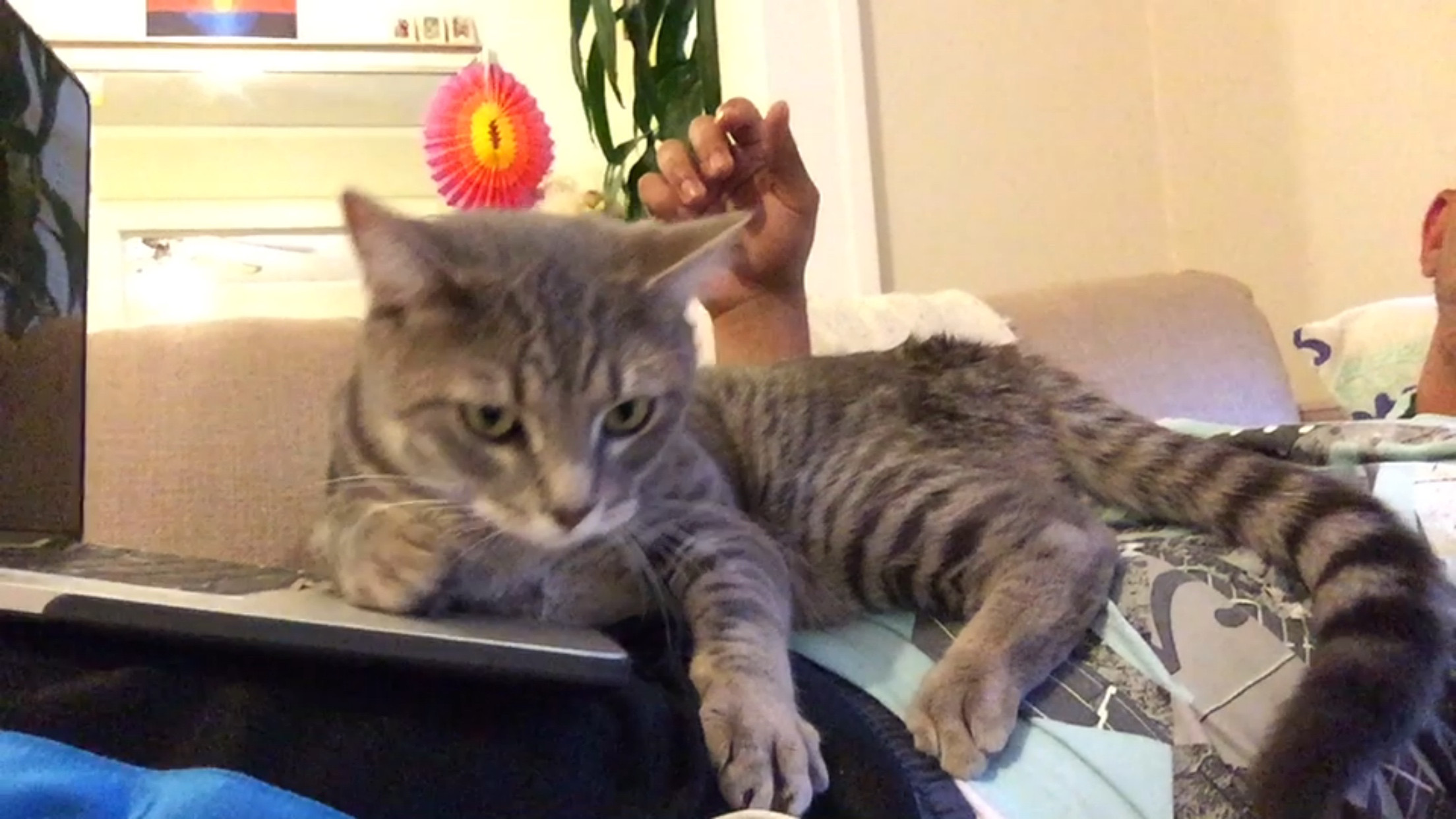
这张图片的结果是:
- 合并剪辑
正如你所看到的,这里没有什么问题,输出视频产生了预期的效果。
但是,当我尝试添加水印时,它会产生以下问题:
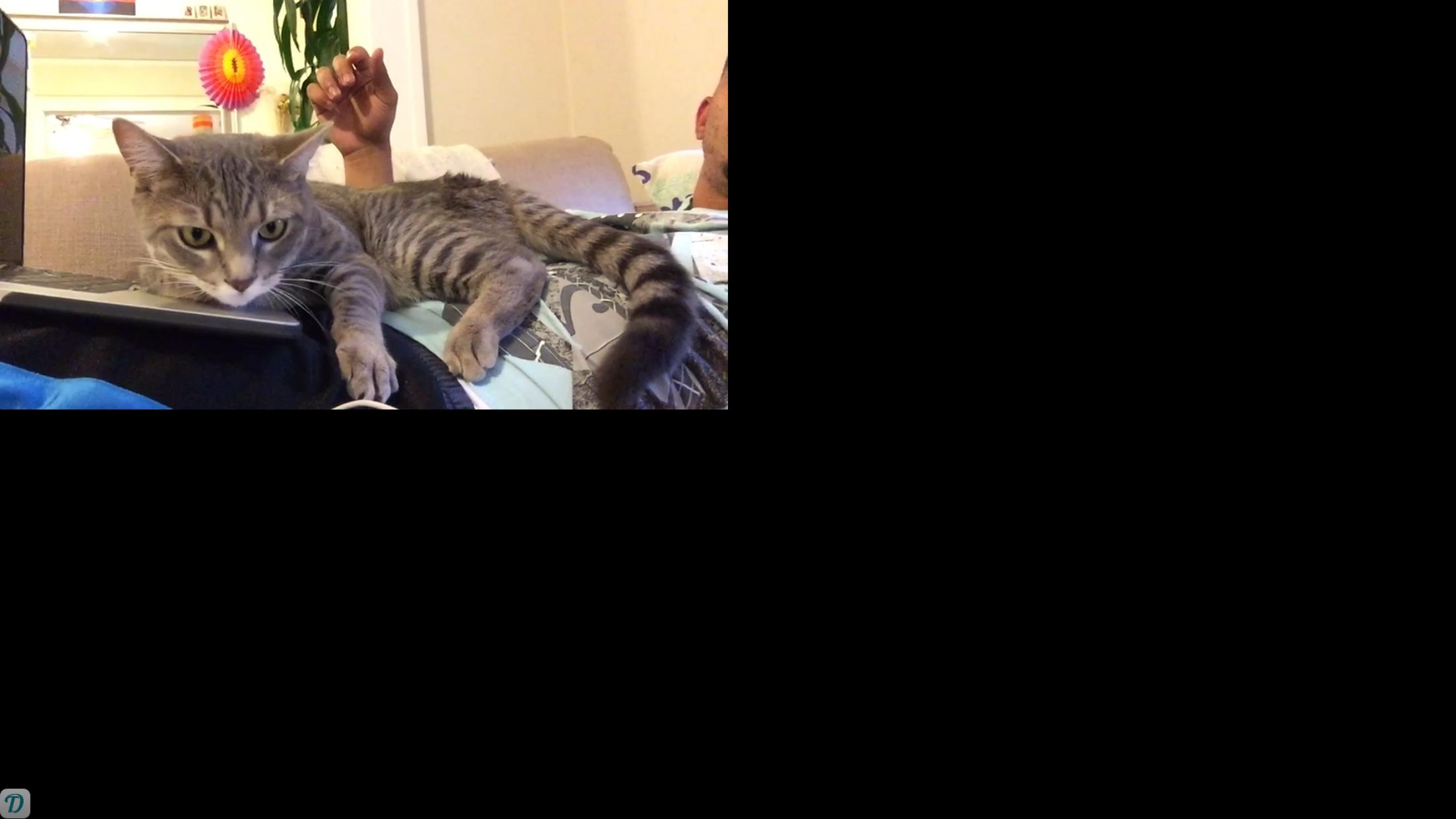
这张图片的结果是:
- 合并剪辑
- 在上面加一个水印
BUG 1:视频中的一些剪辑会因任何原因而调整大小,而其他剪辑则不会。
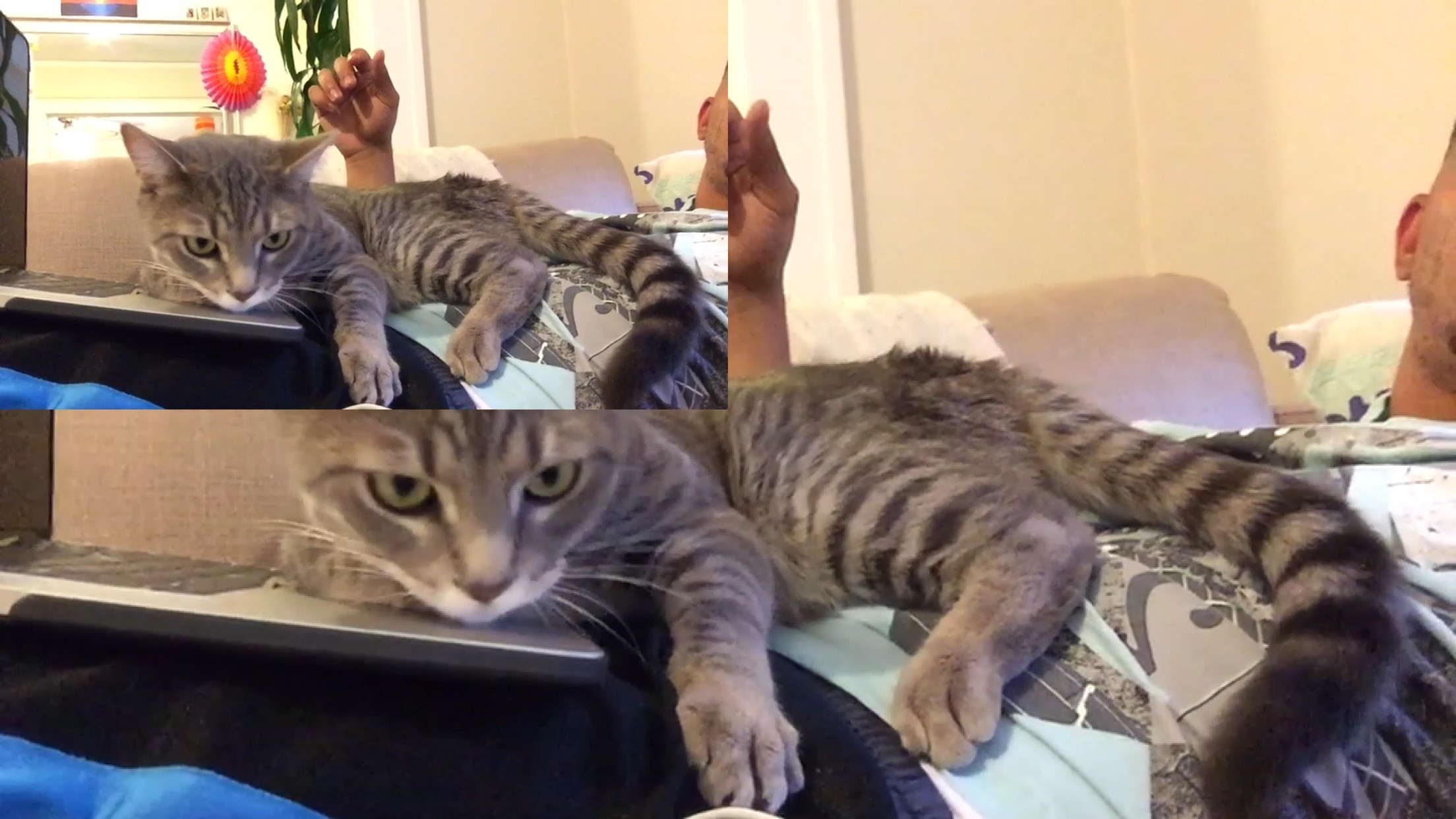
这张图片的结果是:
- 合并剪辑
- 调整大小为960x540到1920x1080的剪辑
- 在上面加一个水印
Bug 2现在需要调整大小的剪辑可以调整大小,但是旧的未调整大小的剪辑仍然存在。
合并/调整大小代码:
-(void) mergeClips{
dispatch_async(dispatch_get_global_queue(DISPATCH_QUEUE_PRIORITY_DEFAULT, 0), ^{
    AVMutableComposition *mixComposition = [[AVMutableComposition alloc] init];

    AVMutableCompositionTrack *mutableVideoTrack = [mixComposition addMutableTrackWithMediaType:AVMediaTypeVideo preferredTrackID:kCMPersistentTrackID_Invalid];

    AVMutableCompositionTrack *mutableAudioTrack = [mixComposition addMutableTrackWithMediaType:AVMediaTypeAudio preferredTrackID:kCMPersistentTrackID_Invalid];

    // loop through the list of videos and add them to the track
    CMTime currentTime = kCMTimeZero;

    NSMutableArray* instructionArray = [[NSMutableArray alloc] init];
    if (_clipsArray){
        for (int i = 0; i < (int)[_clipsArray count]; i++){
            NSURL* url = [_clipsArray objectAtIndex:i];

            AVAsset *asset = [AVAsset assetWithURL:url];

            AVAssetTrack *videoTrack = [[asset tracksWithMediaType:AVMediaTypeVideo] objectAtIndex:0];
            AVAssetTrack *audioTrack = [[asset tracksWithMediaType:AVMediaTypeAudio] objectAtIndex:0];

            CGSize size = videoTrack.naturalSize;
            CGFloat widthScale = 1920.0f/size.width;
            CGFloat heightScale = 1080.0f/size.height;

// lines that performs resizing
            AVMutableVideoCompositionLayerInstruction *layerInstruction = [AVMutableVideoCompositionLayerInstruction videoCompositionLayerInstructionWithAssetTrack:mutableVideoTrack];
            CGAffineTransform scale = CGAffineTransformMakeScale(widthScale,heightScale);
            CGAffineTransform move = CGAffineTransformMakeTranslation(0,0);
            [layerInstruction setTransform:CGAffineTransformConcat(scale, move) atTime:currentTime];
            [instructionArray addObject:layerInstruction];


            [mutableVideoTrack insertTimeRange:CMTimeRangeMake(kCMTimeZero, asset.duration)
                                ofTrack:videoTrack
                                 atTime:currentTime error:nil];

            [mutableAudioTrack insertTimeRange:CMTimeRangeMake(kCMTimeZero, asset.duration)
                                ofTrack:audioTrack
                                 atTime:currentTime error:nil];

            currentTime = CMTimeMakeWithSeconds(CMTimeGetSeconds(asset.duration) + CMTimeGetSeconds(currentTime), asset.duration.timescale);
        }
    }

    AVMutableVideoCompositionInstruction * mainInstruction = [AVMutableVideoCompositionInstruction videoCompositionInstruction];

    mainInstruction.timeRange = CMTimeRangeMake(kCMTimeZero, currentTime);
    mainInstruction.layerInstructions = instructionArray;


    // 4 - Get path
    NSArray *paths = NSSearchPathForDirectoriesInDomains(NSDocumentDirectory, NSUserDomainMask, YES);
    NSString *documentsDirectory = [paths objectAtIndex:0];
    NSString *lastPostedDayPath = [documentsDirectory stringByAppendingPathComponent:@"lastPostedDay"];

    //Check if folder exists, if not create folder
    if (![[NSFileManager defaultManager] fileExistsAtPath:lastPostedDayPath]){
        [[NSFileManager defaultManager] createDirectoryAtPath:lastPostedDayPath withIntermediateDirectories:NO attributes:nil error:nil];
    }


    NSString *fileName = [NSString stringWithFormat:@"%li_%li_%li.mov", (long)_month, (long)_day, (long)_year];

    NSString *finalDayPath = [lastPostedDayPath stringByAppendingPathComponent:fileName];

    NSURL *url = [NSURL fileURLWithPath:finalDayPath];

    BOOL fileExists = [[NSFileManager defaultManager] fileExistsAtPath:finalDayPath];
    if (fileExists){
        NSLog(@"file exists");
        [[NSFileManager defaultManager] removeItemAtURL:url error:nil];
    }

    AVMutableVideoComposition *mainComposition = [AVMutableVideoComposition videoComposition];

    mainComposition.instructions = [NSArray arrayWithObject:mainInstruction];
    mainComposition.frameDuration = CMTimeMake(1, 30);
    mainComposition.renderSize = CGSizeMake(1920.0f, 1080.0f);

    // 5 - Create exporter
    _exportSession = [[AVAssetExportSession alloc] initWithAsset:mixComposition
                                                                            presetName:AVAssetExportPresetHighestQuality];
    _exportSession.outputURL=url;
    _exportSession.outputFileType = AVFileTypeQuickTimeMovie;
    _exportSession.shouldOptimizeForNetworkUse = YES;
    _exportSession.videoComposition = mainComposition;

    [_exportSession exportAsynchronouslyWithCompletionHandler:^{
        [merge_timer invalidate];
        merge_timer = nil;

        switch (_exportSession.status) {
            case AVAssetExportSessionStatusFailed:
                NSLog(@"Export failed -> Reason: %@, User Info: %@",
                      _exportSession.error.localizedDescription,
                      _exportSession.error.userInfo.description);
                [self showSavingFailedDialog];
                break;

            case AVAssetExportSessionStatusCancelled:
                NSLog(@"Export cancelled");
                [self showSavingFailedDialog];

                break;

            case AVAssetExportSessionStatusCompleted:
                NSLog(@"Export finished");
                [self addWatermarkToExportSession:_exportSession];

                break;

            default:
                break;
        }
    }];
});
}
一旦它完成这一点,我运行它通过一个不同的导出会话,它只是添加一个水印。
在我的代码或流程中,我做错了什么吗?有更容易的方法来实现这一点吗?
谢谢您抽时间见我!
回答 2
Stack Overflow用户
发布于 2015-07-14 19:12:10
我解决了我的问题。由于某些原因,AVAssetExportSession实际上不会创建合并剪辑的“平面”视频文件,因此在添加水印时仍然会识别分辨率较低的视频片段及其位置,从而导致它们的大小调整。
我解决这个问题的方法是,首先使用AVAssetWriter合并我的剪辑并创建一个“平面”文件。然后,我可以添加水印,而不需要调整大小。
希望这对将来遇到这个问题的人有帮助!
Stack Overflow用户
发布于 2016-01-09 17:47:27
我也遇到了同样的问题,您可以在这样的视频结束后设置不透明度:
[layerInstruction setOpacity:0.0 atTime:duration];https://stackoverflow.com/questions/31363396
复制相似问题
腾讯云开发者

Copyright © 2013 - 2026 Tencent Cloud. All Rights Reserved. 腾讯云 版权所有
深圳市腾讯计算机系统有限公司 ICP备案/许可证号:粤B2-20090059  粤公网安备44030502008569号
腾讯云计算(北京)有限责任公司 京ICP证150476号 | 京ICP备11018762号