
iOS 7 UIImagePickerController相机无图像
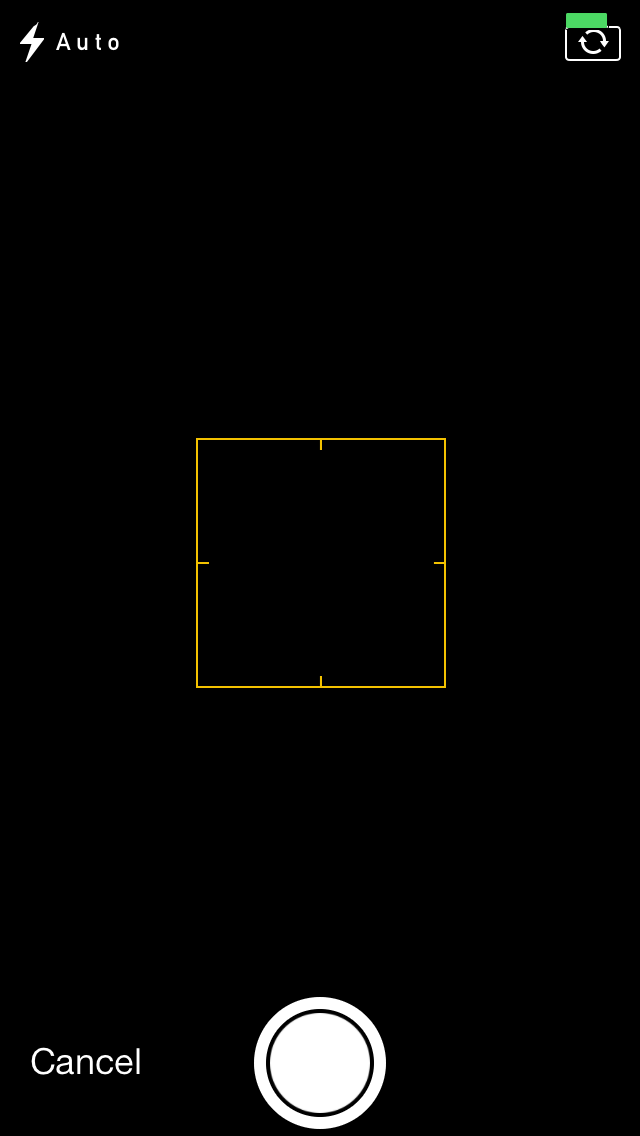
由于某种原因,我第一次在我的应用程序上打开相机模式的UIImagePickerController时,它变成了空白。我必须关闭并重新打开那个视图才能让摄像头开始工作。我使用的标准代码,在iOS 6中完美地用于相机捕捉。从下面的示例中,我将触发capturePhoto:方法。还有其他人在iOS 7相机上遇到这样的傻事吗?我查看了Apple论坛,但在那里几乎不可能找到答案。
- (IBAction)capturePhoto:(id)sender {
    [self doImagePickerForType:UIImagePickerControllerSourceTypeCamera];
}

- (void)doImagePickerForType:(UIImagePickerControllerSourceType)type {
    if (!_imagePicker) {
        _imagePicker = [[UIImagePickerController alloc] init];
        _imagePicker.mediaTypes = @[(NSString*)kUTTypeImage];
        _imagePicker.delegate = self;
    }
    _imagePicker.sourceType = type;
    [self presentViewController:_imagePicker animated:YES completion:nil];
}
回答 4
Stack Overflow用户
发布于 2013-09-29 02:55:49
我也在使用UIImagePickerController,在一个空白的屏幕上遇到了同样的问题。我想扩展一下klaudz提到的关于iOS 7相机授权的内容。
参考资料:类/Reference.html
录制音频总是需要用户的明确许可;录制视频也需要用户对在特定区域销售的设备的许可。
这里是一些代码片段,您可以开始检查,看看您是否拥有相机的许可,如果您的应用程序之前没有要求它。如果您由于先前的请求而被拒绝,您的应用程序可能需要向用户发出通知,以进入设置,以手动启用访问,就像klaudz指出的那样。
iOS 7示例
NSString *mediaType = AVMediaTypeVideo; // Or AVMediaTypeAudio

AVAuthorizationStatus authStatus = [AVCaptureDevice authorizationStatusForMediaType:mediaType];

// This status is normally not visible—the AVCaptureDevice class methods for discovering devices do not return devices the user is restricted from accessing.
if(authStatus == AVAuthorizationStatusRestricted){
    NSLog(@"Restricted");
}

// The user has explicitly denied permission for media capture.
else if(authStatus == AVAuthorizationStatusDenied){
    NSLog(@"Denied");
}

// The user has explicitly granted permission for media capture, or explicit user permission is not necessary for the media type in question.
else if(authStatus == AVAuthorizationStatusAuthorized){
    NSLog(@"Authorized");
}

// Explicit user permission is required for media capture, but the user has not yet granted or denied such permission.
else if(authStatus == AVAuthorizationStatusNotDetermined){

    [AVCaptureDevice requestAccessForMediaType:mediaType completionHandler:^(BOOL granted) {

        // Make sure we execute our code on the main thread so we can update the UI immediately.
        //
        // See documentation for ABAddressBookRequestAccessWithCompletion where it says
        // "The completion handler is called on an arbitrary queue."
        //
        // Though there is no similar mention for requestAccessForMediaType, it appears it does
        // the same thing.
        //
        dispatch_async(dispatch_get_main_queue(), ^{

            if(granted){
                // UI updates as needed
                NSLog(@"Granted access to %@", mediaType);
            }
            else {
                // UI updates as needed
                NSLog(@"Not granted access to %@", mediaType);
            }
        });

    }];

}

else {
    NSLog(@"Unknown authorization status");
}Stack Overflow用户
发布于 2013-09-23 08:58:48
在iOS 7中,应用程序可以在获得用户授权之前访问摄像头。当应用程序第一次访问相机时,iOS会显示一个提醒视图来询问用户。用户还可以在Settings--Privacy--Camera--[Your app's name]中设置授权。
如果开关关闭,相机将保持在黑色空白视图中。
- 如果您使用
AVCaptureDeviceInput调用相机,您可以检查如下: NSError *inputError = nil;AVCaptureDeviceInput *captureInput = AVCaptureDeviceInput deviceInputWithDevice:inputDevice:&inputError;if (inputError && inputError.code == AVErrorApplicationIsNotAuthorizedToUseDevice) {/未授权} - 如果您使用
UIImagePickerController进行调用,我仍然在寻找一种方法来检查是否获得了授权。 我尝试了这两种方法: UIImagePickerController isSourceTypeAvailable: 但他们并没有工作,所以他们都回答说是的。
更新
谢谢斯科特的扩张。[AVCaptureDevice authorizationStatusForMediaType:]是一种更好的检查方法。
AVAuthorizationStatus authStatus = [AVCaptureDevice authorizationStatusForMediaType:AVMediaTypeVideo];
if (authStatus == AVAuthorizationStatusAuthorized) {
    // successful
} else {
    // failed, such as
    // AVAuthorizationStatusNotDetermined
    // AVAuthorizationStatusRestricted
    // AVAuthorizationStatusNotDetermined
}但是请记住检查iOS版本,因为[AVCaptureDevice authorizationStatusForMediaType:]和AVAuthorizationStatus可以在iOS 7之上使用。
if ([[[UIDevice currentDevice] systemVersion] floatValue] >= 7.0) {
    // code for AVCaptureDevice auth checking
}Stack Overflow用户
发布于 2013-09-27 23:56:23
我经历了同样的问题,在没有运气的情况下,我在互联网上尝试了每一个解决方案。但最后我发现是背景线阻止了摄像机预览的出现。如果你碰巧有后台线程运行,同时试图打开相机像我一样,试着阻止背景线程,看看会发生什么。希望你能绕开它。
https://stackoverflow.com/questions/18930436
复制相似问题
腾讯云开发者

Copyright © 2013 - 2026 Tencent Cloud. All Rights Reserved. 腾讯云 版权所有
深圳市腾讯计算机系统有限公司 ICP备案/许可证号:粤B2-20090059  粤公网安备44030502008569号
腾讯云计算(北京)有限责任公司 京ICP证150476号 | 京ICP备11018762号