
将ScrollPane添加到FlowPane中
将ScrollPane添加到FlowPane中
提问于 2013-07-27 20:34:36
我想将ScrollPane插入到FlowPane中:
public FlowPane infrastructurePane()
    {

        final FlowPane flow = new FlowPane();
        flow.setPadding(new Insets(5, 5, 5, 5));
        flow.setVgap(5);
        flow.setHgap(5);
        flow.setAlignment(Pos.CENTER);

        final ScrollPane scroll = new ScrollPane();

        scroll.setHbarPolicy(ScrollPane.ScrollBarPolicy.AS_NEEDED);    // Horizontal scroll bar
        scroll.setVbarPolicy(ScrollPane.ScrollBarPolicy.AS_NEEDED);    // Vertical scroll bar
        scroll.setContent(flow);
        scroll.viewportBoundsProperty().addListener(new ChangeListener<Bounds>()
        {
            @Override
            public void changed(ObservableValue<? extends Bounds> ov, Bounds oldBounds, Bounds bounds)
            {
                flow.setPrefWidth(bounds.getWidth());
            }
        });

        //flow.setPrefWrapLength(170); // preferred width allows for two columns
        flow.setStyle("-fx-background-color: white;");

        for (int i = 0; i < 28; i++)
        {
            flow.getChildren().add(generateRectangle());
        }

        String cssURL = "/com/dx57dc/css/ButtonsDemo.css";
        String css = this.getClass().getResource(cssURL).toExternalForm();
        flow.getStylesheets().add(css);

        return flow;

    }

    public Rectangle generateRectangle()
    {

        Rectangle rect2 = new Rectangle(10, 10, 10, 10);
        rect2.setId("app");
        rect2.setArcHeight(8);
        rect2.setArcWidth(8);
        //rect2.setX(10);
        //rect2.setY(160);
        rect2.setStrokeWidth(1);
        rect2.setStroke(Color.WHITE);
        rect2.setWidth(220);
        rect2.setHeight(180);

        return rect2;
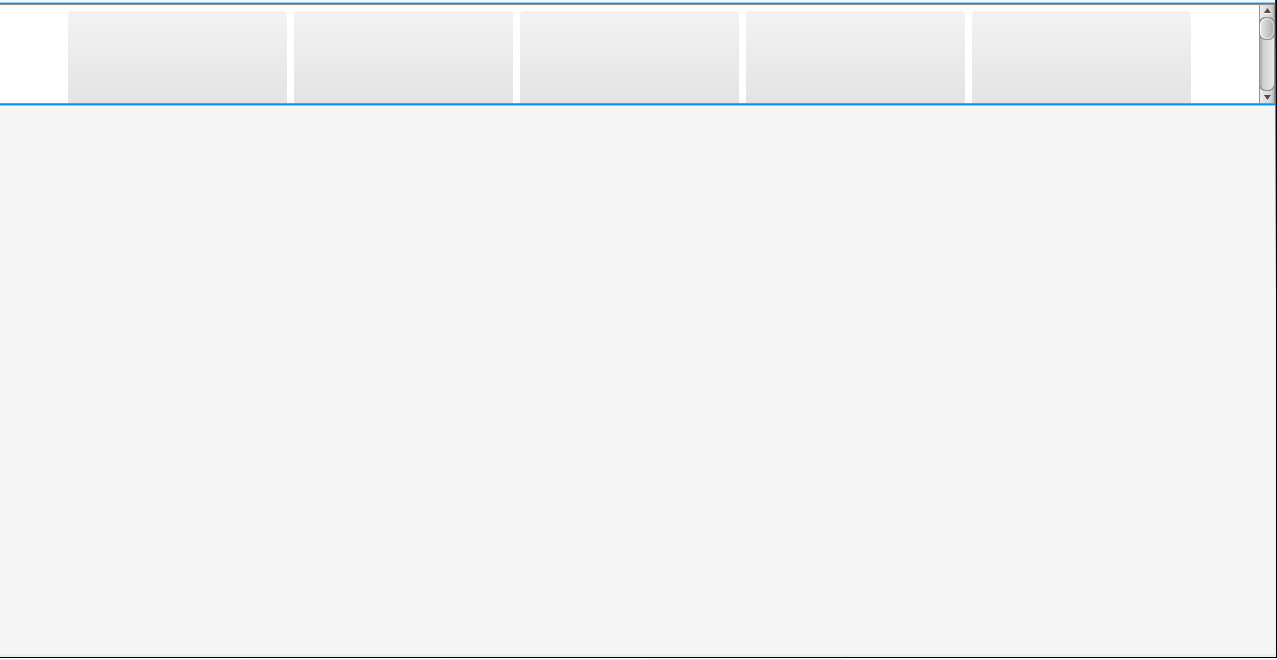
}但是当我运行代码时,我看不到ScrollPane。您能告诉我,为了使FlowPane可滚动,代码中缺少了什么吗?
编辑
回答 1
Stack Overflow用户
回答已采纳
发布于 2013-07-28 03:22:54
根据代码,您希望“将FlowPane添加到ScrollPane”,对吗?无法看到滚动窗格,因为它是在本地infrastructurePane()方法中定义的,但没有添加到场景中。在该方法中返回滚动窗格。此外,当视图端口被更改时,需要设置流窗格的prefHeight。另外,您可能希望使用stack窗格作为顶级容器。在这里,完整的演示:
public class FlowInScroll extends Application {

    @Override
    public void start(Stage stage) throws Exception {
        StackPane root = new StackPane();
        root.getChildren().addAll(infrastructurePane());
        Scene scene = new Scene(root);
        stage.setScene(scene);
        stage.show();
    }

    public ScrollPane infrastructurePane() {

        final FlowPane flow = new FlowPane();
        flow.setPadding(new Insets(5, 5, 5, 5));
        flow.setVgap(5);
        flow.setHgap(5);
        flow.setAlignment(Pos.CENTER);

        final ScrollPane scroll = new ScrollPane();

        scroll.setHbarPolicy(ScrollPane.ScrollBarPolicy.AS_NEEDED);    // Horizontal scroll bar
        scroll.setVbarPolicy(ScrollPane.ScrollBarPolicy.AS_NEEDED);    // Vertical scroll bar
        scroll.setContent(flow);
        scroll.viewportBoundsProperty().addListener(new ChangeListener<Bounds>() {
            @Override
            public void changed(ObservableValue<? extends Bounds> ov, Bounds oldBounds, Bounds bounds) {
                flow.setPrefWidth(bounds.getWidth());
                flow.setPrefHeight(bounds.getHeight());
            }
        });

        //flow.setPrefWrapLength(170); // preferred width allows for two columns
        flow.setStyle("-fx-background-color: yellow;");

        for (int i = 0; i < 28; i++) {
            flow.getChildren().add(generateRectangle());
        }

        String cssURL = "/com/dx57dc/css/ButtonsDemo.css";
        String css = this.getClass().getResource(cssURL).toExternalForm();
        flow.getStylesheets().add(css);

        return scroll;
    }

    public Rectangle generateRectangle() {

        Rectangle rect2 = new Rectangle(10, 10, 10, 10);
        rect2.setId("app");
        rect2.setArcHeight(8);
        rect2.setArcWidth(8);
        //rect2.setX(10);
        //rect2.setY(160);
        rect2.setStrokeWidth(1);
        rect2.setStroke(Color.WHITE);
        rect2.setWidth(220);
        rect2.setHeight(180);

        return rect2;
    }

    public static void main(String[] args) {
        launch(args);
    }
}页面原文内容由Stack Overflow提供。腾讯云小微IT领域专用引擎提供翻译支持
原文链接:
https://stackoverflow.com/questions/17902197
复制相关文章
相似问题
腾讯云开发者

Copyright © 2013 - 2026 Tencent Cloud. All Rights Reserved. 腾讯云 版权所有
深圳市腾讯计算机系统有限公司 ICP备案/许可证号:粤B2-20090059  粤公网安备44030502008569号
腾讯云计算(北京)有限责任公司 京ICP证150476号 | 京ICP备11018762号