
请求被中止:无法在Windows 8 Metro App中创建SSL/TLS安全通道
我有一个名单,350个可下载的图像网址。通过运行多个任务,我一次性下载10张图片。但是在下载了N数量的图像后,我的代码突然抛出了以下异常。
异常:“发送请求时发生错误。” InnerException:“请求被中止:无法创建SSL/TLS安全通道。” System.Runtime.CompilerServices.TaskAwaiter.ThrowForNonSuccess(Task任务)\r\n在System.Runtime.CompilerServices.TaskAwaiter.HandleNonSuccessAndDebuggerNotification(Task任务)\r\n在System.Runtime.CompilerServices.TaskAwaiter`1.GetResult()\r\n .
我创建了一个示例项目来重现此异常。我手里拿着两个测试用例。您可以从我的天空大道在这里下载正在运行的测试项目。右键单击文件HTTPClientTestCases1and2.zip并下载。
案例1:使用单个实例HttpClient进行所有图像下载.
在本例中,我使用相同的HttpClient向10个urls发送并行请求。在这种情况下,大多数情况下下载是成功的。在最后一次成功下载图像之后,等待至少40秒(最多1分40秒)来发送下一个批处理的下一个并行下载请求。由于这个异常,一个图像肯定会失败。但是,它的编写和建议为多个请求使用单个HttpClient的地方太多了。
   public async void DownloadUsingSingleSharedHttpClient(Int32 imageIndex)
    {
        Uri url = new Uri(ImageURLs[imageIndex]);

        UnderDownloadCount++;

        try
        {
            Byte[] contentBytes = null;

            try
            {
                // Exception IS THROWN AT LINE BELOW
                HttpResponseMessage response = await _httpClient.GetAsync(url);

                contentBytes = await response.Content.ReadAsByteArrayAsync();
            }
            catch (Exception ex)
            {
                System.Diagnostics.Debug.WriteLine("Download Failed at GetAsync() :" + ex.Message);
                throw ex;
            }

            DownloadedCount++;

            if (OnSuccess != null)
                OnSuccess(this, new DownloadSuccessEventArgs() { Index = imageIndex, Data = contentBytes });
        }
        catch (HttpRequestException hre)
        {
            DownloadFailedCount++;
            if (OnFailed != null)
                OnFailed(hre, null);
        }
        catch (TaskCanceledException hre)
        {
            DownloadFailedCount++;
            if (OnFailed != null)
                OnFailed(hre, null);
        }
        catch (Exception e)
        {
            DownloadFailedCount++;
            if (OnFailed != null)
                OnFailed(e, null);
        }
}案例2:为每个图像下载创建新的HttpClient实例
在这种情况下,它只是经常失败,因为相同的异常,而下载图像并行。
public async void DownloadUsingCreatingHttpClientEveryTime(Int32 imageIndex)
{
    Uri url = new Uri(ImageURLs[imageIndex]);

    UnderDownloadCount++;
    try
    {
        Byte[] contentBytes = null;

        using (HttpClientHandler _handler = new HttpClientHandler())
        {
            _handler.AllowAutoRedirect = true;
            _handler.MaxAutomaticRedirections = 4;

            using (HttpClient httpClient = new HttpClient(_handler))
            {
                httpClient.DefaultRequestHeaders.ExpectContinue = false;
                httpClient.DefaultRequestHeaders.Add("Keep-Alive", "false");

                try
                {
                    // Exception IS THROWN AT LINE BELOW
                    contentBytes = await httpClient.GetByteArrayAsync(url.OriginalString);
                }
                catch (Exception ex)
                {
                    System.Diagnostics.Debug.WriteLine("Download Failed :" + ex.Message);
                    throw ex;
                    }
                }

            _handler.Dispose();
        }

        DownloadedCount++;

        if (OnSuccess != null)
            OnSuccess(this, new DownloadSuccessEventArgs() { Index = imageIndex, Data = contentBytes });
    }
    catch (HttpRequestException hre)
    {
        DownloadFailedCount++;
        if (OnFailed != null)
            OnFailed(hre, null);
    }
    catch (TaskCanceledException hre)
    {
        DownloadFailedCount++;
        if (OnFailed != null)
            OnFailed(hre, null);
    }
    catch (Exception e)
    {
        DownloadFailedCount++;
        if (OnFailed != null)
            OnFailed(e, null);
    }
}
请在MainPage.xaml.cs中编辑以下函数以检查两种情况
 private void Send10DownloadRequestParallel()
    {
        for (Int32 index = 0; index < 10; index++)
        {
            Task.Run(() =>
            {
                Int32 index1 = rand.Next(0, myImageDownloader.ImageURLs.Count - 1);

                UpdateDownloadProgress();

                // Case 1: Download Using Single Shared HttpClient
                // myImageDownloader.DownloadUsingSingleSharedHttpClient(index1);

                // OR

                // Case 2: Download Using Creating Http Client Every Time
                myImageDownloader.DownloadUsingCreatingHttpClientEveryTime(index1);
            });
        }
}我的问题:,我做错了什么?通过克服这种异常,在WinRT中实现并行下载机的最佳方法是什么。
回答 1
Stack Overflow用户
发布于 2013-01-09 19:24:45
我运行了您的示例应用程序,只在几种场景中得到错误:
- 当应用程序请求的图像不存在时,.NET客户端会抛出一个异常。您的处理程序不完全处理这种情况,因为内部异常是空的。我不得不稍微修改一下代码: 异步空myImageDownloader_OnFailed(对象发送方,EventArgs e) {等待EventArgs委托{ TimeSpan time =(DateTime.Now -dateTimeSuccess);String timeGap =“理想用于:”+ time.ToString() + "\n";ErrorListBox.Text += "\n失败时:“+ DownloadInfo.Text + "\n";ErrorListBox.Text += timeGap;// CX添加的InnerException空检查,因为在HTTP结果状态404 var ex =发件人为异常时为NULL;if (ex.InnerException = null) ErrorListBox.Text += ex.InnerException.Message;或ErrorListBox.Text +=“内部异常空-外层= (”+ ex.ToString() +“”);};
- 唯一一次获得另一个错误
Could not create SSL/TLS secure channel in Windows 8 Metro App是在我使用HTTP调试代理(Fiddler)时。如果我不使用Fiddler (拦截所有HTTP(S)调用),那么下载就没有问题。我甚至快速地开始多次下载(通过在一秒钟内多次单击蓝色下载区域)。结果是下载了所有项目(除上文提到的404错误外)。
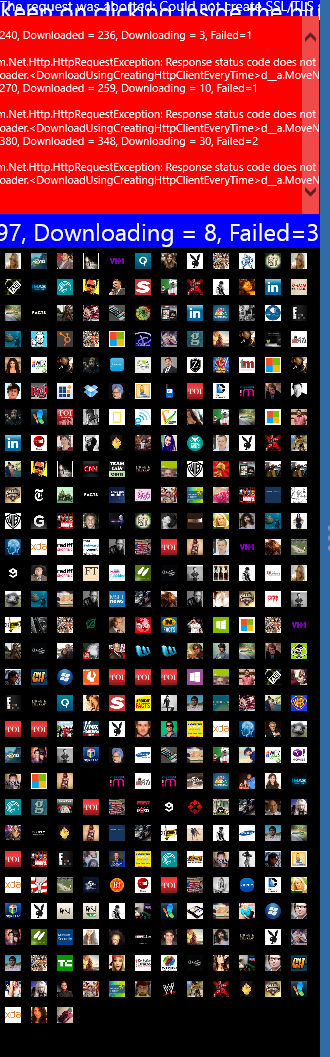
这里是成功下载的屏幕截图(除了404)。这个屏幕截图正在运行测试用例#2 (HttpClient的多个实例)。我确实运行了测试用例#1 (HttpClient的单个实例),结果也是成功的。
总之,我没有看到你们正在经历的问题。我唯一能想到的就是让你从不同的机器或地点尝试一下你的应用程序。
https://stackoverflow.com/questions/14158069
复制相似问题
腾讯云开发者

Copyright © 2013 - 2026 Tencent Cloud. All Rights Reserved. 腾讯云 版权所有
深圳市腾讯计算机系统有限公司 ICP备案/许可证号:粤B2-20090059  粤公网安备44030502008569号
腾讯云计算(北京)有限责任公司 京ICP证150476号 | 京ICP备11018762号