
即使安装和启用了Hyper-V,visual studio中的Android仿真器仍未启动。
即使安装和启用了Hyper-V,visual studio中的Android仿真器仍未启动。
提问于 2019-11-07 19:04:42
我试图通过VisualStudio2019运行android仿真器来测试我用Xamarin创建的应用程序。我遵循了在文档中概述的启用和安装Hyper的步骤:文档
当我试图启动我的模拟设备时,我会收到以下消息:
Starting emulator pixel_3_pie_9_0_api_28 ...
1>Waiting for runtime checks to complete
Emulator pixel_3_pie_9_0_api_28 cannot be started.
Runtime checks completed
1>Starting deployment to pixel_3_pie_9_0_api_28 ...
1>Starting emulator pixel_3_pie_9_0_api_28 ...
1>Launching the Android Emulator pixel_3_pie_9_0_api_28 on Hyper-V needs the Windows Hypervisor Platform installed and enabled.
1>
1>Please configure it using the Turn Windows features on or off dialog.
1>
Build has been canceled.
我不知道为什么会发生这种情况,因为我已经安装和启用了Hyper-V。任何想法都会很棒!


回答 1
Stack Overflow用户
回答已采纳
发布于 2019-11-08 06:01:54
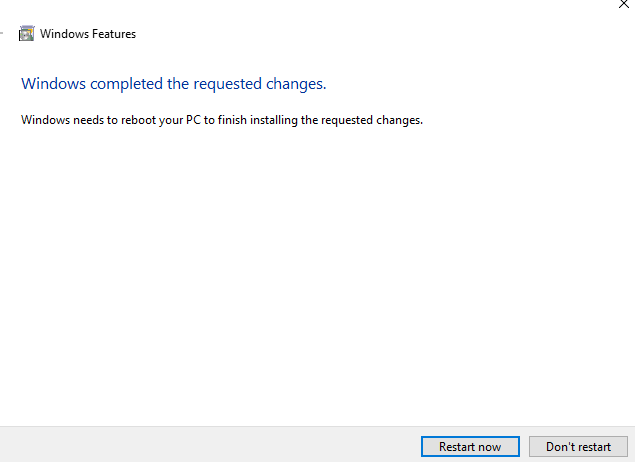
如果更改了Windows平台选项,

然后您需要重新启动计算机,然后它可以工作。
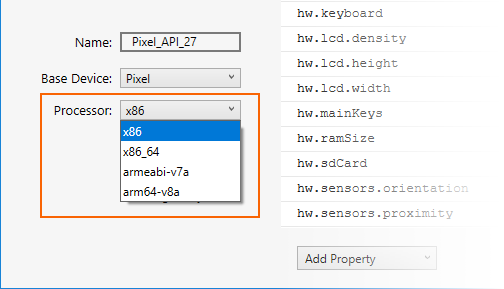
最后,在创建设备时,单击 processor 下拉菜单,为该虚拟设备选择处理器类型。选择x86将提供最佳性能,因为它使模拟器能够利用硬件加速。
页面原文内容由Stack Overflow提供。腾讯云小微IT领域专用引擎提供翻译支持
原文链接:
https://stackoverflow.com/questions/58755417
复制相关文章
相似问题
腾讯云开发者

Copyright © 2013 - 2026 Tencent Cloud. All Rights Reserved. 腾讯云 版权所有
深圳市腾讯计算机系统有限公司 ICP备案/许可证号:粤B2-20090059  粤公网安备44030502008569号
腾讯云计算(北京)有限责任公司 京ICP证150476号 | 京ICP备11018762号