
如何实现这样的设计风格?
如何实现这样的设计风格?
提问于 2020-06-10 15:16:58
我知道标题是模糊的。我不知道如何更好地表述标题,因为我不知道设计风格的名称。
这个设计的名字是什么“样式”,我如何实现css和html的效果?
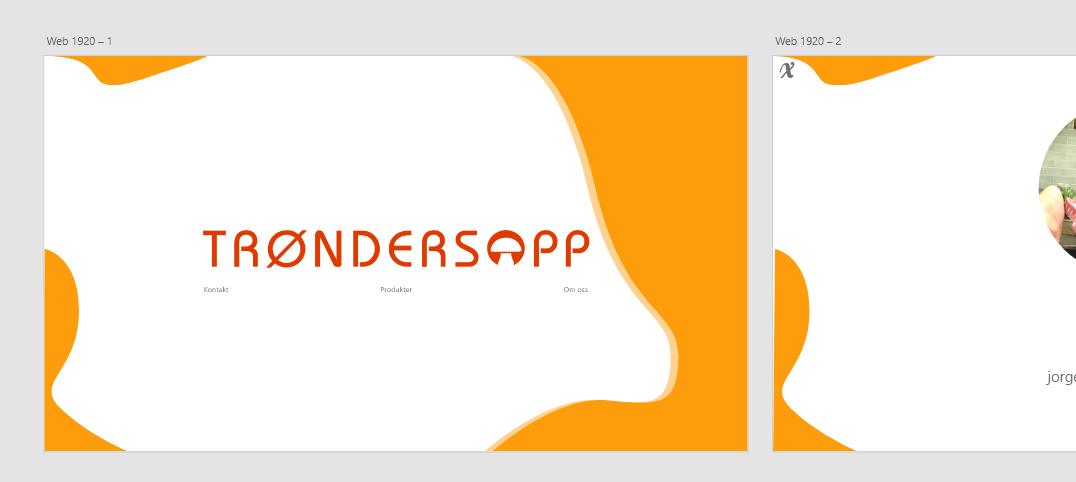
我尝试用HTML和css重新创建设计。这是代码
* {
  margin: 0;
  padding: 0;
  box-sizing: 0;
}

/*BG*/

main,
.container {
  height: 100vh;
  width: 100vw;
}

body {
  overflow: hidden;
}

#left-top,
#left-bottom,
#right {
  position: absolute;
  z-index: -10;
}

#left-top {
  left: 0;
  top: 0;
}

#left-bottom {
  left: 0;
  bottom: 0;
  transform: translate(-0.5vw);
}

#right {
  right: 0;
  top: 0;
  bottom: 0;
  transform: translate(10vw);
}
.container {
  display: flex;
  justify-content: center;
  align-items: center;
  flex-direction: column;

  max-height: 100vh;
  max-width: 100vw;

  border: 1vh solid lime;
}

.logo {
  max-width: 50%;

  display: flex;
  justify-content: center;
  align-items: center;
}

.logo img {
  width: 80vw;
  height: inherit;
}

.links {
}<!DOCTYPE html>
<html lang="en">
<head>
<meta charset="UTF-8" />
<meta name="viewport" content="width=device-width, initial-scale=1.0" />
<title>Document</title>
<link rel="stylesheet" href="style.css" />
<link rel="stylesheet" href="index.css" />
</head>
<body>
<main>
<div class="container">
<img id="left-top" src="https://picoolio.net/images/2020/06/10/Path-52825c75a57b036c8.png" alt="" />
<img id="left-bottom" src="https://picoolio.net/images/2020/06/10/Path-486011727790f3e3d.png" alt="" />
<img id="right" src="https://i.ibb.co/WPqF1dV/Component-4-1.png" alt="" />
<div class="logo">
<img src="https://picoolio.net/images/2020/06/10/Trondersopp_LOGO_B1ac81c93ec7cb89e0.png" alt="Trondersopp_LOGO_B1ac81c93ec7cb89e0.png" border="0" />
</div>
<div class="links">
<ul>
<li>
<a href="">Kontakt</a>
</li>
<li>
<a href="">Produkter</a>
</li>
<li>
<a href="">om oss</a>
</li>
</ul>
</div>
</div>
</main>
<script src="main.js"></script>
</body>
</html>
每当我放大绝对位置,背景部分就会像这样移动。
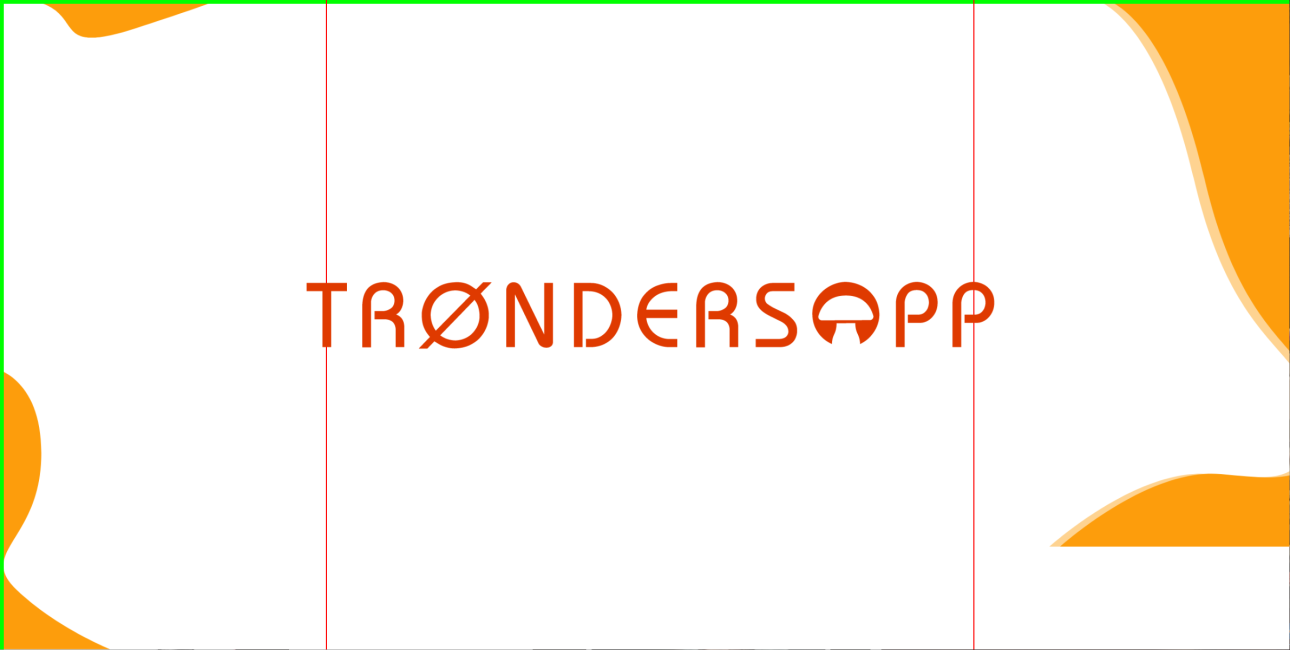
实现此设计的最佳方法是什么?样式的名称是什么?
回答 1
Stack Overflow用户
回答已采纳
发布于 2020-06-10 16:28:33
* {
  margin: 0;
  padding: 0;
  box-sizing: 0;
}

/*BG*/

main,
.container {
  height: 100vh;
  width: 100vw;
}

body {
  overflow: hidden;
}

#left-top,
#left-bottom,
#right {
  position: absolute;
  z-index: -10;
}

#left-top {
  left: 0;
  top: 0;
  width: 20vw;
}

#left-bottom {
  left: 0;
  bottom: 0;
  height: 50vh;
}

#right {
  right: 0;
  top: 0;
  bottom: 0;
  height: 100vh;
}
.container {
  display: flex;
  justify-content: center;
  align-items: center;
  flex-direction: column;

  max-height: 100vh;
  max-width: 100vw;
}

.logo {
  max-width: 70vw;

  display: flex;
  justify-content: center;
  align-items: center;
}

.logo img {
  top: 45vh;
  left: 50%;
  transform: translate(-50%, -50%);
  position: absolute;
  width: 100%;
  height: inherit;
  z-index: -10;
}

.links {
  margin: 51vh auto auto 7vw;
  width: 110vw;
  display: grid;
  grid-template-columns: auto auto auto auto;
  grid-column-gap: 1vw;
  grid-row-gap: 1vw;
}

.link-text {
  width: 100%;
  text-align: center;
}

.link-text a {
  text-decoration: none;
  color: #777;
  font-size: 1.25vw;
  font-family: helvetica;
}<!DOCTYPE html>
<html lang="en">
<head>
<meta charset="UTF-8" />
<meta name="viewport" content="width=device-width, initial-scale=1.0" />
<title>Document</title>
<link rel="stylesheet" href="style.css" />
<link rel="stylesheet" href="index.css" />
</head>
<body>
<main>
<div class="container">
<img id="left-top" src="https://picoolio.net/images/2020/06/10/Path-52825c75a57b036c8.png" alt="" />
<img id="left-bottom" src="https://picoolio.net/images/2020/06/10/Path-486011727790f3e3d.png" alt="" />
<img id="right" src="https://i.ibb.co/WPqF1dV/Component-4-1.png" alt="" />
<div class="logo">
<img src="https://picoolio.net/images/2020/06/10/Trondersopp_LOGO_B1ac81c93ec7cb89e0.png" alt="Trondersopp_LOGO_B1ac81c93ec7cb89e0.png" border="0" />
</div>
<div class="links">
<div class="link-text"><a href="">Kontakt</a></div>
<div class="link-text"><a href="">Produkter</a></div>
<div class="link-text"><a href="">om oss</a></div>
</div>
</div>
</main>
<script src="main.js"></script>
</body>
</html>
在上面的代码中,我更改了<div>标记中的图像、尺寸和链接,以实现该设计.您可以直接复制和粘贴您的工作代码,因为我认为这是您想要在屏幕上看到的。
解释
我首先添加了vw和vh尺寸到您的图像,这使他们响应根据视口.
第二,我指定了一个z索引到您的徽标图像,并根据您的需要,通过帮助左上方指定绝对位置。
第三,我使用css网格布局的链接,但它不是必要的,因为你也可以使用其他方法。获取cs网格信息的链接
我用css设计了一些东西(主要是链接部分),您可以在代码中看到.
以上只是一个简单的概述。
页面原文内容由Stack Overflow提供。腾讯云小微IT领域专用引擎提供翻译支持
原文链接:
https://stackoverflow.com/questions/62307088
复制相关文章
相似问题
腾讯云开发者

Copyright © 2013 - 2026 Tencent Cloud. All Rights Reserved. 腾讯云 版权所有
深圳市腾讯计算机系统有限公司 ICP备案/许可证号:粤B2-20090059  粤公网安备44030502008569号
腾讯云计算(北京)有限责任公司 京ICP证150476号 | 京ICP备11018762号