
Azure部署池代理安装IIS失败
Azure部署池代理安装IIS失败
提问于 2020-08-13 03:17:50
目标
我正在尝试使用azure在远程服务器上安装IIS。我已经在其他vm服务器上这样做了,没有问题。
问题
在运行此阶段时,安装IIS时的代理错误非常少细节代理错误
误差
2020-08-11T19:06:19.1822182Z ##[section]Starting: IIS Web App Manage
2020-08-11T19:06:19.1984662Z ==============================================================================
2020-08-11T19:06:19.1985052Z Task         : IIS web app manage
2020-08-11T19:06:19.1985379Z Description  : Create or update websites, web apps, virtual directories, or application pools
2020-08-11T19:06:19.1985671Z Version      : 0.5.15
2020-08-11T19:06:19.1985908Z Author       : Microsoft Corporation
2020-08-11T19:06:19.1986227Z Help         : https://learn.microsoft.com/azure/devops/pipelines/tasks/deploy/iis-web-app-management-on-machine-group
2020-08-11T19:06:19.1986625Z ==============================================================================
2020-08-11T19:06:21.2180244Z Installing IIS. This may take few minutes.
2020-08-11T19:06:46.1602426Z ##[error]The request to add or remove features on the specified server failed.
Installation of one or more roles, role services, or features failed.
The source files could not be found.
Use the "Source" option to specify the location of the files that are required to restore the feature. For more information on specifying a source location, see http://go.microsoft.com/fwlink/?LinkId=243077. Error: 0x800f081f

2020-08-11T19:06:46.1908491Z ##[section]Finishing: IIS Web App Manage
舞台设置
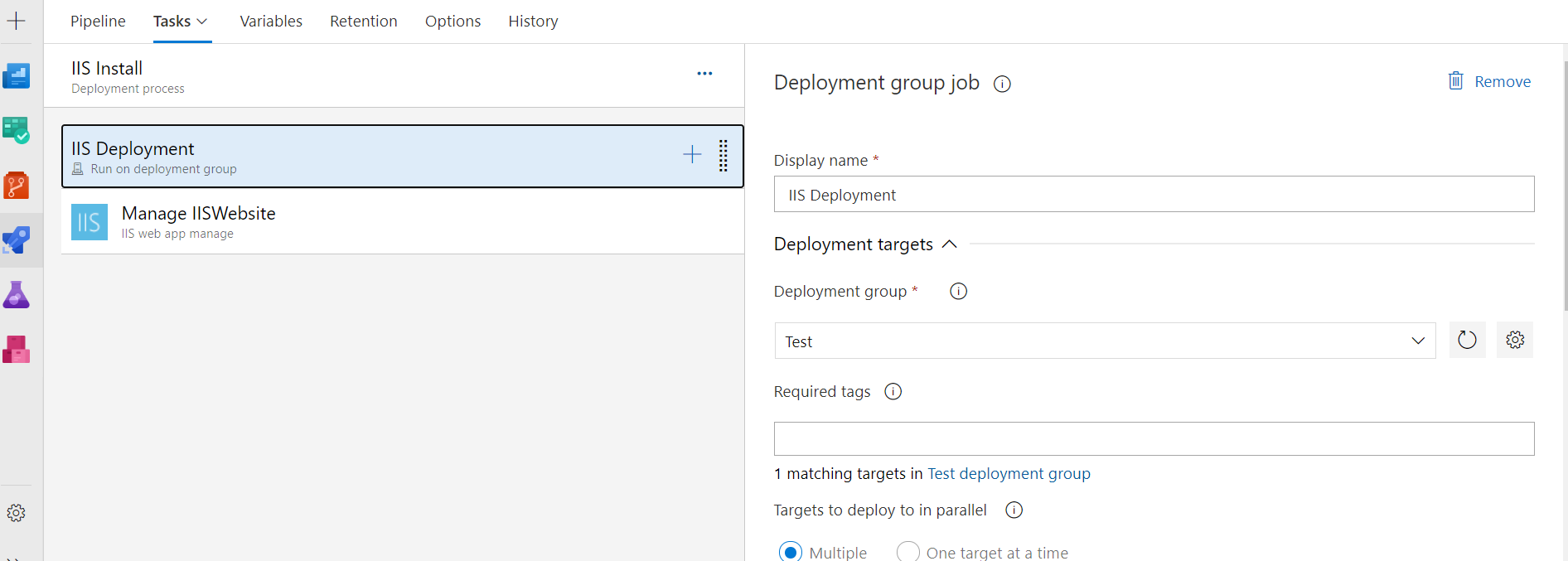
steps:
- task: IISWebAppManagementOnMachineGroup@0
  displayName: 'Manage IISWebsite'
  inputs:
    EnableIIS: true
    WebsiteName: 'Default Web Site'
    AddBinding: true
    Bindings: '{"bindings":[{"protocol":"http","ipAddress":"All Unassigned","port":"80","hostname":"","sslThumbprint":"","sniFlag":false}]}'
    CreateOrUpdateAppPoolForWebsite: true
AppPoolNameForWebsite: default回答 1
Stack Overflow用户
发布于 2020-08-14 13:16:02
我解决了这个问题,停止尝试使用预先构建的IIS web应用程序管理工具,最后通过power命令安装iis。
Install-WindowsFeature -name Web-Server -IncludeManagementTools页面原文内容由Stack Overflow提供。腾讯云小微IT领域专用引擎提供翻译支持
原文链接:
https://stackoverflow.com/questions/63387634
复制相关文章
相似问题
腾讯云开发者

Copyright © 2013 - 2026 Tencent Cloud. All Rights Reserved. 腾讯云 版权所有
深圳市腾讯计算机系统有限公司 ICP备案/许可证号:粤B2-20090059  粤公网安备44030502008569号
腾讯云计算(北京)有限责任公司 京ICP证150476号 | 京ICP备11018762号