
在页面底部显示页脚总是11的问题
在页面底部显示页脚总是11的问题
提问于 2020-10-14 16:12:19
我正在开发一个ASP.NET网站,Visual Studio 2019,C#和.NET Framework 4.7
在主页上,我插入了这个css class,因为我的所有页面都有垂直滚动条,我希望始终在页面底部显示<footer>。
在浏览器Google Chrome和Microsoft Edge上,这个css class正常工作,但是在浏览器Internet Explorer 11中,页脚文本与网页一起移动。
我该怎么做呢?
footer{
 position:fixed;
 bottom:0;
}

<div>
    <footer>
        <p style="font-size:20px">My Company</p>
    </footer>
</div>回答 1
Stack Overflow用户
回答已采纳
发布于 2020-10-14 16:42:22
它实际上是工作良好的所有浏览器,只是确保您设置正确的CSS。
head
- CSS内联
中style中的
- CSS
演示:
<!DOCTYPE html>
<html>
  <head>
    <title>Page Title</title>
    <style>
      .p{
        height: 200vh;
        background:red;
      }
      footer{
        position:fixed;
        bottom:0;
        background: yellow;
      }
    </style>
  </head>
  <body>

    <h1>This is a Heading</h1>
    <p class="p">This is a paragraph.</p>
    <div>
        <footer>
            <p style="font-size:20px">My Company</p>
        </footer>
    </div>

  </body>
</html>
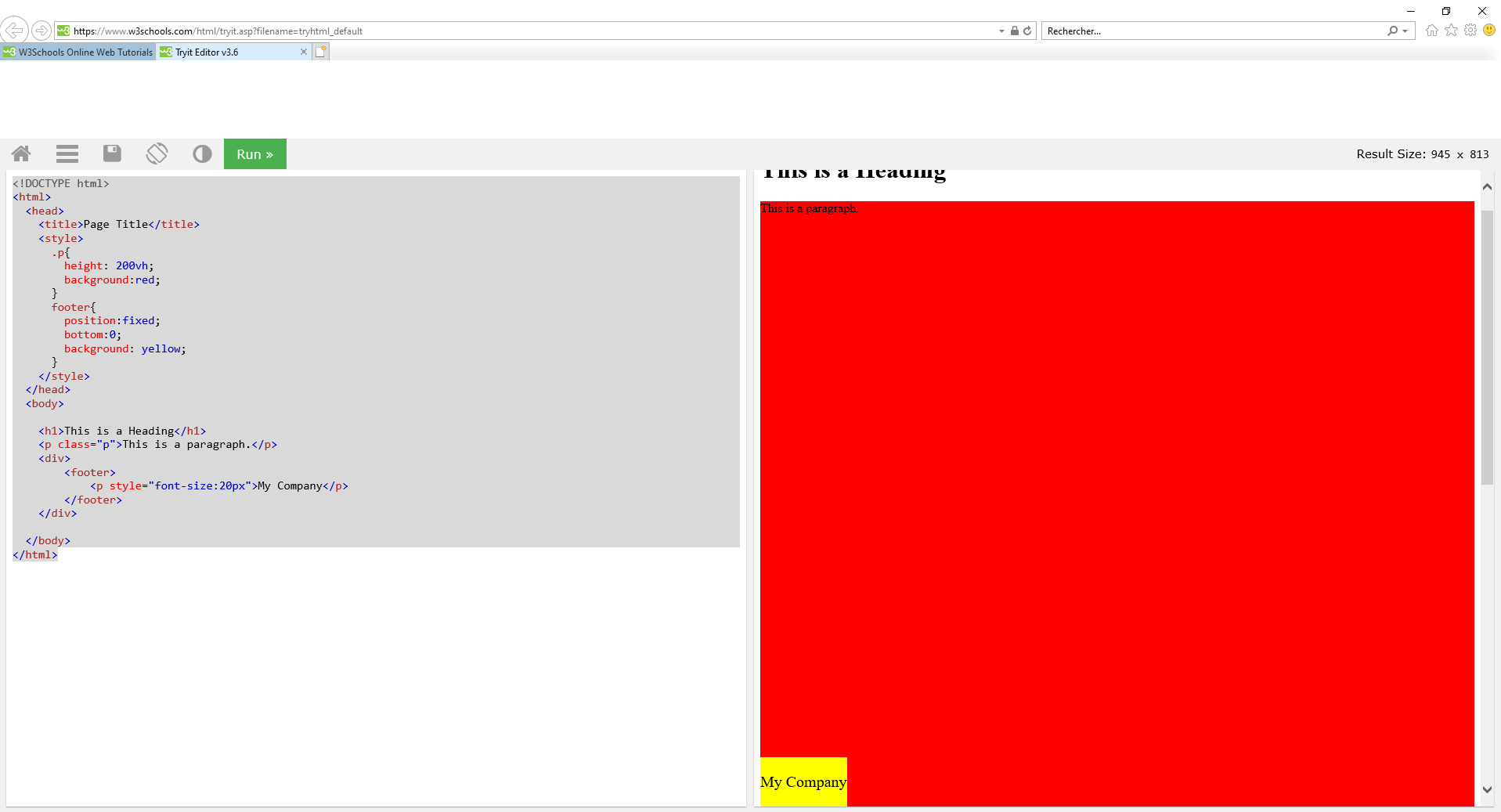
在IE11上的结果(您可以因为标题的一半而滚动):
页面原文内容由Stack Overflow提供。腾讯云小微IT领域专用引擎提供翻译支持
原文链接:
https://stackoverflow.com/questions/64357420
复制相关文章
相似问题
腾讯云开发者

Copyright © 2013 - 2026 Tencent Cloud. All Rights Reserved. 腾讯云 版权所有
深圳市腾讯计算机系统有限公司 ICP备案/许可证号:粤B2-20090059  粤公网安备44030502008569号
腾讯云计算(北京)有限责任公司 京ICP证150476号 | 京ICP备11018762号