
xaringan标题幻灯片中的多幅图像(徽标和背景图像)
xaringan标题幻灯片中的多幅图像(徽标和背景图像)
提问于 2022-11-25 14:33:37
我试图使用一个标志和背景图像在幻灯片上准备的xaringan (rmarkdown)。我还没找到关于怎么做的说明。
到目前为止,我有这个(只有徽标):
---
output:
  xaringan::moon_reader:
    css: ["xaringan-themer.css","mi_estilo.css"]
    lib_dir: libs
    nature:
      titleSlideClass: ["left", "bottom"]
      ratio: '16:9'
      highlightStyle: github
      highlightLines: true
      countIncrementalSlides: false
---
而且,这是在CSS文件中:
/* Add image and change bg color */
.title-slide {
  background-image: url(logo-ean-blanco.png);
  background-position: 11% 15%;
  background-size: 200px;
  padding-left: 100px;
}
那么,我现在该如何在首页或标题幻灯片上添加背景图片呢?谢谢!
回答 1
Stack Overflow用户
回答已采纳
发布于 2022-11-25 16:00:38
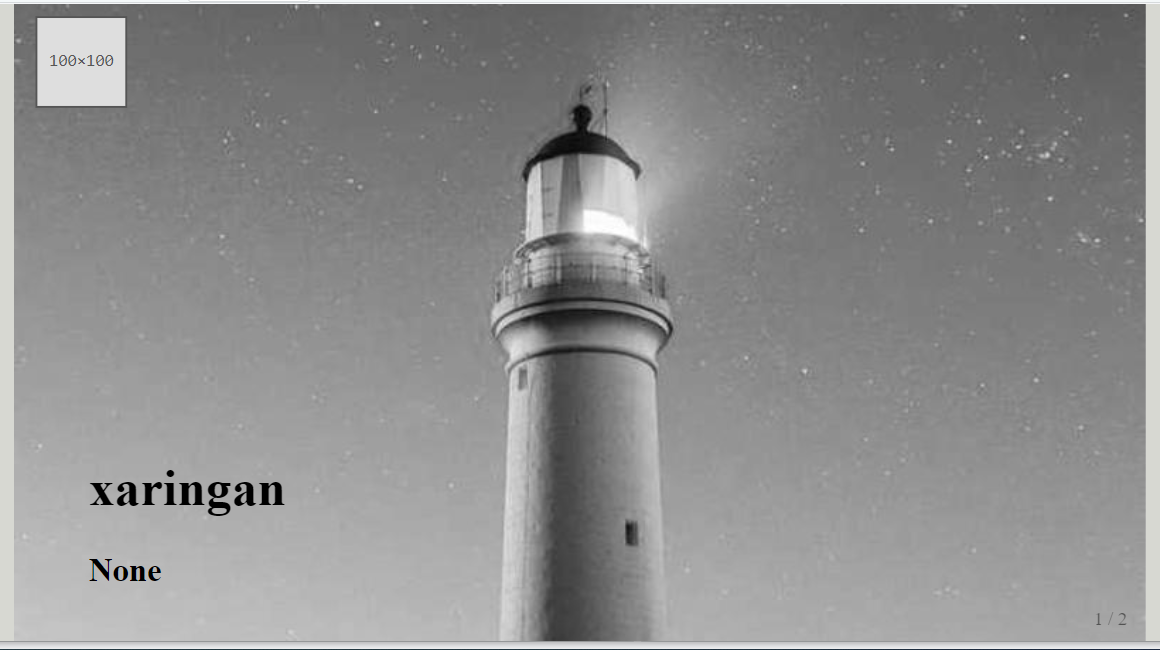
您可以在background-image css属性中通过逗号分隔url路径来指定两个图像的路径(一个用于徽标,另一个用于背景图像),还可以为用逗号分隔的两个图像指定其他背景属性。看这里想了解更多这方面的情况。
---
title: "xaringan"
author: "None"
output:
  xaringan::moon_reader:
    css: ["xaringan-themer.css","mi_estilo.css"]
    lib_dir: libs
    nature:
      titleSlideClass: ["left", "bottom"]
      ratio: '16:9'
      highlightStyle: github
      highlightLines: true
      countIncrementalSlides: false
---
mi_estilo.css
.title-slide {
  background-image: url(https://placeholder.pics/svg/100),
                    url(https://picsum.photos/id/870/800/600?grayscale);
  background-position: 2% 2%, center;
  background-size: 100px, cover;
}
页面原文内容由Stack Overflow提供。腾讯云小微IT领域专用引擎提供翻译支持
原文链接:
https://stackoverflow.com/questions/74574308
复制相关文章
相似问题
腾讯云开发者

Copyright © 2013 - 2026 Tencent Cloud. All Rights Reserved. 腾讯云 版权所有
深圳市腾讯计算机系统有限公司 ICP备案/许可证号:粤B2-20090059  粤公网安备44030502008569号
腾讯云计算(北京)有限责任公司 京ICP证150476号 | 京ICP备11018762号