
我在场景工具包中添加了一个人类3d模型,它的背景是黑色的,如何使它像前面的视图一样白?
我在场景工具包中添加了一个人类3d模型,它的背景是黑色的,如何使它像前面的视图一样白?
提问于 2022-08-24 12:56:42
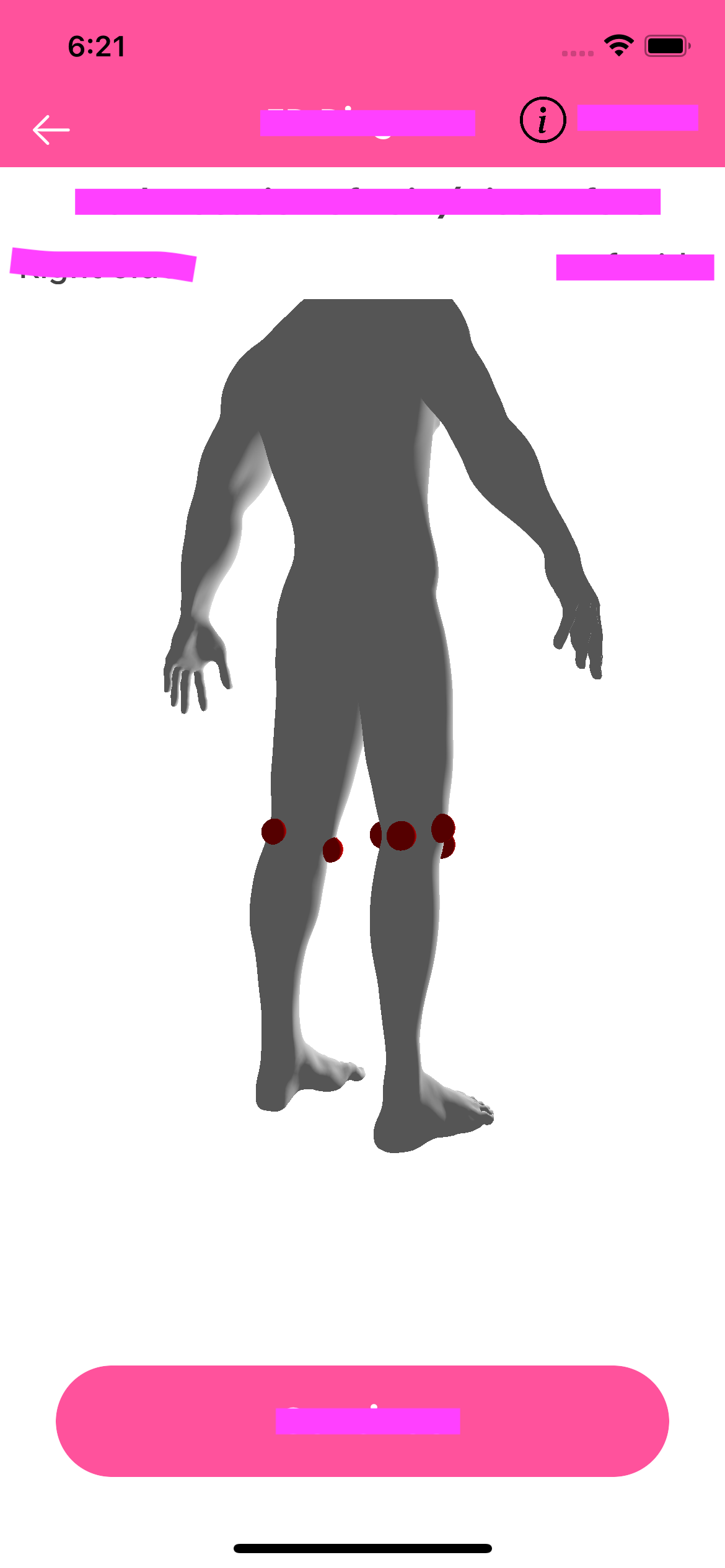
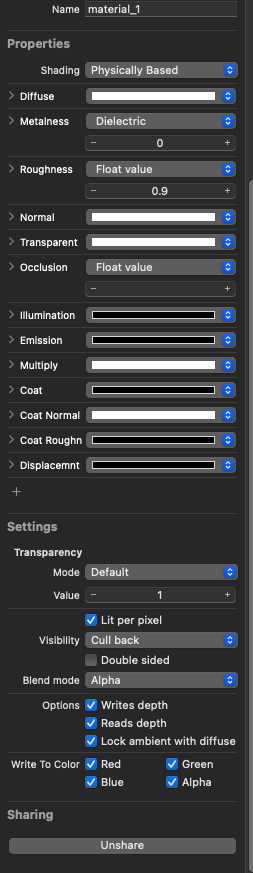
我在场景工具包中添加了一个人类3d模型。它的背景是黑色的,如何使它像前面的景色一样白?我已经用过这个在快速应用程序,用过的场景工具包和人的三维模型,请检查我已经附上的图片。
后视镜
三维模型设置
代码:-
 //MARK: - Scene Related Methods
func loadScene() {
    self.removeExistingNodes()
    loadSceneLayer(fileName: "FinalBaseMesh.obj")
    sceneView.allowsCameraControl = true
    sceneView.autoenablesDefaultLighting = false

    load3DScene()

    //layerSelectionIndex = 0
    sceneView.scene = scene
}

func load3DScene() {
    sceneView.scene = scene
    // Allow user to manipulate camera
    sceneView.allowsCameraControl = true

    sceneView.backgroundColor = UIColor.white

    sceneView.cameraControlConfiguration.allowsTranslation = true
    sceneView.cameraControlConfiguration.panSensitivity = 0.9

    sceneView.delegate = self as SCNSceneRendererDelegate
    //            sceneView.isPlaying = true
    for reco in sceneView.gestureRecognizers! {
        if let panReco = reco as? UIPanGestureRecognizer {
            panReco.maximumNumberOfTouches = 1
        }
    }

    //         add a tap gesture recognizer
    let tapGesture = UITapGestureRecognizer(target: self, action:#selector(handleTap(_:)))
    sceneView.addGestureRecognizer(tapGesture)

    self.addSavedNode()

}


func loadSceneLayer(fileName: String) {


    scene = SCNScene(named: fileName) ?? SCNScene()
    let cameraNode = SCNNode()
    cameraNode.camera = SCNCamera()


    cameraNode.position = SCNVector3(x: 0, y: 6.5, z: 20)
    scene.rootNode.addChildNode(cameraNode)

    let lightNode = SCNNode()
    lightNode.light = SCNLight()
    lightNode.light?.type = .omni

    lightNode.position = SCNVector3(x: 0, y: 6.5, z: 20)
    scene.rootNode.addChildNode(lightNode)

    // 6: Creating and adding ambien light to scene
    let ambientLightNode = SCNNode()
    ambientLightNode.light = SCNLight()
    ambientLightNode.light?.type = .ambient
    ambientLightNode.light?.color = UIColor.darkGray
    scene.rootNode.addChildNode(ambientLightNode)

}
我忘记添加最后一个方法,请检查loadstonelayer方法。
回答 1
Stack Overflow用户
回答已采纳
发布于 2022-08-27 14:10:35
页面原文内容由Stack Overflow提供。腾讯云小微IT领域专用引擎提供翻译支持
原文链接:
https://stackoverflow.com/questions/73473597
复制相关文章
相似问题
腾讯云开发者

Copyright © 2013 - 2026 Tencent Cloud. All Rights Reserved. 腾讯云 版权所有
深圳市腾讯计算机系统有限公司 ICP备案/许可证号:粤B2-20090059  粤公网安备44030502008569号
腾讯云计算(北京)有限责任公司 京ICP证150476号 | 京ICP备11018762号