
颤振动画图标AnimationController
颤振动画图标AnimationController
提问于 2022-03-17 13:26:49
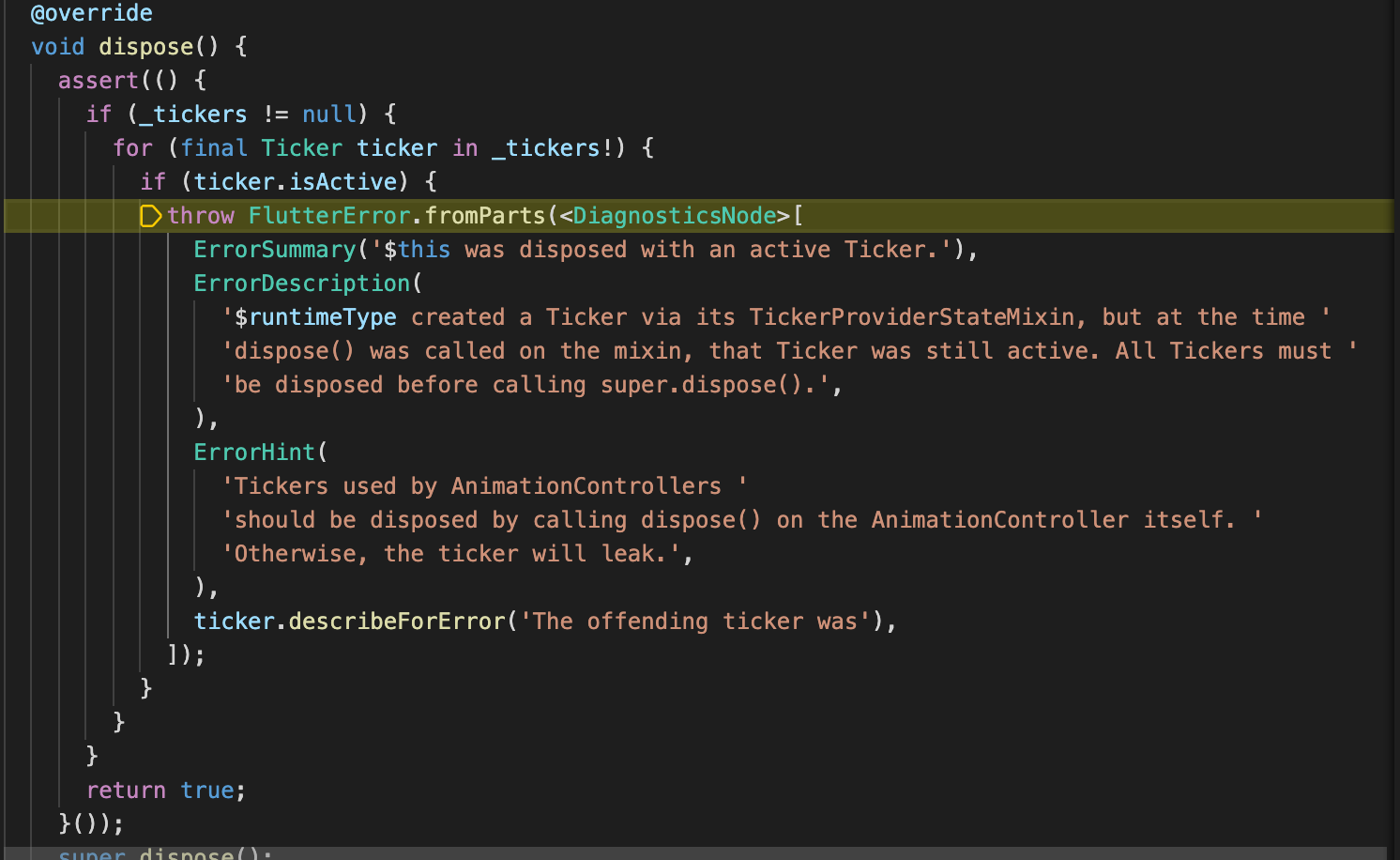
所以我有两页:第一页是我的HomePage,在那里我可以通过按钮访问我的第二页。第二页是我在里面放了一个动画图标。我试图动画的图标,到目前为止,一切都很好。图标会像我想要的那样反弹,但当我回到我的HomePage时,突然出现了一个错误,应用程序不再起作用了(我添加了一个屏幕截图,但我不太明白我需要在代码中修改什么)。我能做些什么来防止这种情况发生呢?
这是我的密码:
class InfoScreen extends StatefulWidget {
  @override
  _InfoScreen createState() => _InfoScreen();
}
@override
class _InfoScreen extends State<InfoScreen> with TickerProviderStateMixin {
  AnimationController _animationController;
  Animation<double> _animation;
  bool _isPlaying = false;

  void _animate() {
    if (_isPlaying)
      _animationController.stop();
    else
      _animationController.forward();
    setState(() {
      _isPlaying = !_isPlaying;
    });
  }

  @override
  void initState() {
    super.initState();

    _animationController = AnimationController(
      vsync: this,
      duration: Duration(milliseconds: 450),
    );

    _animation = Tween<double>(begin: 0.85, end: 1.05).animate(
        CurvedAnimation(parent: _animationController, curve: Curves.easeIn));
    _animationController.forward();
    _animation.addStatusListener((status) {
      if (status == AnimationStatus.completed)
        _animationController.reverse();
      else if (status == AnimationStatus.dismissed)
        _animationController.forward();
    });
  }

  @override
  Widget build(BuildContext context) {
    return Scaffold(
      appBar: AppBar(
        title: Text('Info'),
        flexibleSpace: Container(
          decoration: BoxDecoration(
            gradient: LinearGradient(
                colors: [Color(0xffFBD23E), Color(0xffF6BE03)],
                begin: Alignment.topCenter,
                end: Alignment.bottomCenter),
          ),
        ),
      ),
      body: Container(
        constraints: BoxConstraints.expand(),
        decoration: BoxDecoration(
          gradient: LinearGradient(
              colors: [Color(0xffFEFDFD), Color(0xffBDBDB2)],
              begin: Alignment.topLeft,
              end: Alignment.bottomRight),
        ),
        child: ScaleTransition(
              scale: _animation,
              child: Icon(
                Icons.favorite,
                color: Color(0xffF40930),
              ),
            ),
 ],
        ),
      ),
    );
  }
}
回答 1
Stack Overflow用户
回答已采纳
发布于 2022-03-17 13:40:19
我们需要处理AnimationController。重写dispose方法并释放_animationController。
  @override
  void dispose() {
    _animationController.dispose();
    super.dispose();
}页面原文内容由Stack Overflow提供。腾讯云小微IT领域专用引擎提供翻译支持
原文链接:
https://stackoverflow.com/questions/71513116
复制相关文章
相似问题
腾讯云开发者

Copyright © 2013 - 2026 Tencent Cloud. All Rights Reserved. 腾讯云 版权所有
深圳市腾讯计算机系统有限公司 ICP备案/许可证号:粤B2-20090059  粤公网安备44030502008569号
腾讯云计算(北京)有限责任公司 京ICP证150476号 | 京ICP备11018762号