istio入门系列之实战入门准备flux自动化部署
原创

istio入门系列之实战入门准备flux自动化部署
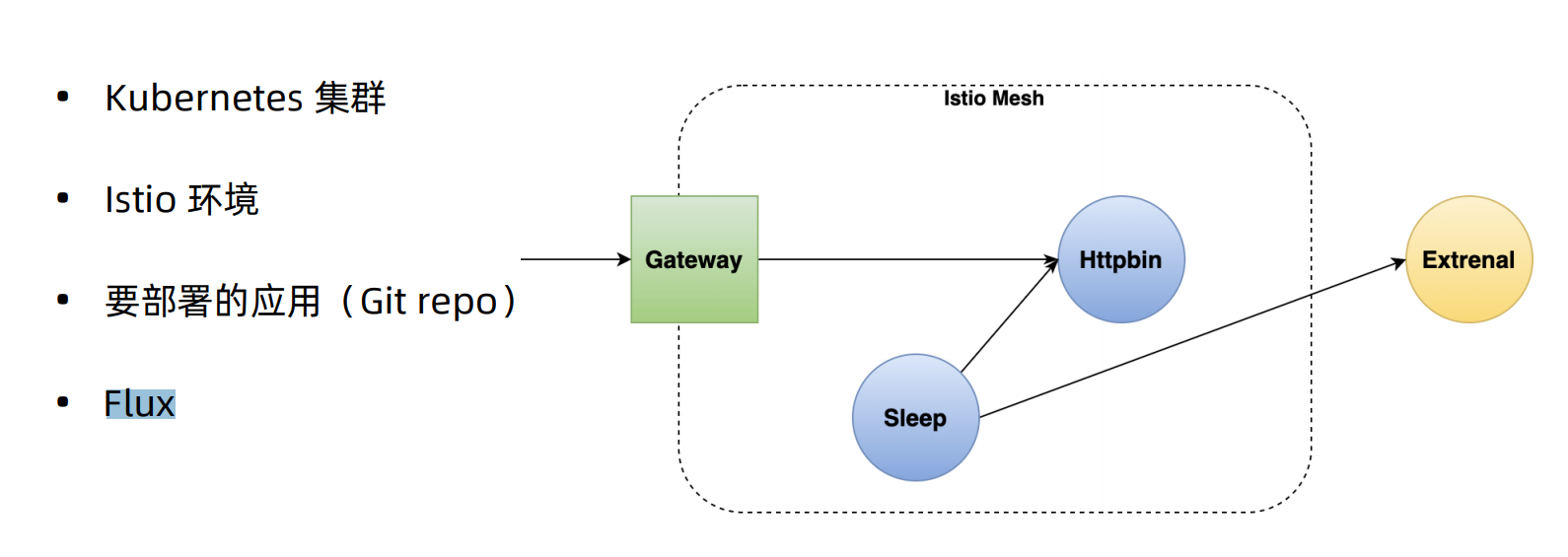
本章我们学习下如何通过Flux来进行CI/CD的代码自动发布。
学习Flux之前,我们需要进行如下准备工作。
upload-image
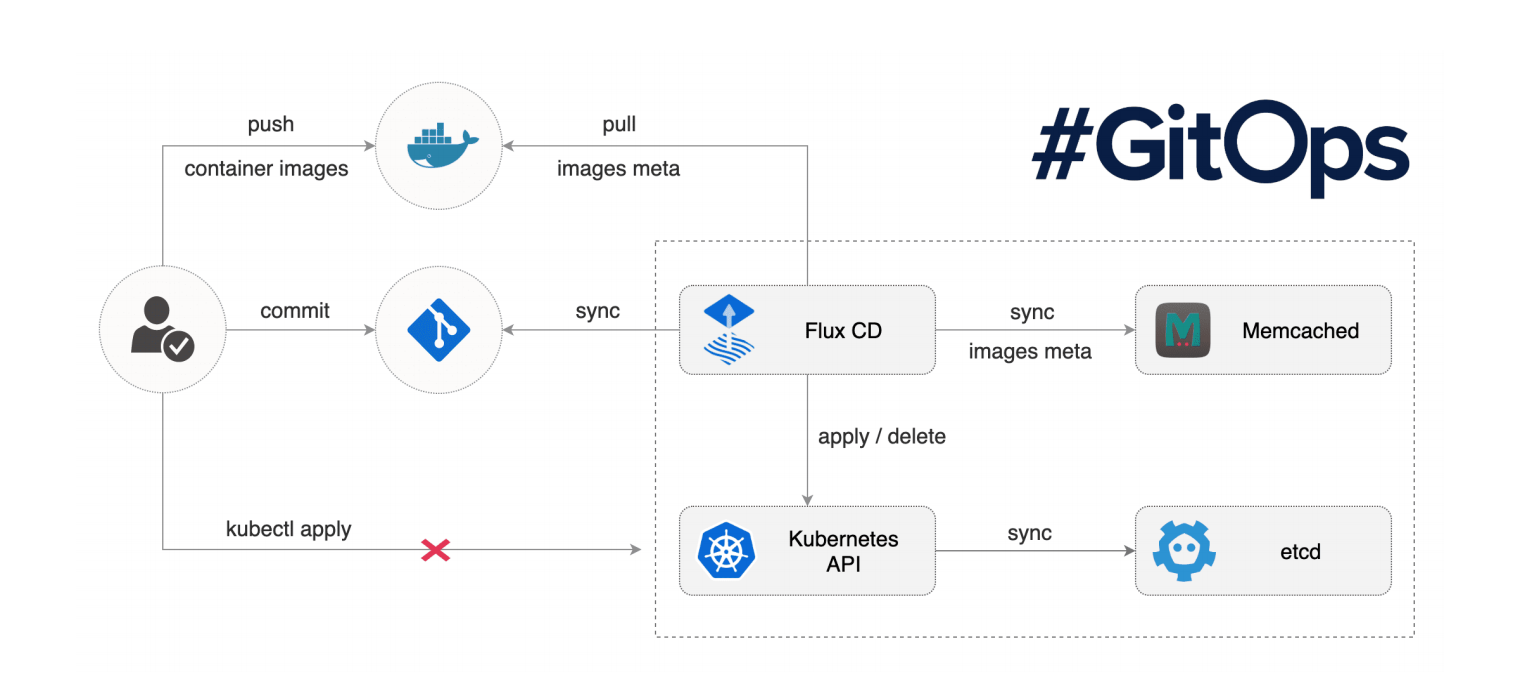
flux的具体实现流程如下
upload-image
flux的安装
首先下载最新的fluxctl客户端安装
[root@VM-0-13-centos ~]# wget https://github.com/fluxcd/flux/releases/download/1.21.0/fluxctl_linux_amd64
[root@VM-0-13-centos ~]# cp fluxctl_linux_amd64 /usr/local/bin/fluxctl
[root@VM-0-13-centos ~]# chmod +x /usr/local/bin/fluxctl
下面我们给flux创建一个命名空间用来部署
kubectl create ns flux下载flux的部署yaml,部署到k8s集群中
# git clone https://github.com/fluxcd/flux.git
# cd flux/deploy
# kubectl apply -f .
# kubectl get pod -n flux
NAME                         READY   STATUS    RESTARTS   AGE
flux-7d79bc76f4-5xjvn        1/1     Running   0          26s
memcached-5bd7849b84-z99wt   1/1     Running   0          26s
在flux的flux-deployment.yaml配置你的仓库信息
[root@VM-0-13-centos deploy]# cat flux-deployment.yaml | grep git
      - name: git-key
          secretName: flux-git-deploy
      - name: git-keygen
      # file, which you will need to do if you host your own git
      # repo rather than using github or the like. You'll also need to
      # https://docs.fluxcd.io/en/latest/guides/use-private-git-host
        - name: git-key
        - name: git-keygen
        # Include this if you want to supply HTTP basic auth credentials for git
        #     name: flux-git-auth
        # https://$(GIT_AUTHUSER):$(GIT_AUTHKEY)@github.com/user/repository.git
        - [email protected]:nieweixing/smdemo.git
        - --git-branch=master
        # to those under the following relative paths in the git repository
        # - --git-path=subdir1,subdir2
        - --git-label=flux-sync
        - --git-user=nieweixing
        - [email protected]
        # Include these two to enable git commit signing
        # - --git-gpg-key-import=/root/gpg-import
        # - --git-signing-key=<key id>
        # Include this to enable git signature verification
        # - --git-verify-signatures
        # - --git-readonly
        # Instruct flux where to put sync bookkeeping (default "git", meaning use a tag in the upstream git repo)
        # - --sync-state=git
也可以在部署flux的时候通过命令来部署
fluxctl install \
--git-user=xxx \
--git-email=xxx@xxx \
--git-url[email protected]:malphi/smdemo \
--namespace=flux | kubectl apply -f -
主要配置–git-url、–git-user、–git-email这3个配置项,让flux可以管理你的仓库,下面我们把flux的公钥配置的flux的代码仓库中
[root@VM-0-13-centos deploy]# fluxctl identity --k8s-fwd-ns flux
ssh-rsa AAAAB3NzaC1yc2EAAAADAQABAAABgQClmQxfR+HHs7nVwVUtxnr34KBhPIWdexBjhtfKEzdIt/B8eJNKBWF/K2wTJIajyDwj/VctdIBn3/5rf+l98zPbuMQp08ejJvi1d1XYiweohg9Zj6VAYDHdEOc3cqEO34J9+eVoCexB8lkBK9AFg9urpdSVHnqNj1ApDGOH8xpnl98V+DsoPrqCv6bGTGpYNIpSIZMv5OImjTANH1yF5lgxL6blOBv7eAGKikHBo6vN46BzTQHtvcMZGK7SatiroaU+qw7fQw1Gf3s0c0dAuZqDzL97rSDfKYkvFWTg0UQajD4qnmeWx/Mm5GCFN10wTF3OloYXLC1bAS3jmcH6EEpWLaSuQj4ennfzZkxC6tRPiM9ncSDeR8oKGQ2O89honUfXMHW7UYtyRPyzN89X6ySp25cwU+R7Jm9cf4DXmeS1XWVGUewHOQGmBN3X8471nC31CJxqI8n6zuReuyql+w7BVM/s6cELgcLLqRRC2POyacgqOw2n3jVK//id/h+TBYU= root@flux-7d79bc76f4-5xjvn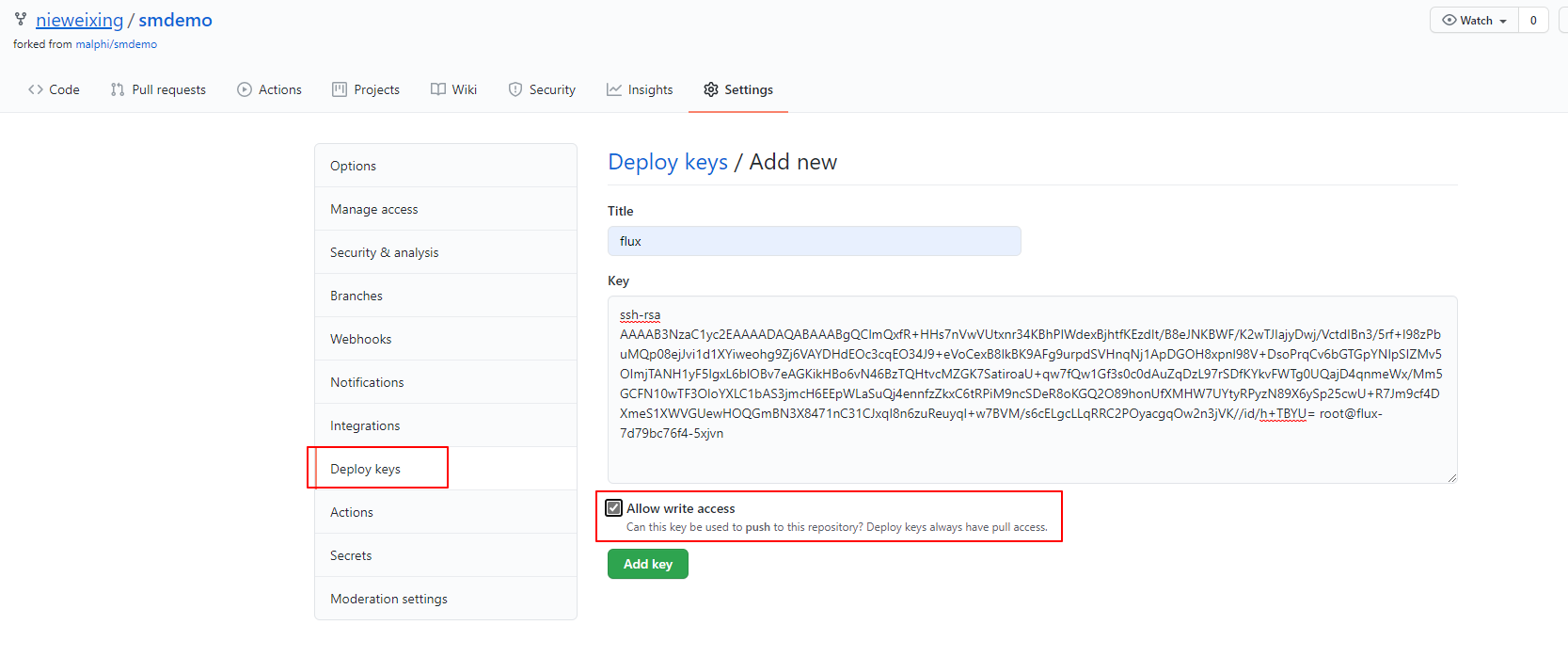
upload-image
flux部署demo应用
下面我们给demo部署创建一个新的ns来进行部署,并自动注入istio
[root@VM-0-13-centos deploy]# k create ns demo
namespace/demo created
[root@VM-0-13-centos deploy]# k label namespace demo istio-injection=enabled
namespace/demo labeled
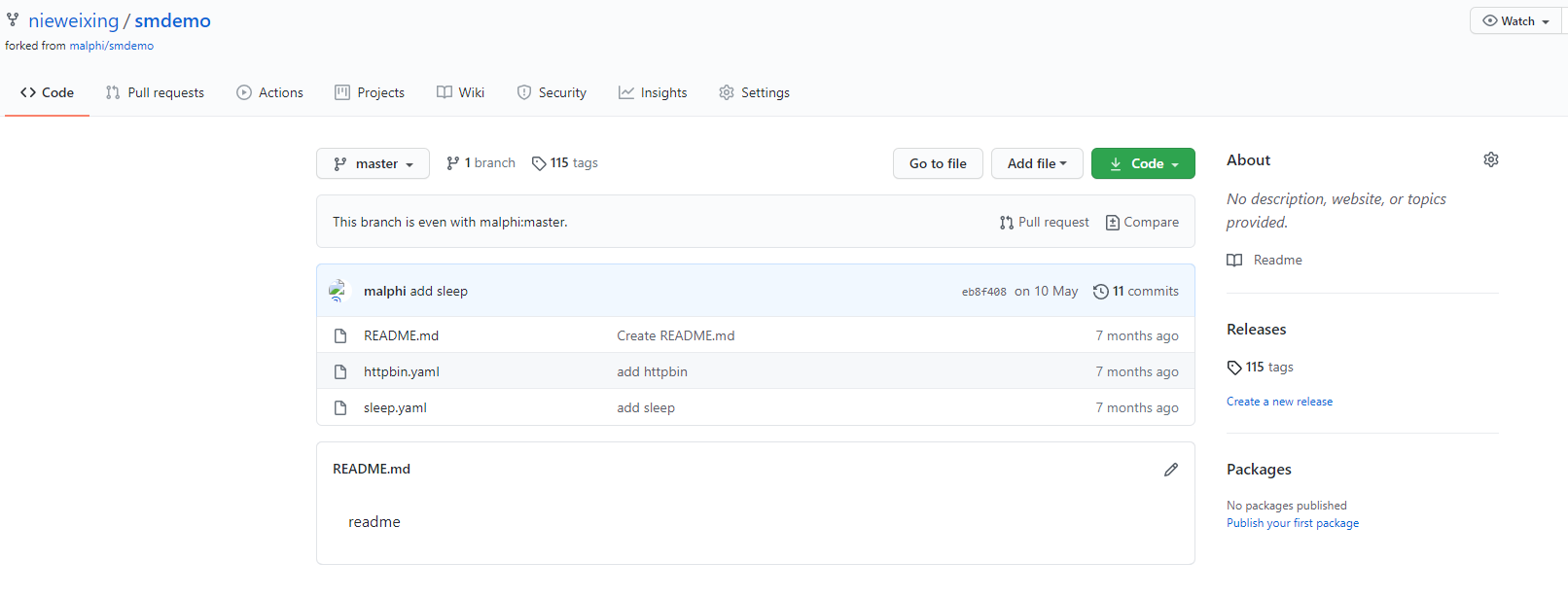
下面我们通过flux来进行demo服务的部署,首先将部署的yaml文件上传到smdemo的仓库中
upload-image
[root@VM-0-13-centos ~]# fluxctl sync --k8s-fwd-ns flux
Synchronizing with ssh://git@github.com/nieweixing/smdemo.git
Revision of master to apply is eb8f408
Waiting for eb8f408 to be applied ...
Done.
[root@VM-0-13-centos ~]# kubectl get pod -n demo
NAME                       READY   STATUS    RESTARTS   AGE
httpbin-66cdbdb6c5-78df6   2/2     Running   0          3m47s
sleep-5b7bf56c54-5ngkp     2/2     Running   0          3m47s
执行flux sync后,demo应用的httpbin和sleep就部署到了demo命名空间下,下面我们来进行测试下httpbin服务是否可以访问通
[root@VM-0-13-centos ~]# kubectl exec -it sleep-5b7bf56c54-5ngkp -n demo -c sleep -- curl http://httpbin.demo:8000/ip
{
  "origin": "127.0.0.1"
}
通过上面的访问结果可以看出,我们的demo应用已经通过flux正常部署到了k8s中。
原创声明:本文系作者授权腾讯云开发者社区发表,未经许可,不得转载。
如有侵权,请联系 cloudcommunity@tencent.com 删除。
目录
腾讯云开发者

Copyright © 2013 - 2026 Tencent Cloud. All Rights Reserved. 腾讯云 版权所有
深圳市腾讯计算机系统有限公司 ICP备案/许可证号:粤B2-20090059  粤公网安备44030502008569号
腾讯云计算(北京)有限责任公司 京ICP证150476号 | 京ICP备11018762号