微服务网关APISIX入门
原创

微服务网关APISIX入门
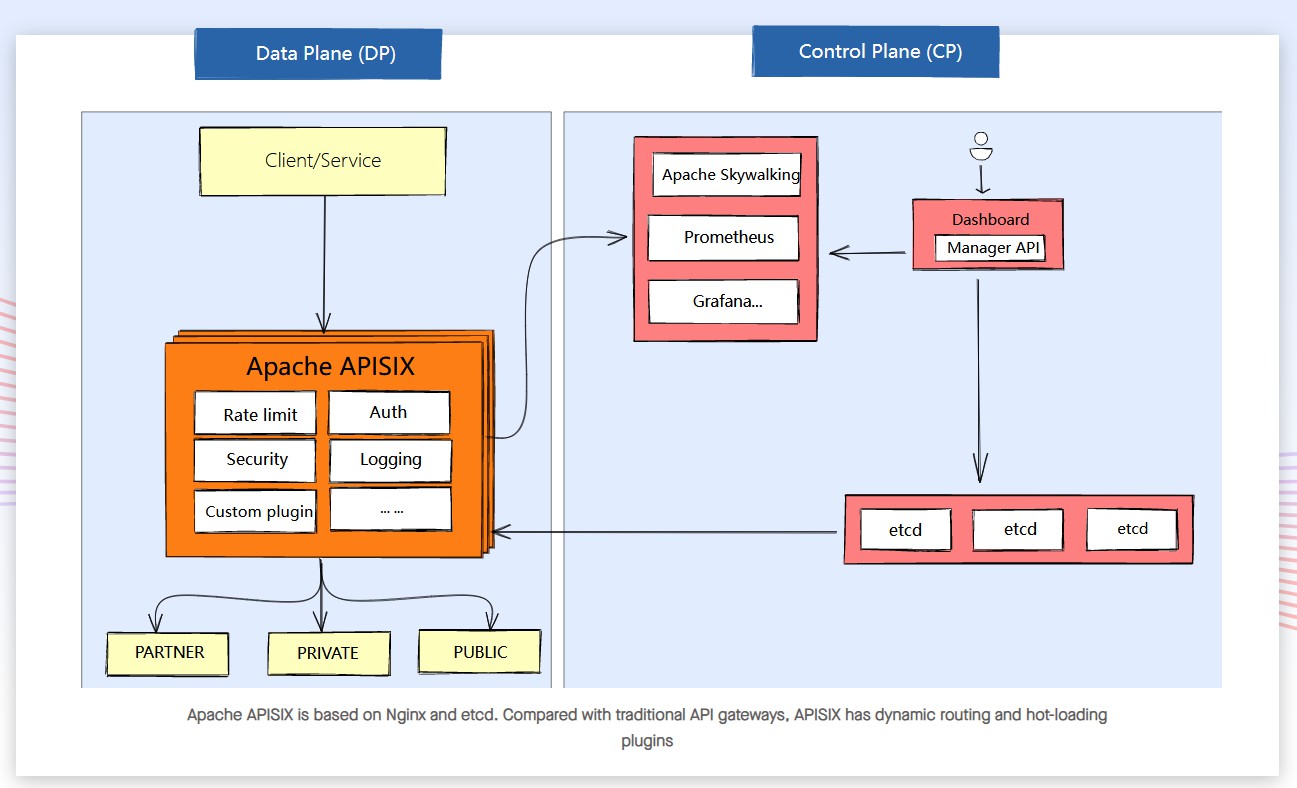
APISIX 是一个云原生、高性能、可扩展的微服务 API 开源网关,基于OpenResty(Nginx+Lua)和etcd来实现,对比传统的API网关,具有动态路由和热插件加载的特点。系统本身自带前端,可以手动配置路由、负载均衡、限速限流、熔断、金丝雀发布、身份验证、可监控等插件,操作方便。可以使用Apache APISIX来处理传统的南北流量,以及服务之间的东西流量。它也可以用作k8s入口控制器,APISIX是用Lua语言开发,语言相对简单,容易上手,同时可以按自己的需求进行系统的二次开发以及开发自己的插件。
apisix的整体架构图如下
upload-image
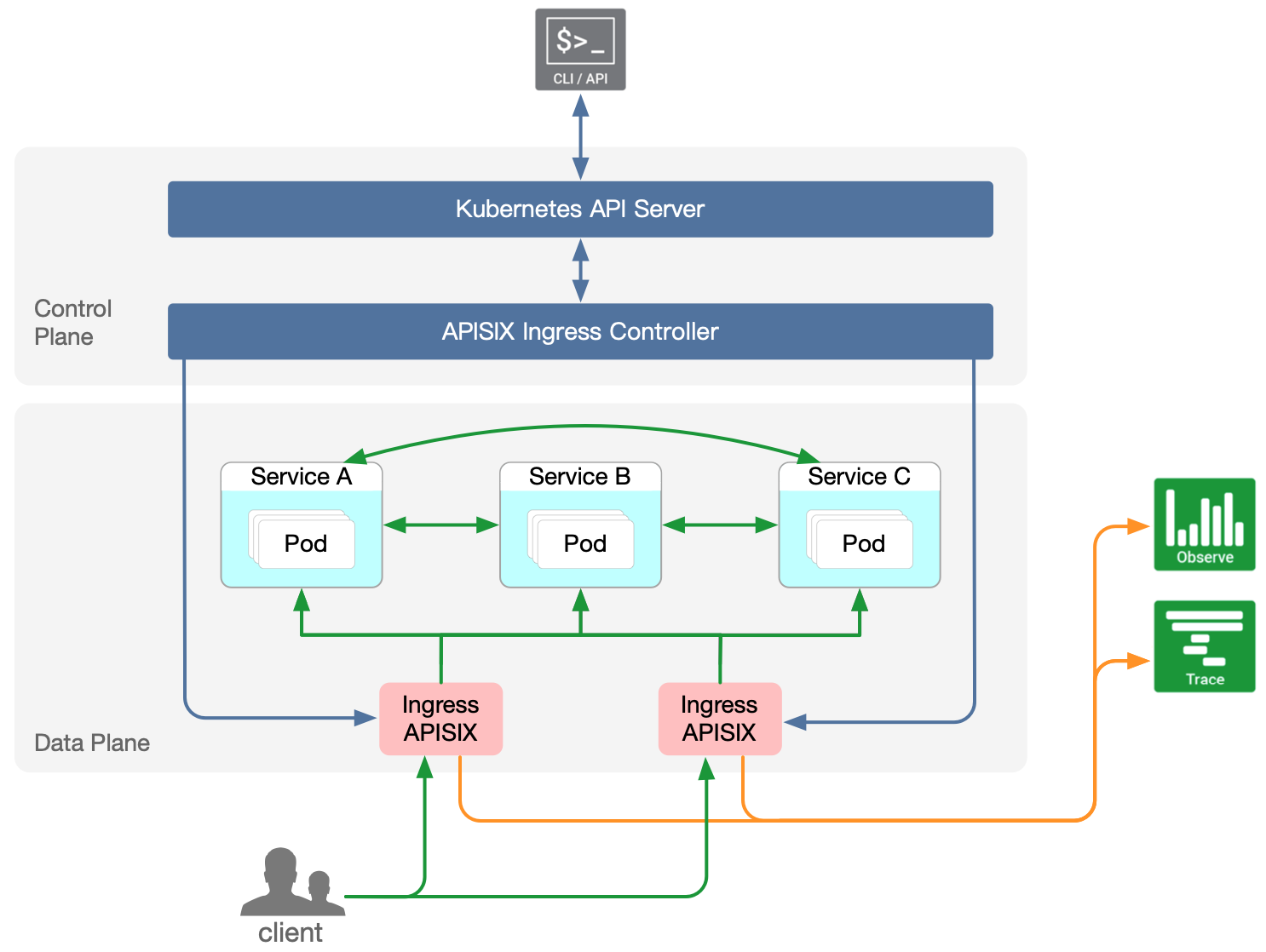
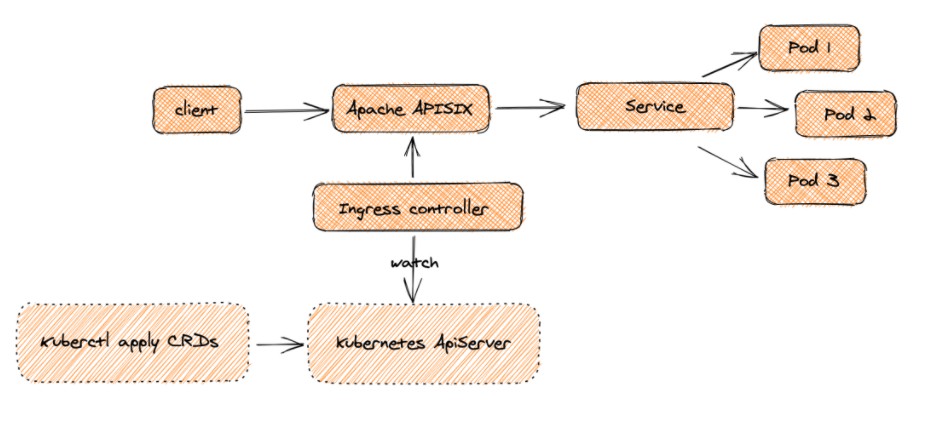
apisix-ingress-controller是一个Apache APISIX 控制平面组件。目前它服务于Kubernetes集群,具体架构图如下,具体介绍可以参考github文档https://github.com/apache/apisix-ingress-controller
upload-image
upload-image
apisix-ingress-controller是Kubernetes的另一个入口控制器,使用Apache APISIX作为高性能反向代理。
它是通过使用声明性配置来配置的,例如ApisixRoute, ApisixUpstream, Ingress。所有这些资源都会被监视并转换为Apache APISIX中的相应资源。
部署apisix
因为现在是部署apisix到k8s集群上,所以我们这里采用helm方式部署,这里默认将dashboard也部署上,具体部署步骤如下。
# helm repo add apisix https://charts.apiseven.com
# helm repo add bitnami https://charts.bitnami.com/bitnami
# helm repo update
# kubectl create ns ingress-apisix
# helm fetch apisix/apisix
# tar -zxvf apisix-0.7.2.tgz
# helm install apisix ./apisix \
  --set gateway.type=LoadBalancer \
  --set ingress-controller.enabled=true \
  --set dashboard.enabled=true \
  --set etcd.persistence.size="10Gi" \
  --namespace ingress-apisix \
  --set ingress-controller.config.apisix.serviceNamespace=ingress-apisix
helm部署成功后,会部署etcd、dashboard、apisix-ingress-controller和apisix到集群中
[root@VM-0-13-centos ~]# kubectl get pod,svc -n ingress-apisix
NAME                                           READY   STATUS    RESTARTS   AGE
pod/apisix-848c9485d4-qs4xp                    1/1     Running   0          23h
pod/apisix-dashboard-75d4485df7-z8g67          1/1     Running   0          20h
pod/apisix-etcd-0                              1/1     Running   0          23h
pod/apisix-etcd-1                              1/1     Running   0          23h
pod/apisix-etcd-2                              1/1     Running   0          23h
pod/apisix-ingress-controller-84b76475-zkxj7   1/1     Running   0          23h

NAME                                TYPE           CLUSTER-IP       EXTERNAL-IP   PORT(S)             AGE
service/apisix-admin                ClusterIP      172.16.82.101    <none>        9180/TCP            23h
service/apisix-dashboard            ClusterIP      172.16.9.37      <none>        80/TCP              23h
service/apisix-etcd                 ClusterIP      172.16.104.205   <none>        2379/TCP,2380/TCP   23h
service/apisix-etcd-headless        ClusterIP      None             <none>        2379/TCP,2380/TCP   23h
service/apisix-gateway              LoadBalancer   172.16.16.160    10.0.21.21     80:31659/TCP        23h
service/apisix-ingress-controller   ClusterIP      172.16.45.68     <none>        80/TCP              23h
这里一共创建了6个service,具体作用如下:
- apisix-gateway:处理真实流量
- apisix-admin:它充当处理所有配置更改的控制平面
- apisix-ingress-controller,它公开apisix-ingress-controller的指标
- apisix-etcd、apisix-etcd-headless:并用于 etcd 服务和内部通信
- apisix-dashboard:Apache APISIX前端界面
这里部署也可以用原生的yaml部署,具体可以参考文档https://github.com/apache/apisix-ingress-controller/blob/master/docs/en/latest/practices/the-hard-way.md
apisix-dashboard的使用
配置ingress访问dashboard
ingress的yaml配置如下,这里我ingress-controller的class配置的是ingress,这里根据实际配置即可
apiVersion: networking.k8s.io/v1beta1
kind: Ingress
metadata:
  annotations:
    kubernetes.io/ingress.class: ingress
  name: apisix-ingress
  namespace: ingress-apisix
spec:
  rules:
  - host: apisix.tke.niewx.cn
    http:
      paths:
      - backend:
          serviceName: apisix-dashboard
          servicePort: 80
        path: /
        pathType: ImplementationSpecific
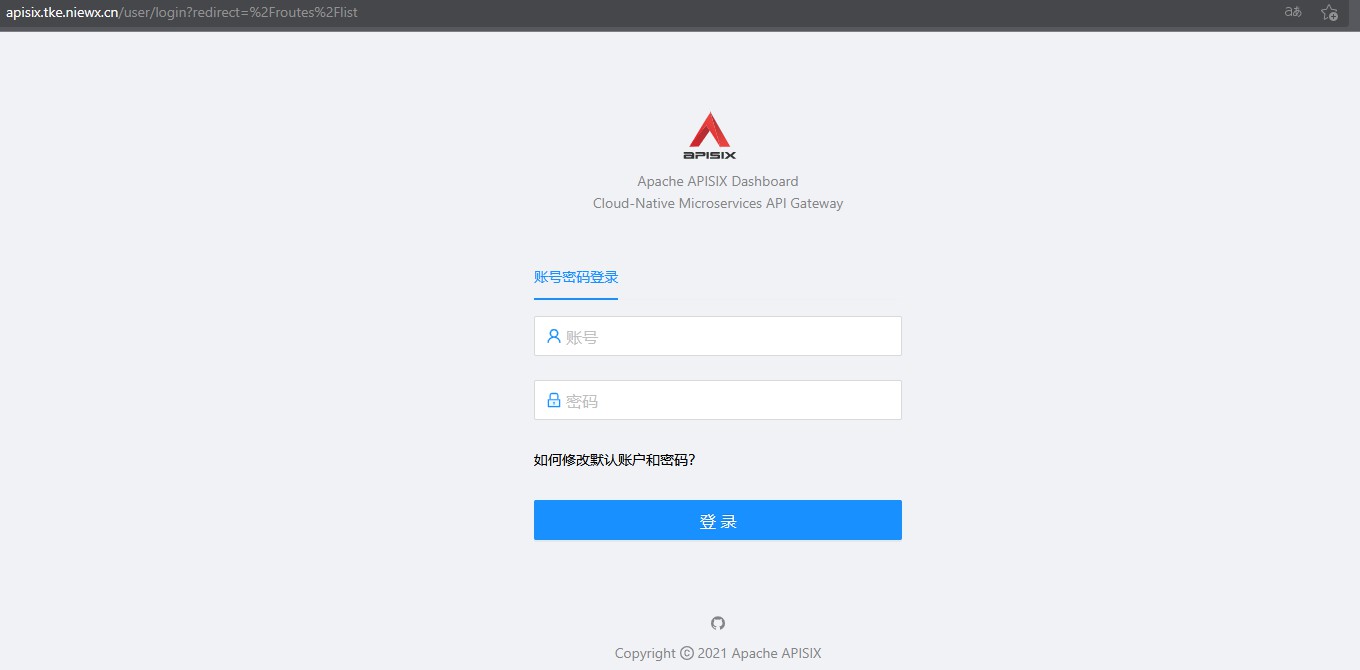
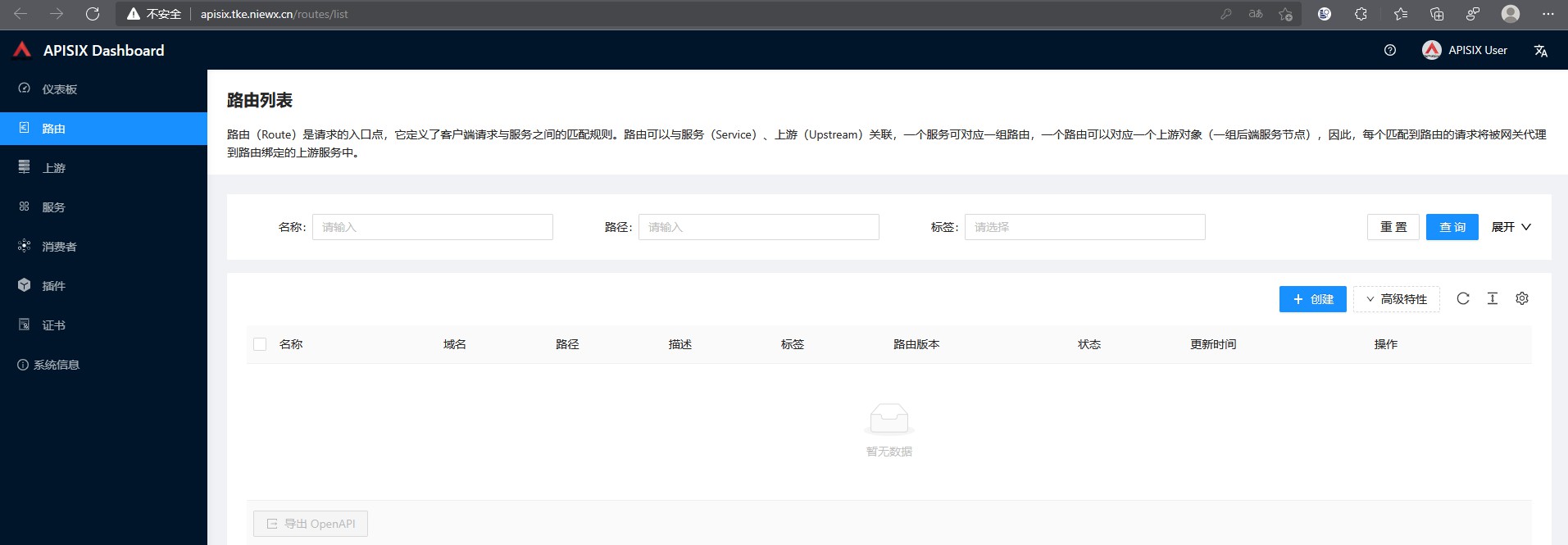
浏览器输入apisix.tke.niewx.cn,会出现登录页面,登录账号密码默认为admin/admin
upload-image
upload-image
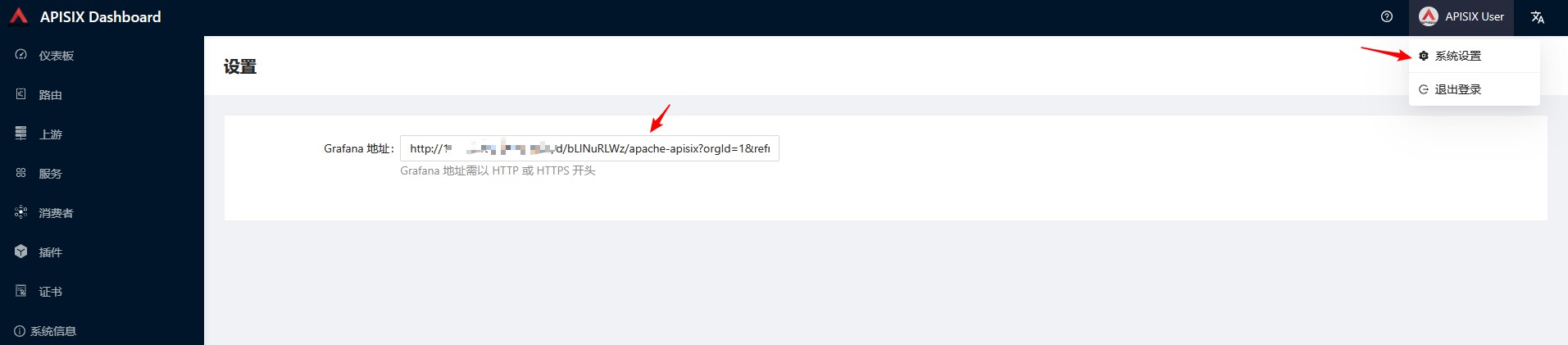
嵌入grafana监控图
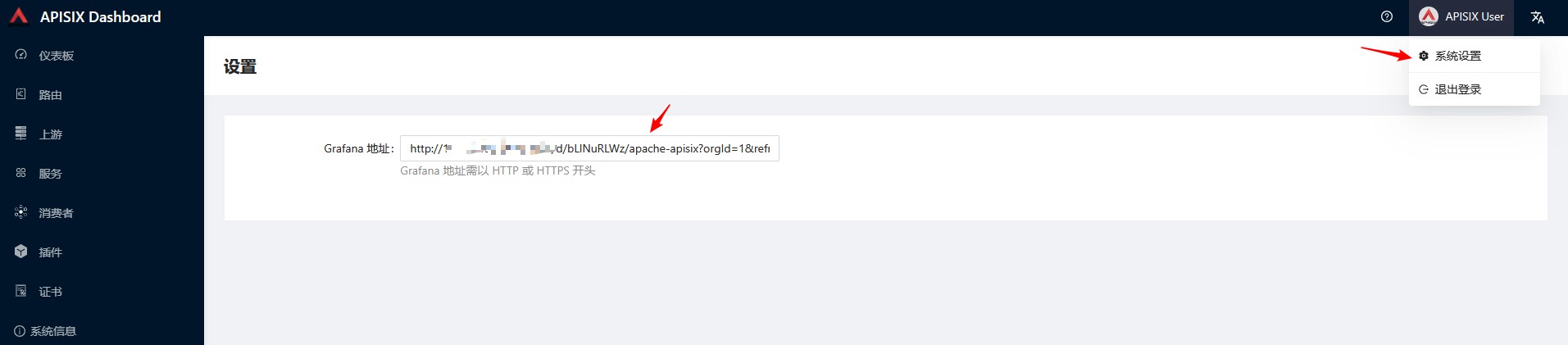
apisix的Dashboard是支持嵌入grafana的监控面板,如果你将监控接入了prometheus话,可以在上面配置下grafana的监控面板,这里需要grafana支持嵌入才行,需要在grafana加上如下配置。
vim /usr/share/grafana/conf/defaults.ini

# 允许嵌入
allow_embedding = true

# 允许匿名登录
[auth.anonymous]
enabled = true
配置好之后,在apisix的Dashboard配置grafana面板地址即可,这里apisix的监控模板可以在grafana官网搜11719这个id进行配置。
upload-image
apisix的入门使用
apisix-Dashboard配置路由规则访问
部署springboot demo
可以参考下面yaml部署spiringboot这个demo到k8s集群,后面配置apisix来访问这个服务。
apiVersion: apps/v1
kind: Deployment
metadata:
  labels:
    k8s-app: springboot
    qcloud-app: springboot
  name: springboot
  namespace: tke-test
spec:
  replicas: 1
  selector:
    matchLabels:
      k8s-app: springboot
      qcloud-app: springboot
  template:
    metadata:
      labels:
        k8s-app: springboot
        qcloud-app: springboot
    spec:
      containers:
      - env:
        - name: PATH
          value: /usr/local/openjdk-8/bin:/usr/local/sbin:/usr/local/bin:/usr/sbin:/usr/bin:/sbin:/bin
        - name: JAVA_HOME
          value: /usr/local/openjdk-8
        - name: LANG
          value: C.UTF-8
        - name: JAVA_VERSION
          value: 8u292
        - name: MAVEN_HOME
          value: /usr/share/maven
        - name: MAVEN_CONFIG
          value: /root/.m2
        image: nwx-test.tencentcloudcr.com/nwx/springboot:springboot-a4799906973669a3f4ece49a26b537e0554c32de
        imagePullPolicy: IfNotPresent
        name: springboot
        resources:
          limits:
            cpu: "1"
            memory: 2Gi
          requests:
            cpu: 100m
            memory: 128Mi
      dnsPolicy: ClusterFirst
      restartPolicy: Always
---
apiVersion: v1
kind: Service
metadata:
  name: springboot
  namespace: tke-test
spec:
  ports:
  - name: 8080-8080-tcp
    port: 8080
    protocol: TCP
    targetPort: 8080
  selector:
    k8s-app: springboot
    qcloud-app: springboot
  sessionAffinity: None
  type: ClusterIP
上游
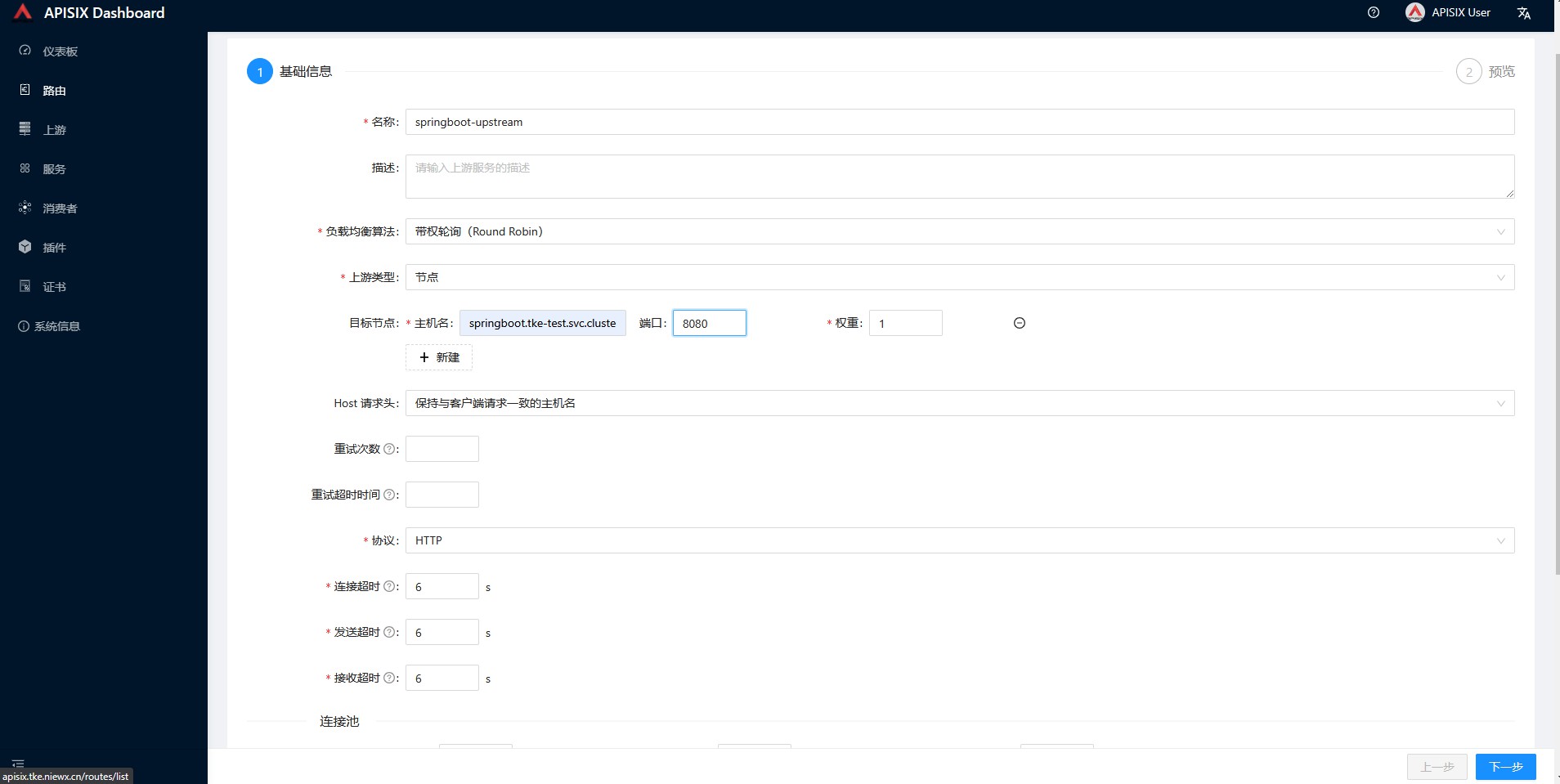
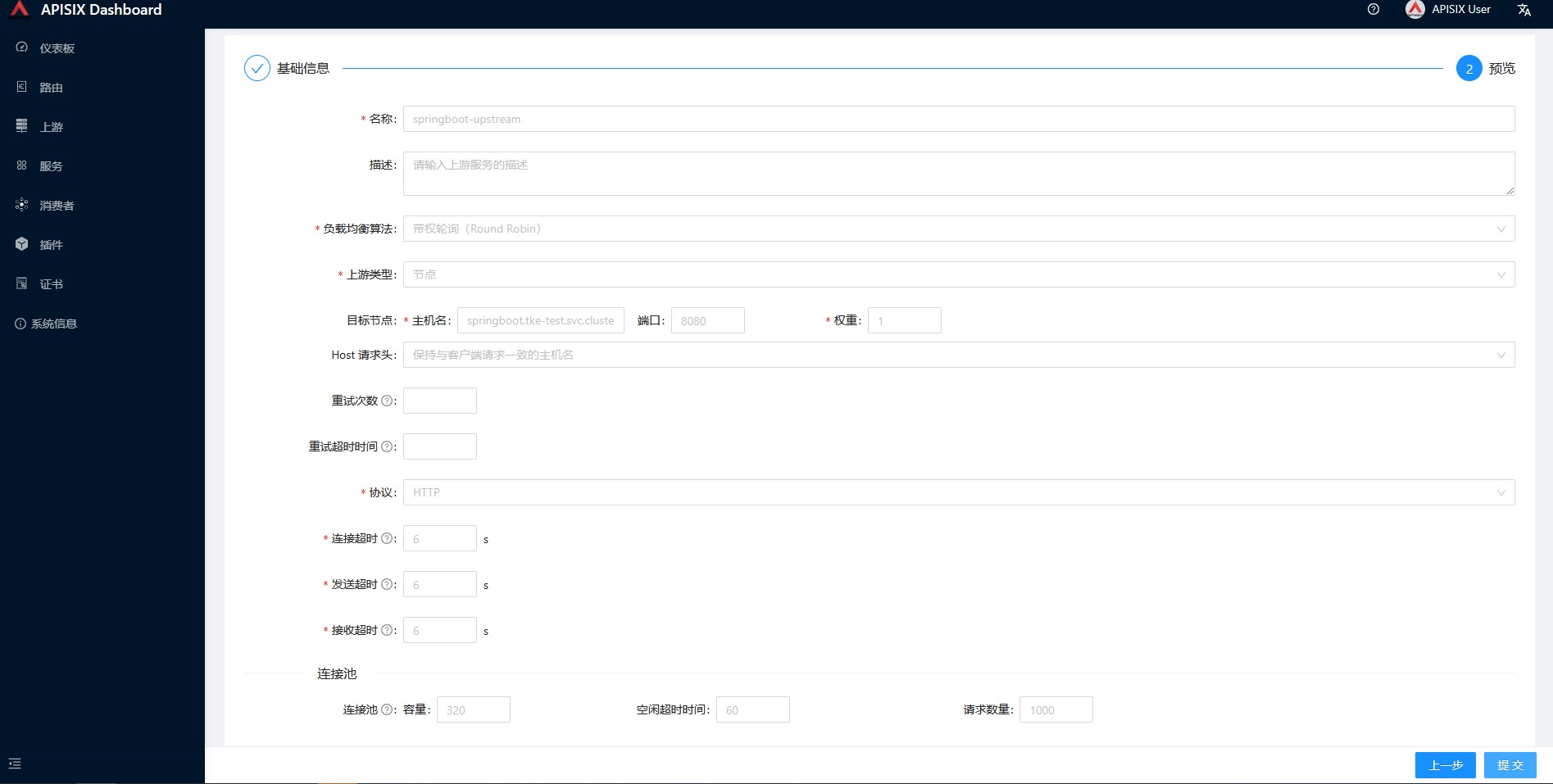
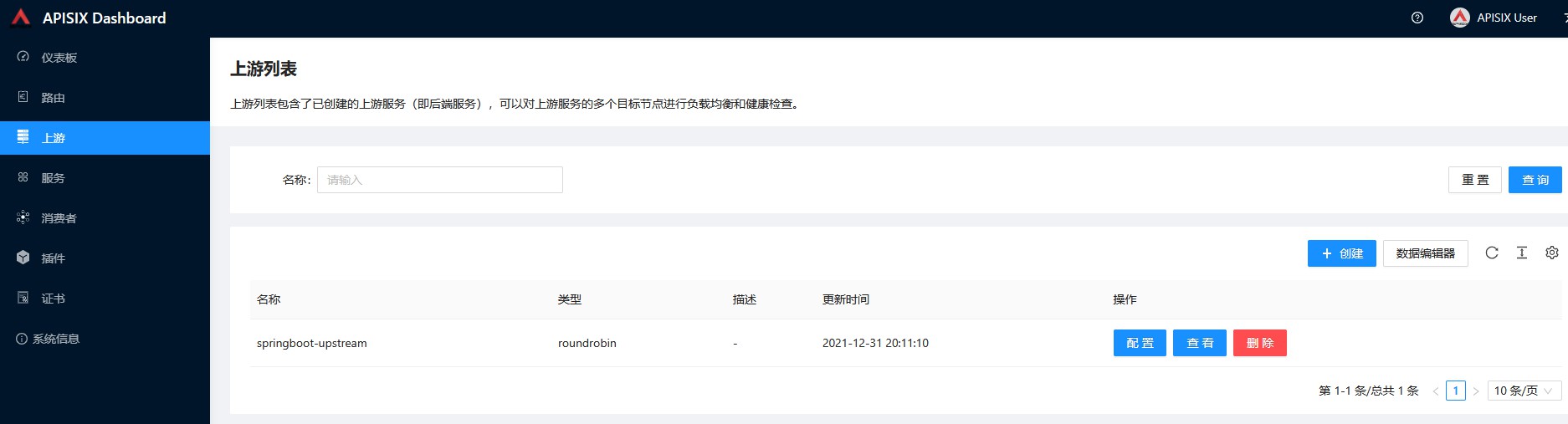
上游列表包含了已创建的上游服务(即后端服务),可以对上游服务的多个目标节点进行负载均衡和健康检查,这里我们给部署的springboot服务配置一个上游
upload-image
upload-image
upload-image
服务
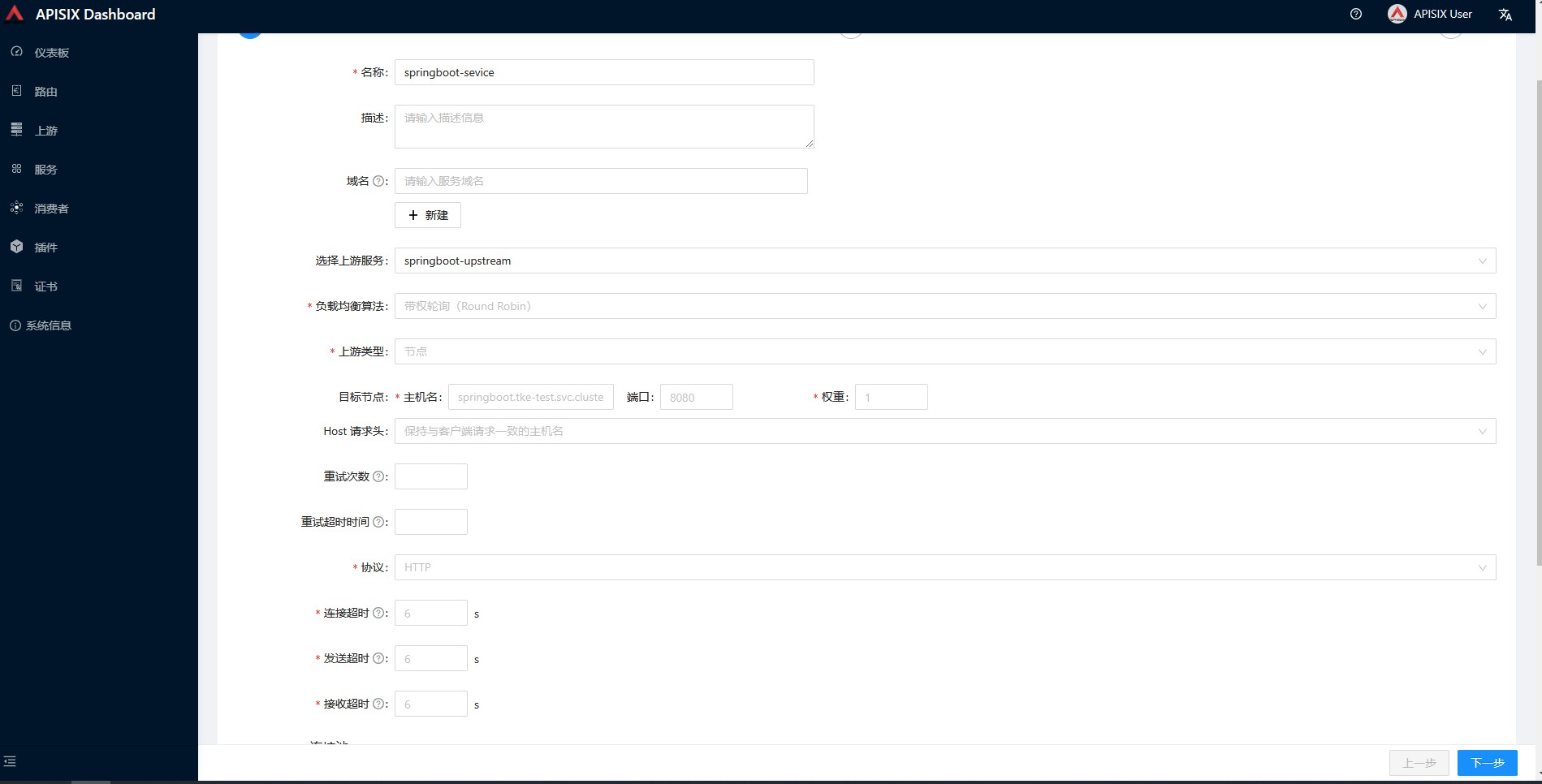
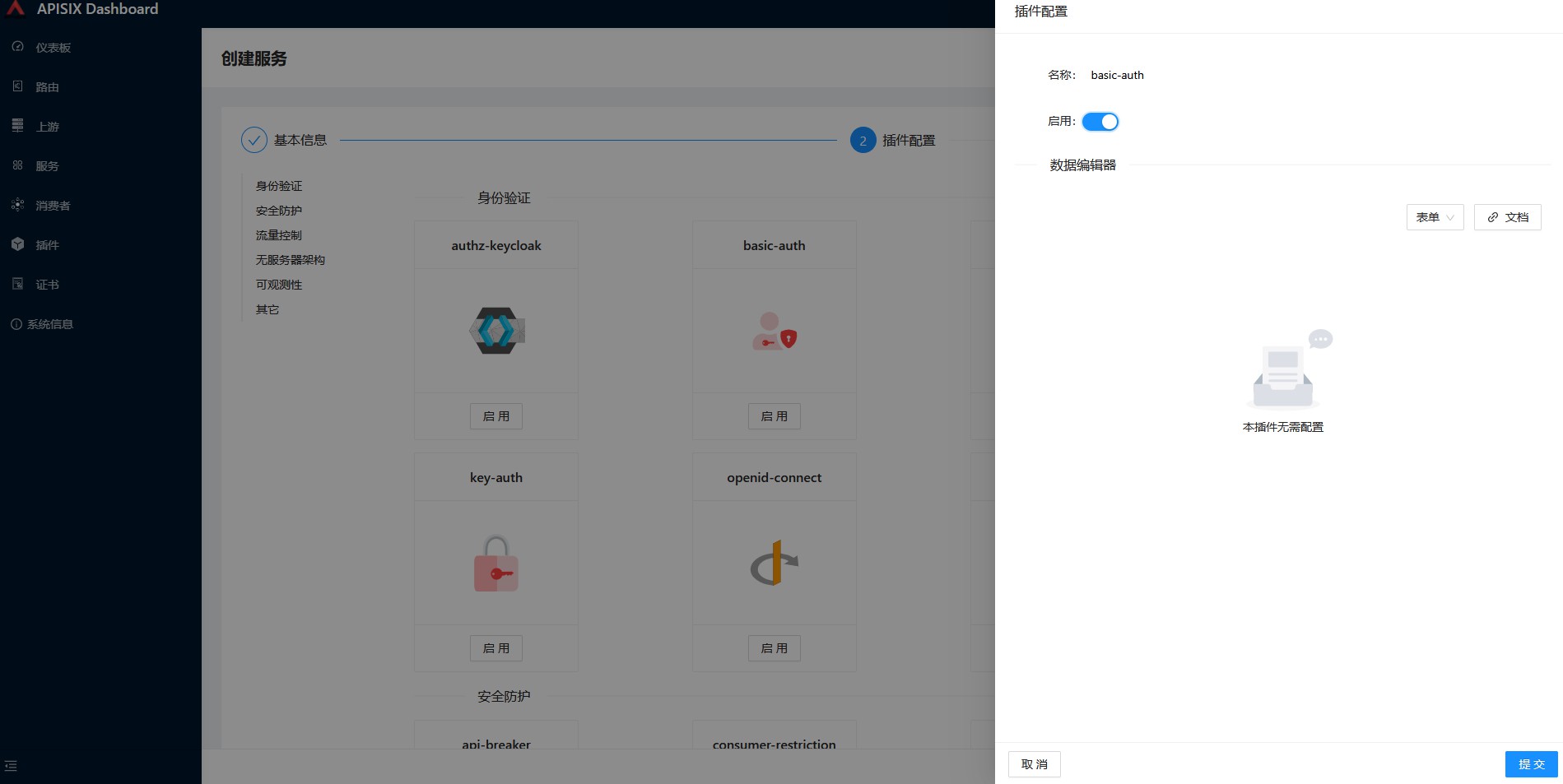
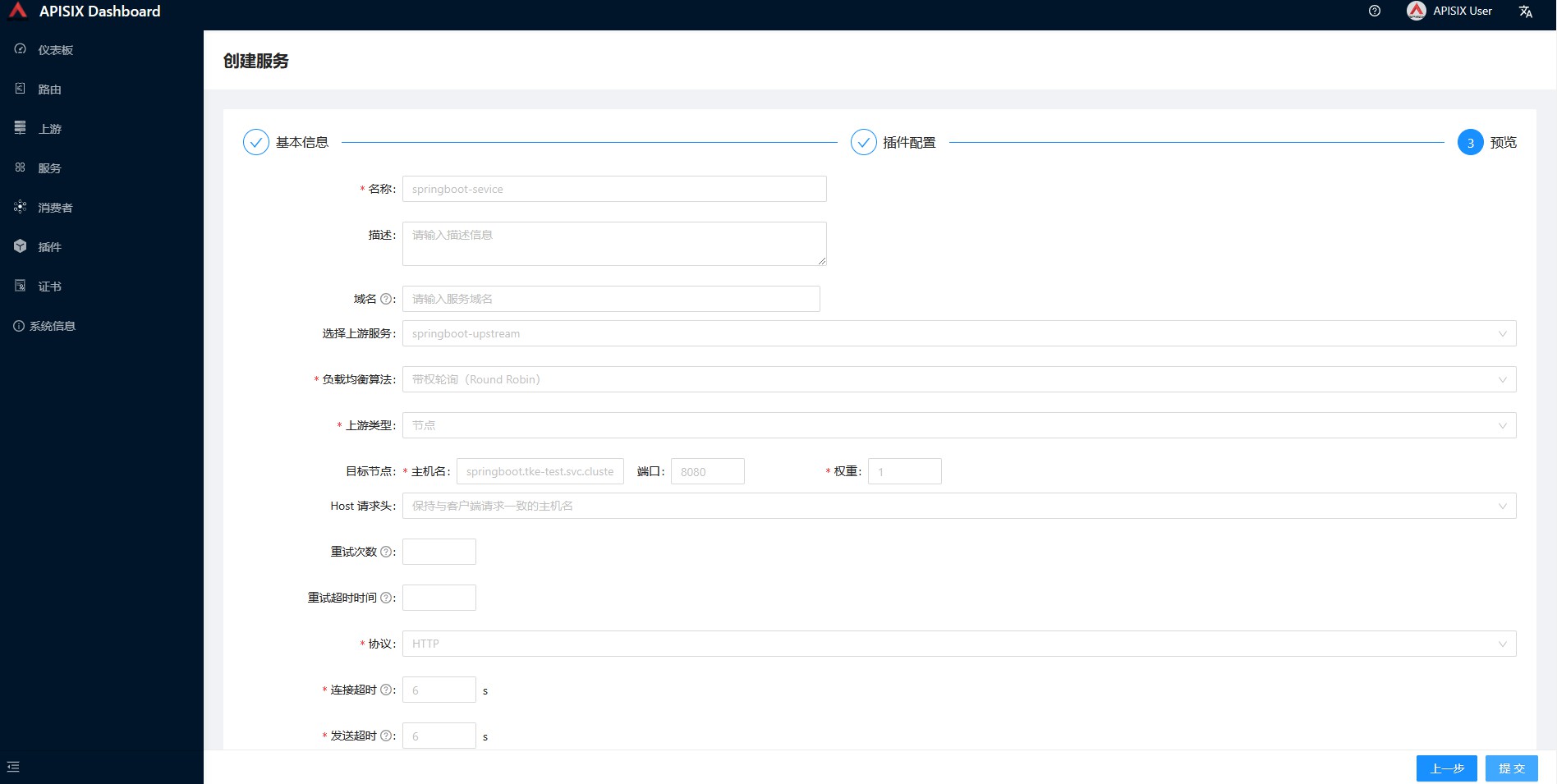
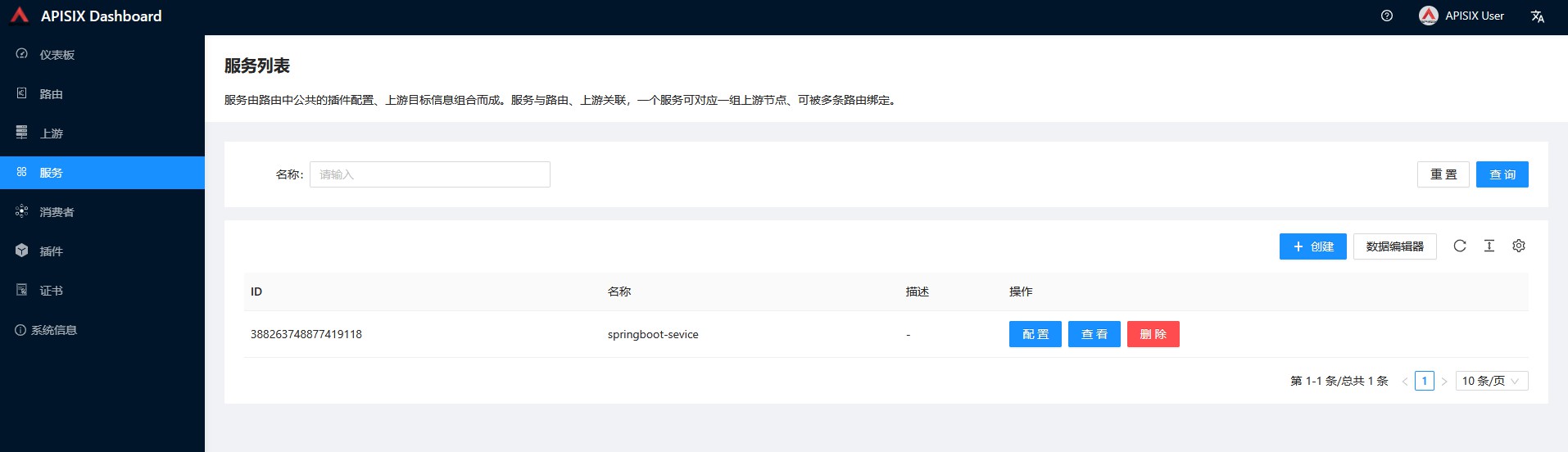
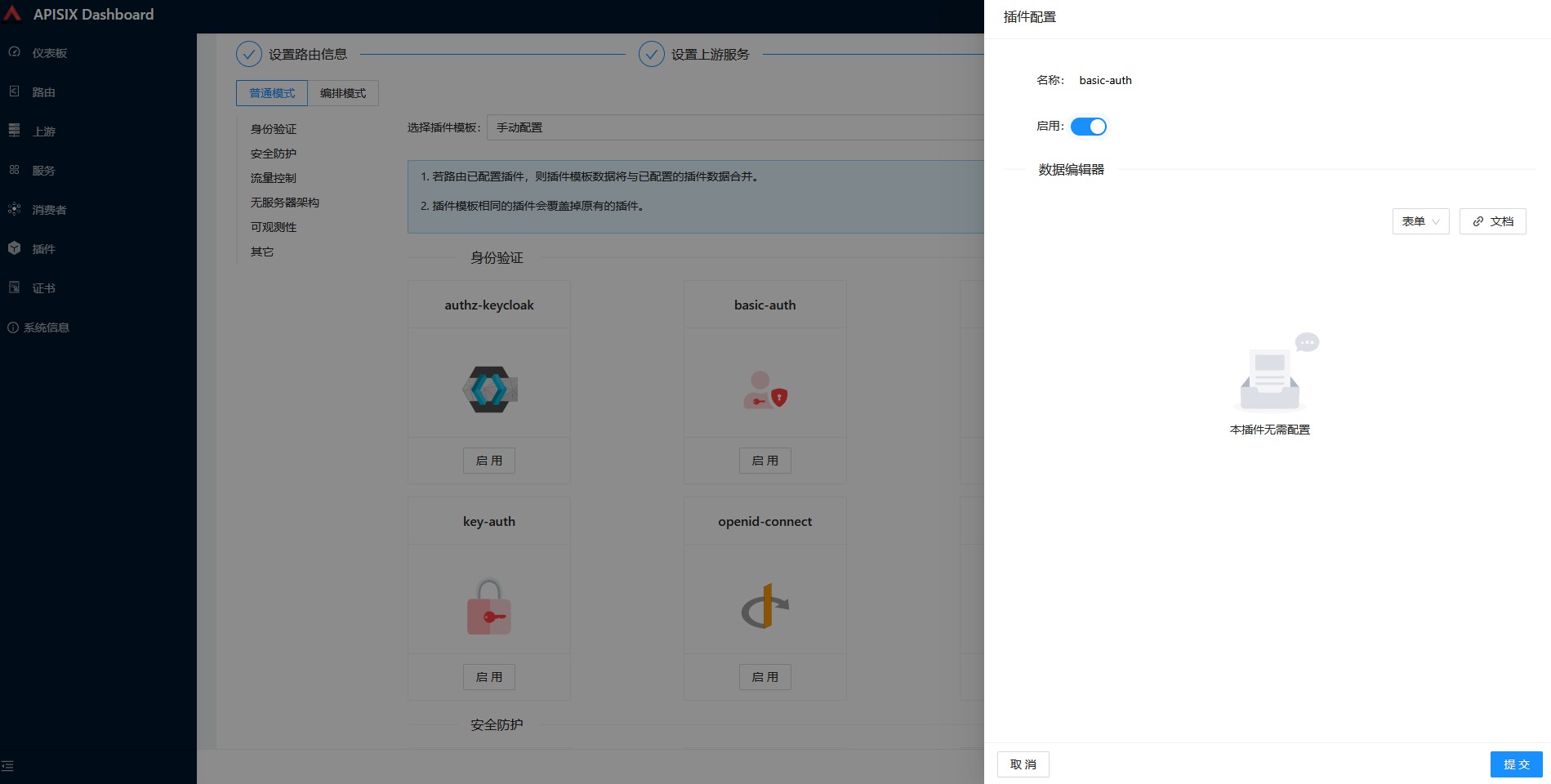
服务由路由中公共的插件配置、上游目标信息组合而成。服务与路由、上游关联,一个服务可对应一组上游节点、可被多条路由绑定。我们新建一个服务,绑定springboot这个上游,并配置basic-auth这个插件
upload-image
upload-image
upload-image
upload-image
消费者
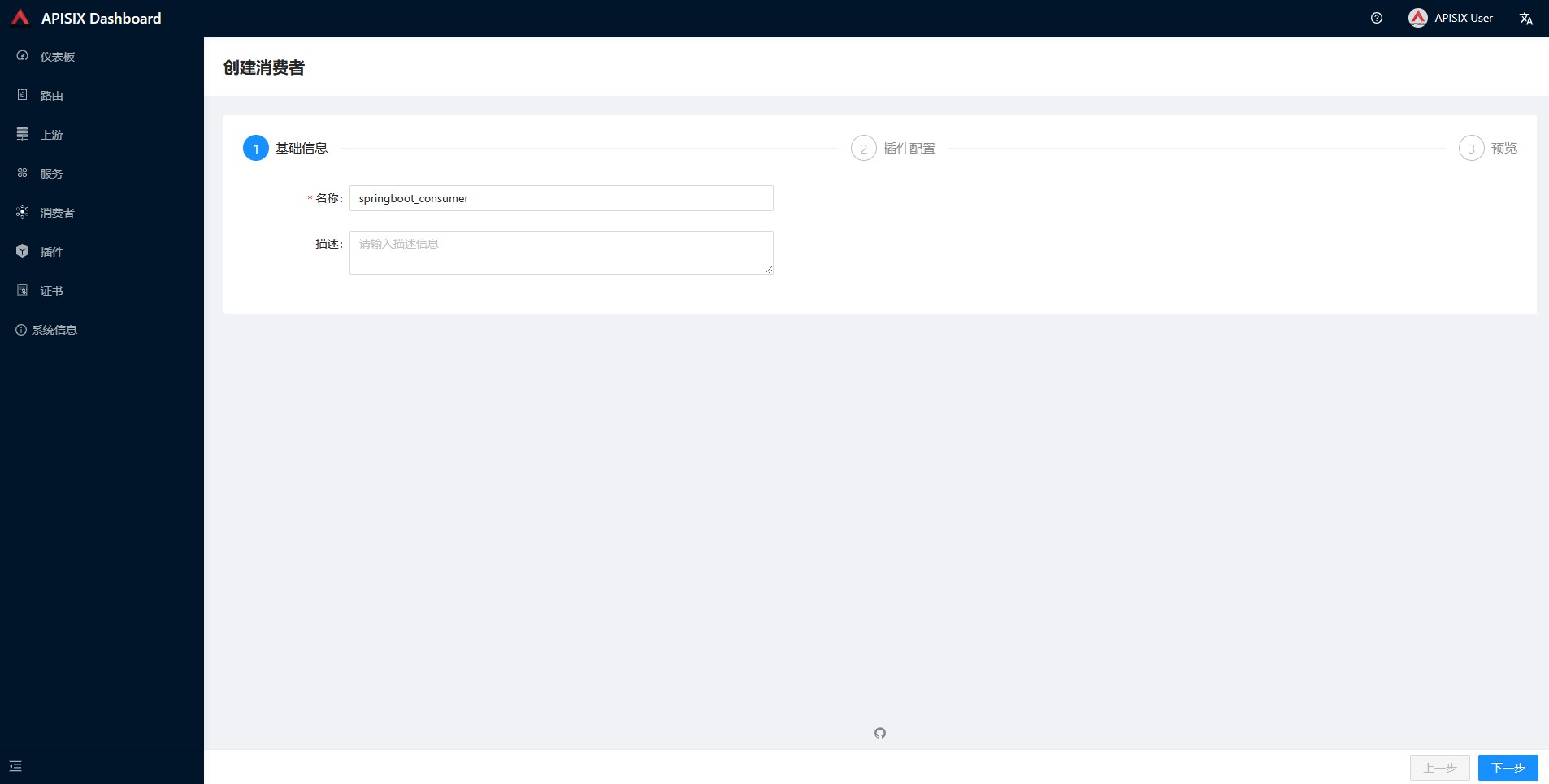
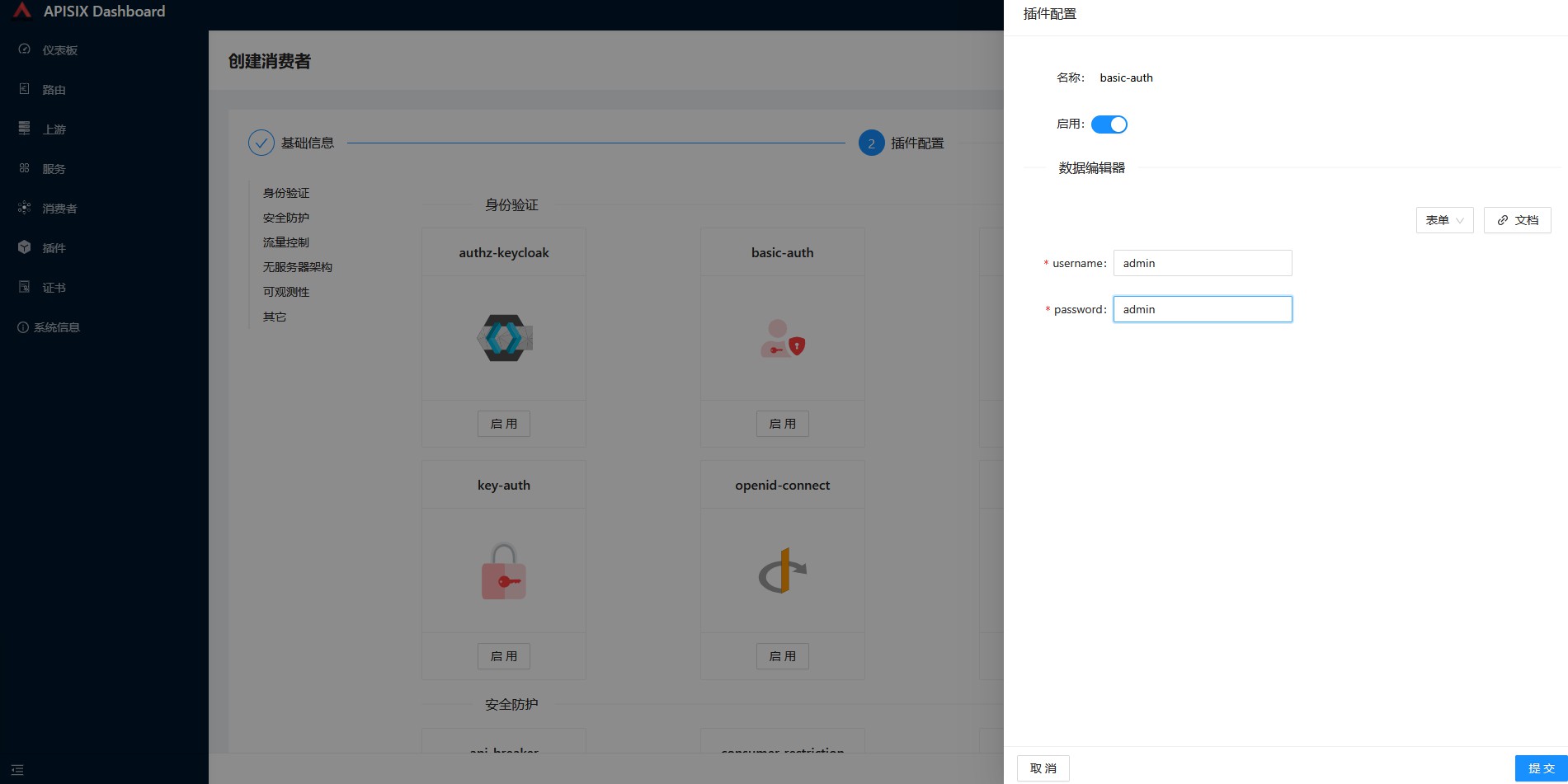
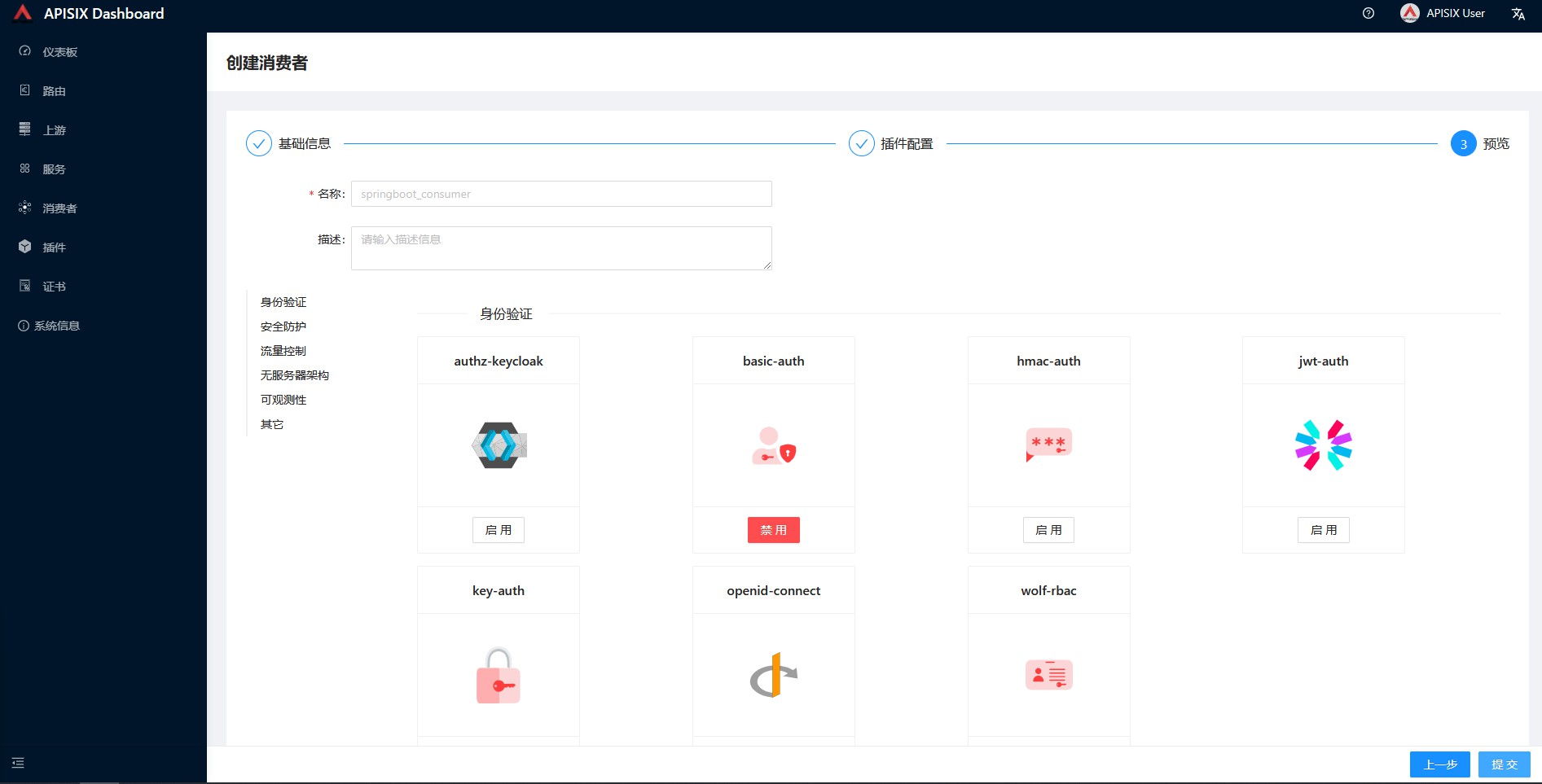
消费者是路由的消费方,形式包括开发者、最终用户、API 调用等。创建消费者时,需绑定至少一个认证类插件。
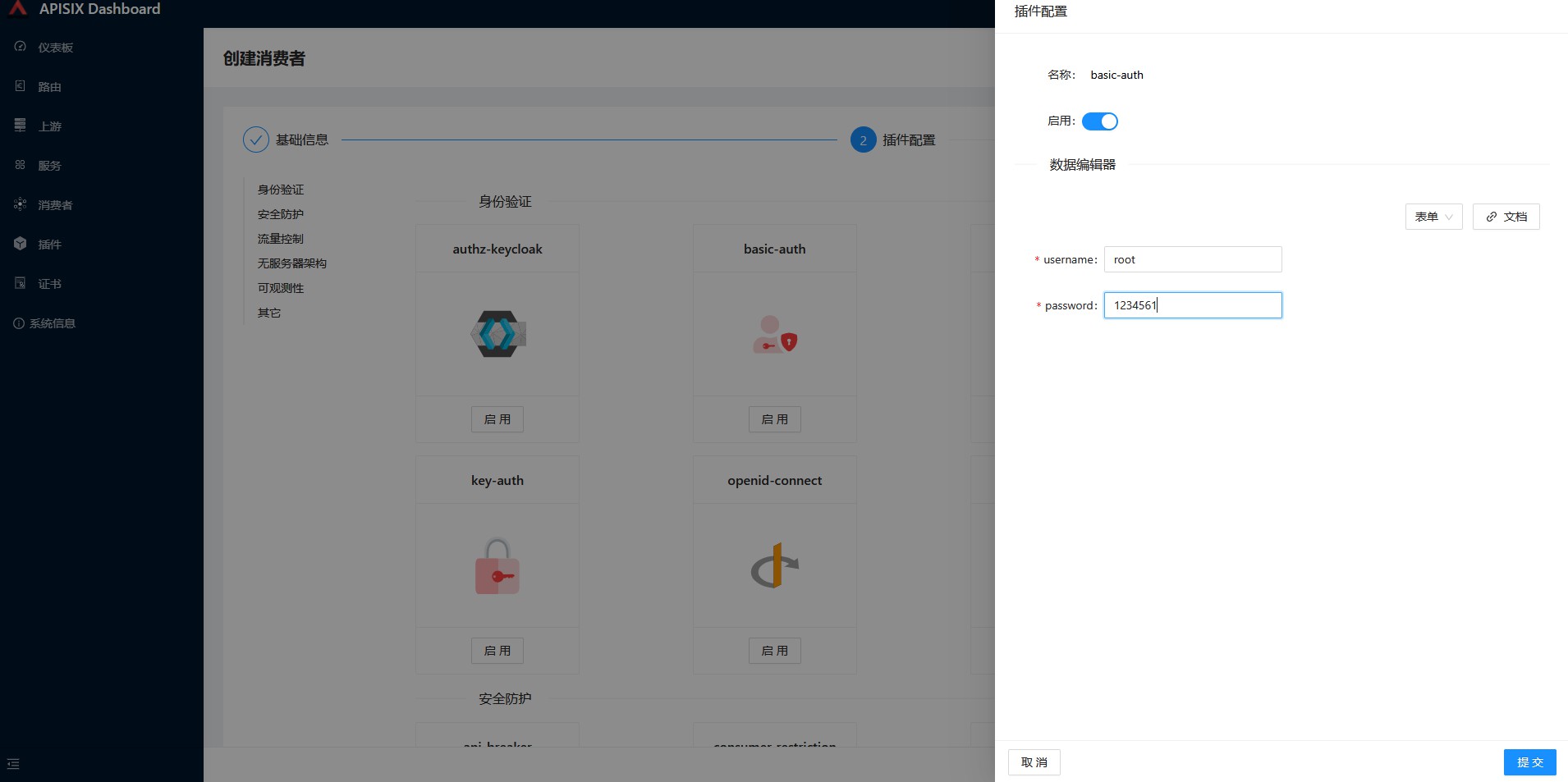
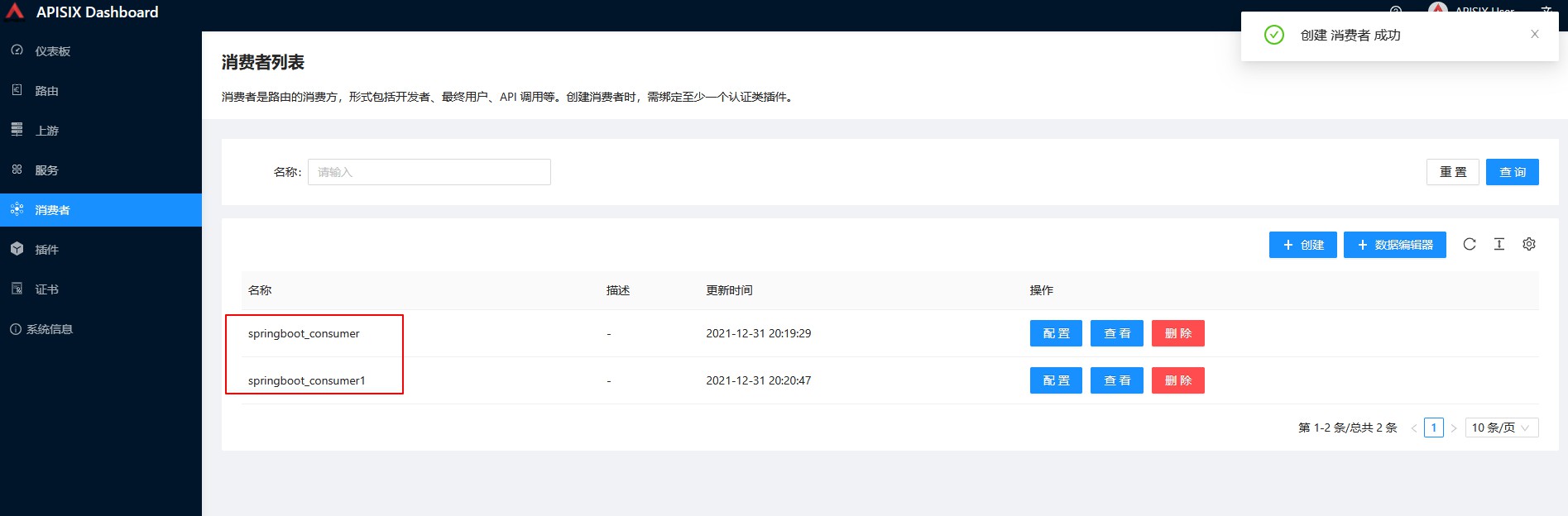
如果有多个消费者,这里会根据请求头携带的信息,自动去匹配对应的消费者,这里我们配置2个消费者,分别绑定basic-auth,设置不同的认证信息,然后分别测试看下是否都可以登录
upload-image
upload-image
upload-image
upload-image
upload-image
路由
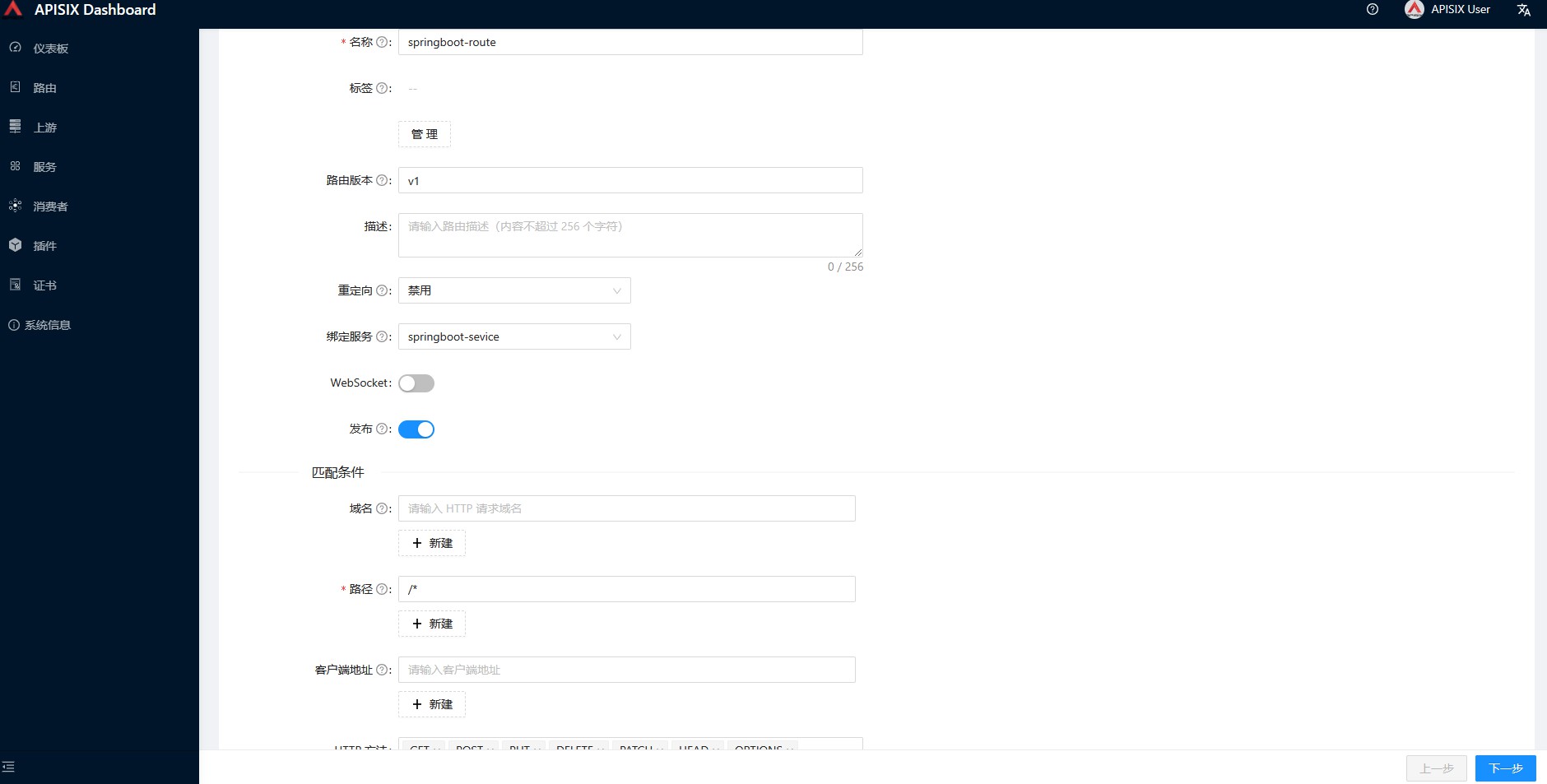
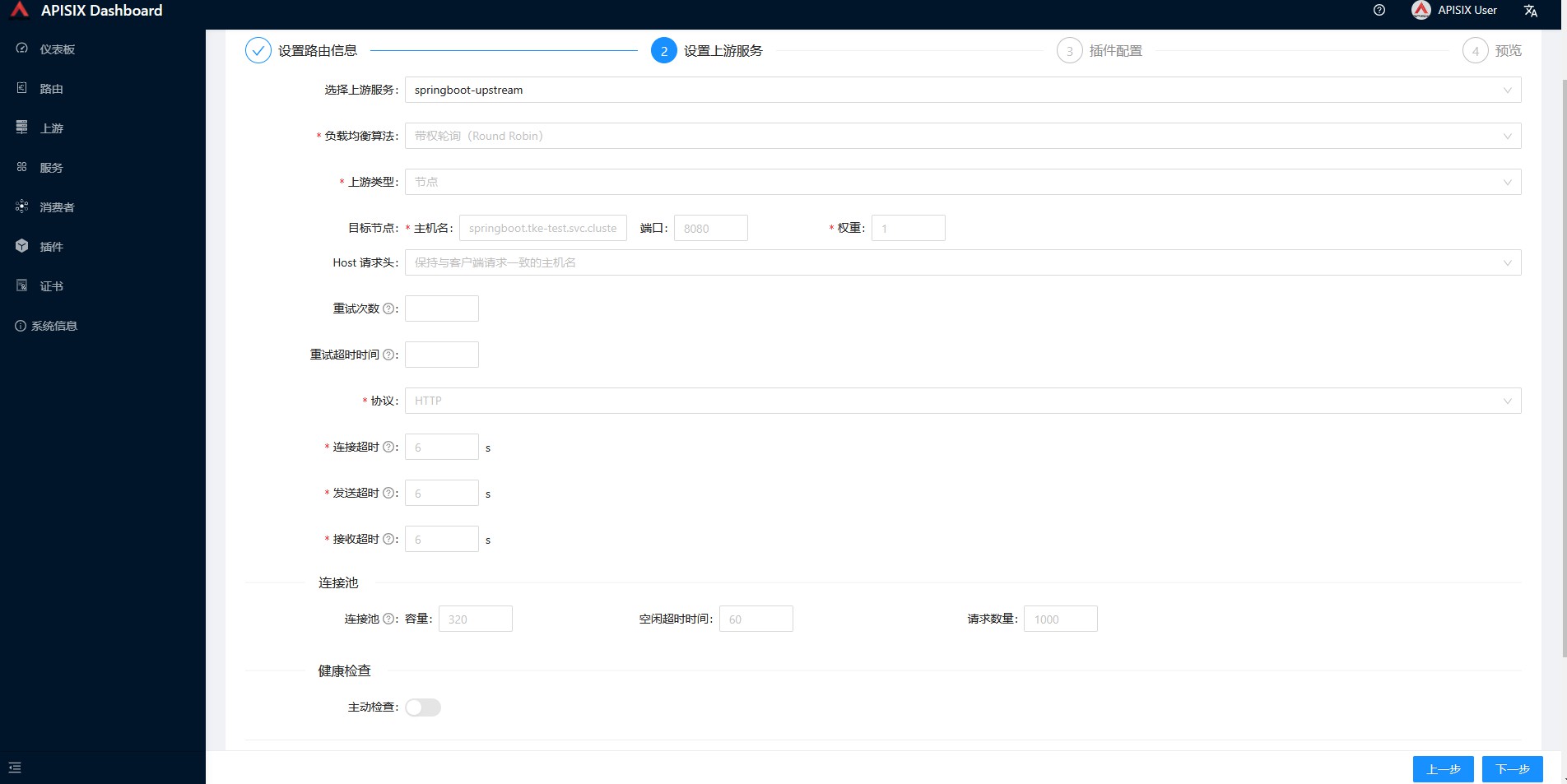
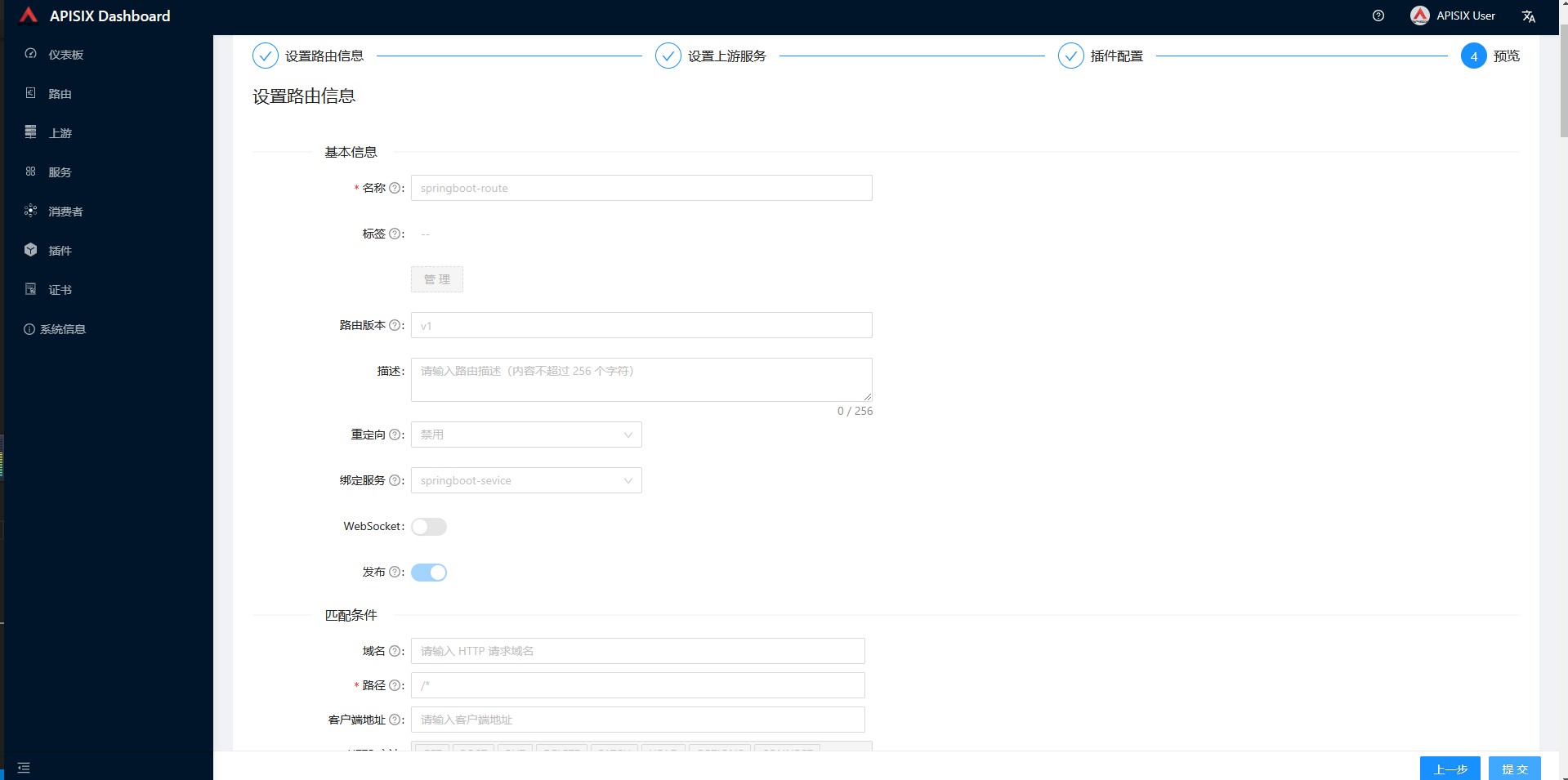
路由(Route)是请求的入口点,它定义了客户端请求与服务之间的匹配规则。路由可以与服务(Service)、上游(Upstream)关联,一个服务可对应一组路由,一个路由可以对应一个上游对象(一组后端服务节点),因此,每个匹配到路由的请求将被网关代理到路由绑定的上游服务中。
upload-image
upload-image
upload-image
upload-image
upload-image
通过apisix-gateway的service访问springboot服务
apisix-gateway的service是用的clb,这里我们通过clb的vip访问下后端的springboot服务看下。
[root@VM-0-13-centos ~]# curl http://10.0.21.21/
{"message":"Missing authorization in request"}
[root@VM-0-13-centos ~]# curl -u admin:admin  http://10.0.21.21/
you access path is root
[root@VM-0-13-centos ~]# curl -u root:123456  http://10.0.21.21/
you access path is root
从上面的测试结果可以看出,我们的basic-auth生效了,不加账号密码是无法访问服务的,并且这里2个消费者都生效了。
通过yaml配置路由访问
配置ApisixRoute提供路由访问
首先我们部署下httpbin服务到集群中
kubectl run httpbin --image kennethreitz/httpbin --port 80
kubectl expose pod httpbin --port 80
接下来创建一个ApisixRoute用来通过服务访问
kubectl apply -f - <<EOF
apiVersion: apisix.apache.org/v2beta2
kind: ApisixRoute
metadata:
  name: httpserver-route
spec:
  http:
  - name: rule1
    match:
      hosts:
      - local.httpbin.org
      paths:
      - /*
    backends:
       - serviceName: httpbin
         servicePort: 80
EOF
然后我们通过Apisix-getaway的入口service来访问httpbin服务
[root@VM-0-13-centos ~]# curl http://10.0.21.21/headers -H 'Host: local.httpbin.org'
{
  "headers": {
    "Accept": "*/*",
    "Host": "local.httpbin.org",
    "User-Agent": "curl/7.29.0",
    "X-B3-Sampled": "0",
    "X-B3-Spanid": "f5da42b3650e5b56",
    "X-B3-Traceid": "9610fc22dd3bbd63f5da42b3650e5b56",
    "X-Envoy-Internal": "true",
    "X-Forwarded-Host": "local.httpbin.org"
  }
}
[root@VM-0-13-centos ~]# curl http://10.0.21.21/ip -H 'Host: local.httpbin.org'
{
  "origin": "10.0.0.10"
}
配置Ingress提供路由访问
这里配置ingress,apisix-ingress-controller会将规则同步到apisix,一般ingress和ApisixRoute不要同时配制,配置一个即可。
apiVersion: networking.k8s.io/v1beta1
kind: Ingress
metadata:
  name: httpserver-ingress
  # Note for ingress.networking.k8s.io/v1beta1,
  # you have to carry annotation kubernetes.io/ingress.class,
  # and its value must be matched with the one configured in
  # apisix-ingress-controller, in our case, it's apisix.
  annotations:
    kubernetes.io/ingress.class: apisix
spec:
  rules:
    - host: local.httpbin.org
      http:
        paths:
          - backend:
              serviceName: httpbin
              servicePort: 80
            path: /
            pathType: Prefix
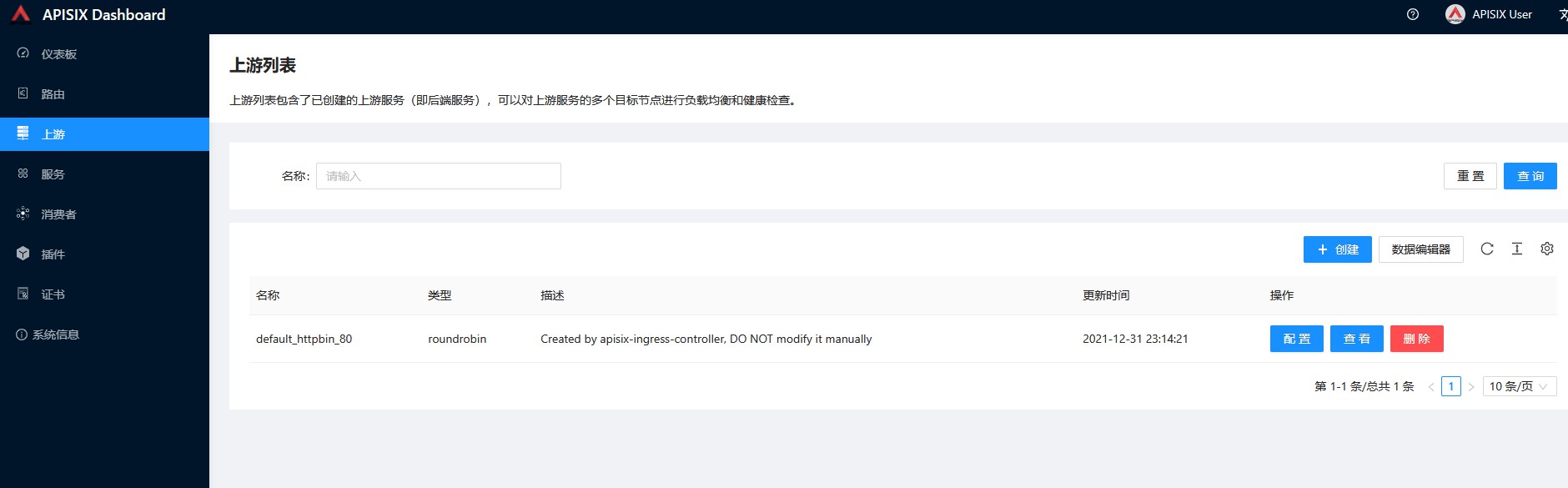
配置好,直接通过Apisix-getaway的入口service来访问httpbin服务,这里默认会自动生成一个上游,可以在dashboard上查到
upload-image
[root@VM-0-13-centos ~]# curl http://10.0.21.21/ip -H 'Host: local.httpbin.org'
{
  "origin": "10.0.0.10"
}
问题
使用apisix-ingress-controller的过程中,遇到一些问题,就是发现配置了ingress规则,但是apisix-ingress-controller没有将配置同步到apisix,查看日志一直报错
failed to list route in APISIX: Get http://apisix-admin.ingress-apisix.svc.cluster.local:9180/apisix/admin/routes: context canceled这个时候我怀疑是哪里配置不对,检查了下apisix-ingress-controller的configmap配置,发现ingress_version配置的networking/v1,但是我集群版本是1.18,不支持networking/v1,配置的ingress版本是networking/v1beta1,导致controller一直同步配置不成功,
ingress_version的配置是什么含义呢,这里查看了下对应的配置说明文档https://github.com/apache/apisix-ingress-controller/blob/master/conf/config-default.yaml
ingress_version: 支持的入口 api 组版本,可以是 “networking/v1beta1” 、”networking/v1”(适用于 Kubernetes 版本 v1.19.0 或更高版本),以及extensions/v1beta1”,默认值为”networking/v1”。
由于我是用的默认部署,所以是networking/v1,但是我集群不支持networking/v1,所以这里需要将configmap的ingress_version改成networking/v1beta1,然后重建下apisix-ingress-controller的pod即可。
原创声明:本文系作者授权腾讯云开发者社区发表,未经许可,不得转载。
如有侵权,请联系 cloudcommunity@tencent.com 删除。
目录
腾讯云开发者

Copyright © 2013 - 2026 Tencent Cloud. All Rights Reserved. 腾讯云 版权所有
深圳市腾讯计算机系统有限公司 ICP备案/许可证号:粤B2-20090059  粤公网安备44030502008569号
腾讯云计算(北京)有限责任公司 京ICP证150476号 | 京ICP备11018762号