Kubernetes 30个集群问题诊断与解决方法

Kubernetes 30个集群问题诊断与解决方法

用户11081884
发布于 2026-07-20 17:33:33
发布于 2026-07-20 17:33:33

Kubernetes作为容器编排的事实标准,在实际运维过程中会遇到各种问题。本文将系统性地介绍30个常见的Kubernetes集群问题及其诊断与解决方法,涵盖Pod、Node和集群层面的各类故障排查。
Pod相关问题
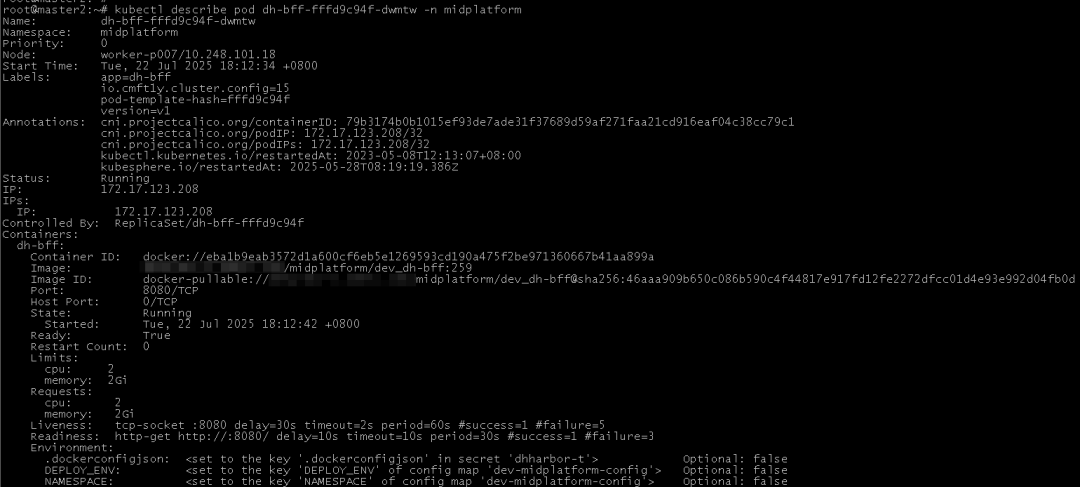
1. Pod无法启动
诊断方法:
kubectl describe pod <pod-name> -n <namespace>
kubectl logs <pod-name> -n <namespace>
kubectl get events --field-selector involvedObject.name=<pod-name> -n <namespace>
解决方法:
- 检查镜像是否正确可用
- 验证资源配额是否足够
- 检查Pod配置中的命令和参数是否正确
2. Pod状态为CrashLoopBackOff
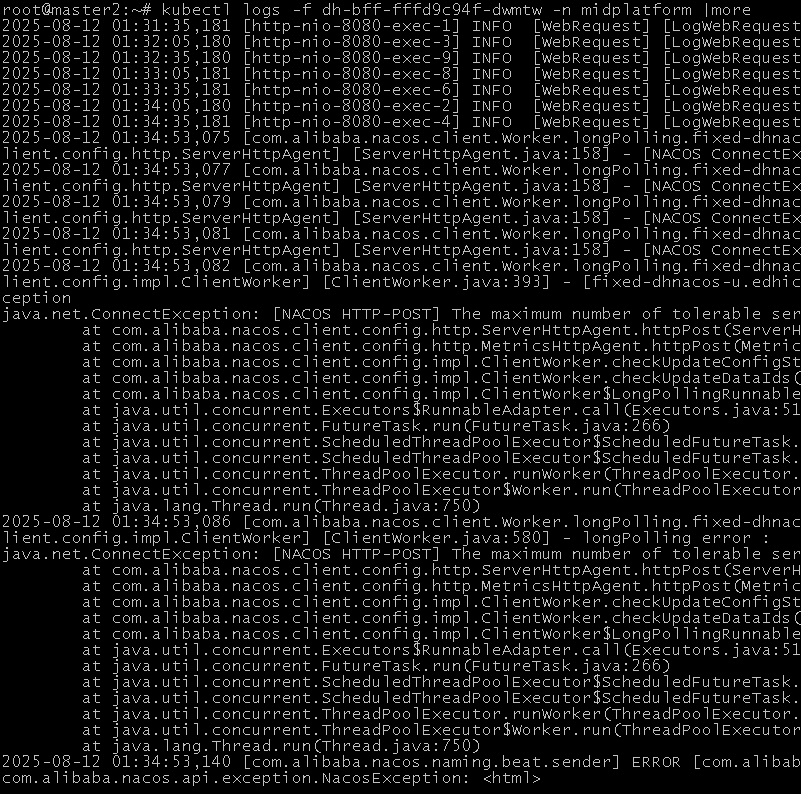
诊断方法:
kubectl logs <pod-name> -n <namespace> --previous
kubectl describe pod <pod-name> -n <namespace>解决方法:
- 检查应用程序日志中的错误
- 验证容器启动命令是否正确
- 检查资源限制是否过小
3. Pod无法连接到其他服务
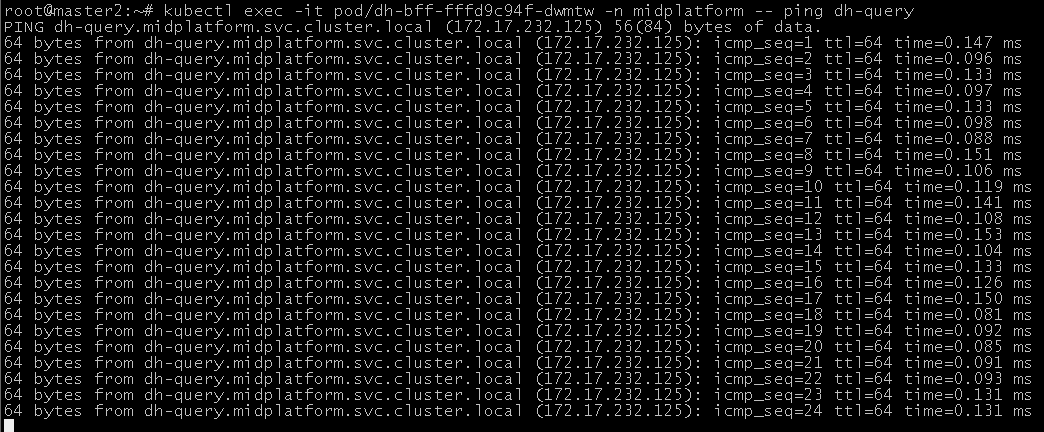
诊断方法:
kubectl exec -it <pod-name> -n <namespace> -- ping <service-name>
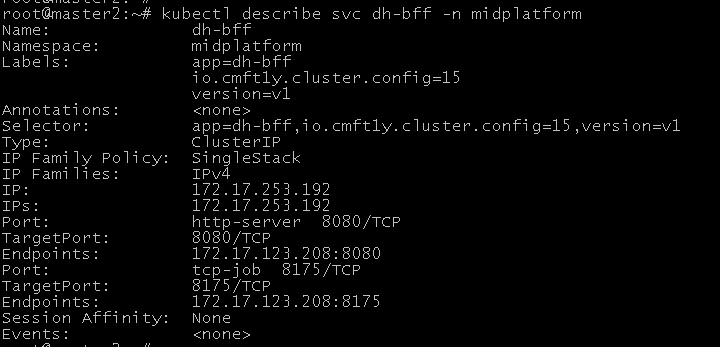
kubectl describe service <service-name> -n <namespace>解决方法:
- 检查Service的selector是否匹配Pod标签
- 验证NetworkPolicy是否允许访问
- 检查DNS解析是否正常
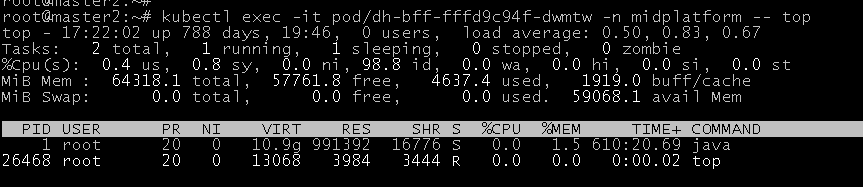
4. Pod运行缓慢
诊断方法:
kubectl top pod <pod-name> -n <namespace>
kubectl exec -it <pod-name> -n <namespace> -- top
解决方法:
- 增加Pod的资源限制
- 优化应用程序性能
- 检查节点负载情况

5. Pod无法被调度
诊断方法:
kubectl describe pod <pod-name> -n <namespace>
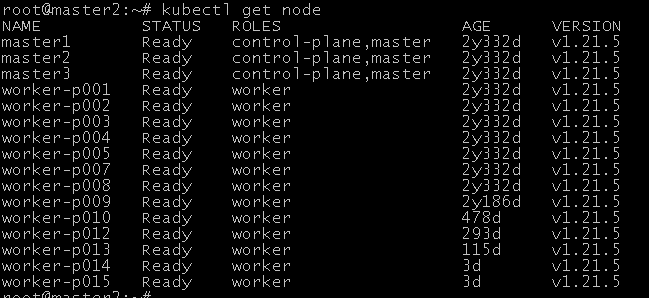
kubectl get nodes
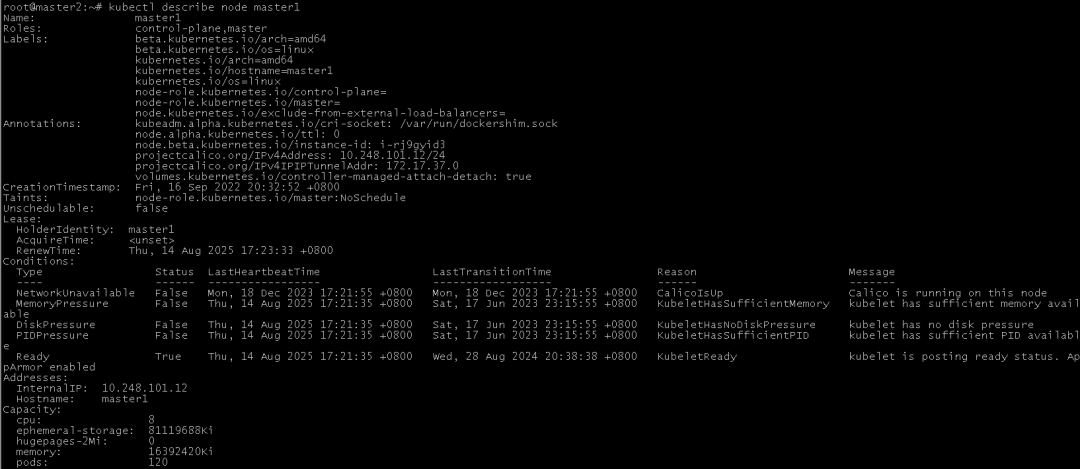
kubectl describe node <node-name>
解决方法:
- 检查节点资源是否充足
- 验证节点标签与Pod亲和性规则
- 检查节点污点和Pod容忍度
Node相关问题
6. Node状态为NotReady
诊断方法:
kubectl get nodes
kubectl describe node <node-name>
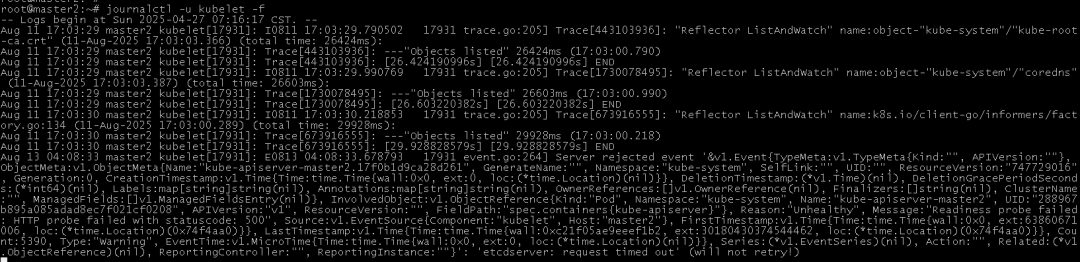
journalctl -u kubelet -f解决方法:
- 重启kubelet服务
- 检查节点资源是否耗尽
- 验证网络连接是否正常
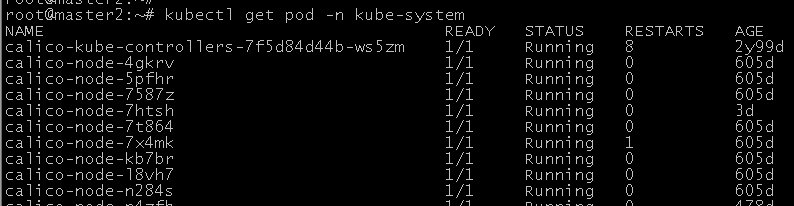
7. Node上Pod无法访问网络
诊断方法:
kubectl exec -it <pod-name> -n <namespace> -- curl <service-name>
kubectl get pods -n kube-system
解决方法:
- 检查CNI插件是否正常运行
- 验证节点网络配置
- 重启kube-proxy
8. Node上Pod无法访问存储
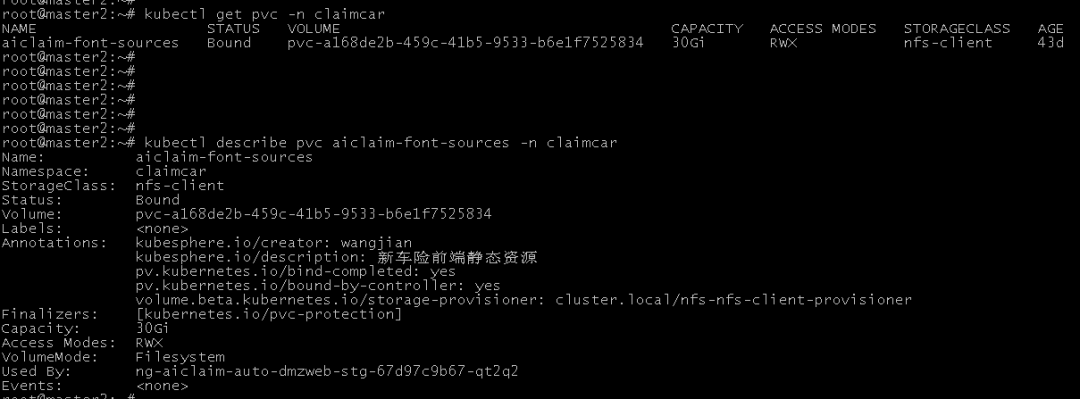
诊断方法:
kubectl describe pod <pod-name> -n <namespace>
kubectl get pvc -n <namespace>
kubectl describe pvc <pvc-name> -n <namespace>解决方法:
- 检查存储类配置
- 验证PV/PVC绑定关系
- 检查存储后端服务状态
9. Node资源耗尽
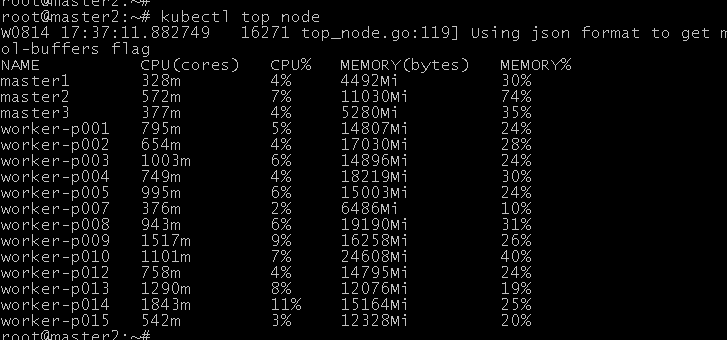
诊断方法:
kubectl top node
kubectl describe node <node-name>解决方法:
- 增加节点资源
- 驱逐部分Pod
- 优化资源请求和限制
10. Node无法加入集群
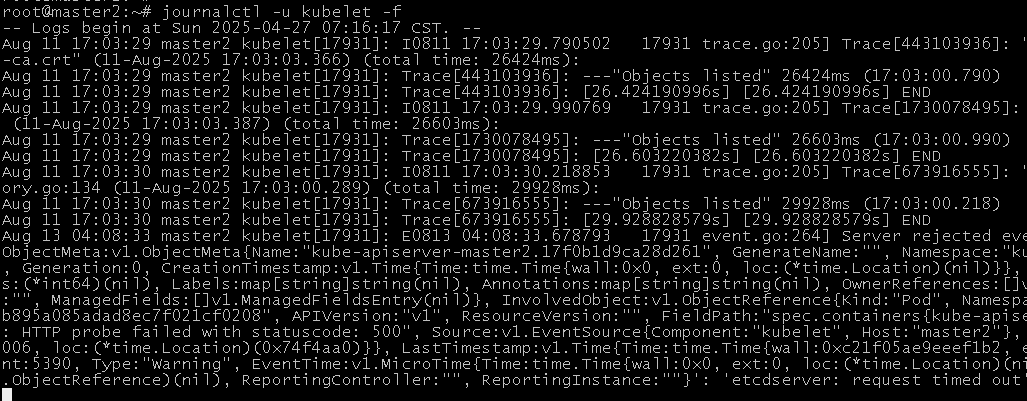
诊断方法:
journalctl -u kubelet -f
kubeadm join --token <token> <master-ip>:<port> --discovery-token-ca-cert-hash sha256:<hash>解决方法:
- 检查token是否过期
- 验证网络连通性
- 检查证书是否正确
集群层面问题
11. API Server不可用
诊断方法:
kubectl cluster-info
systemctl status kube-apiserver
journalctl -u kube-apiserver -f解决方法:
- 重启API Server
- 检查etcd连接
- 验证证书有效性

12. Controller Manager故障
诊断方法:
kubectl get cs
systemctl status kube-controller-manager解决方法:
- 检查leader选举状态
- 重启Controller Manager
- 验证RBAC配置

13. Scheduler故障
诊断方法:
kubectl get events --field-selector involvedObject.kind=Pod
systemctl status kube-scheduler解决方法:
- 检查调度策略配置
- 重启Scheduler
- 验证资源可用性
14. etcd集群问题
诊断方法:
etcdctl endpoint health
etcdctl member list解决方法:
- 检查etcd节点状态
- 恢复etcd备份
- 重新配置etcd集群
15. 网络插件故障
诊断方法:
kubectl get pods -n kube-system
kubectl logs <cni-pod-name> -n kube-system解决方法:
- 重新部署CNI插件
- 检查网络策略
- 验证节点路由表
存储相关问题
16. PV无法绑定PVC
诊断方法:
kubectl get pv
kubectl get pvc
kubectl describe pvc <pvc-name>解决方法:
- 检查StorageClass配置
- 验证访问模式
- 检查容量匹配
17. 存储卷挂载失败
诊断方法:
kubectl describe pod <pod-name>
kubectl get pvc <pvc-name> -o yaml解决方法:
- 检查存储后端服务
- 验证节点挂载权限
- 检查文件系统类型
18. 动态存储供应失败
诊断方法:
kubectl get storageclass
kubectl describe storageclass <sc-name>解决方法:
- 检查Provisioner配置
- 验证RBAC权限
- 检查存储后端API
19. 存储性能问题
诊断方法:
kubectl exec -it <pod-name> -- dd if=/dev/zero of=/mnt/test bs=1M count=1024
kubectl top pod <pod-name>解决方法:
- 优化存储类参数
- 使用本地存储
- 检查网络带宽
20. 存储配额问题
诊断方法:
kubectl describe quota -n <namespace>
kubectl get resourcequotas -n <namespace>解决方法:
- 调整配额限制
- 清理无用资源
- 优化存储使用
安全相关问题
21. RBAC配置问题
诊断方法:
kubectl auth can-i <verb> <resource>
kubectl get rolebindings,clusterrolebindings解决方法:
- 检查Role和RoleBinding
- 验证ServiceAccount
- 更新RBAC策略
22. 证书过期问题
诊断方法:
openssl x509 -noout -text -in /etc/kubernetes/pki/apiserver.crt | grep Not
kubeadm certs check-expiration解决方法:
- 更新过期证书
- 重新生成kubeconfig
- 重启控制平面组件
23. 网络策略问题
诊断方法:
kubectl get networkpolicy -A
kubectl describe networkpolicy <policy-name>解决方法:
- 检查策略规则
- 验证标签选择器
- 测试网络连通性
24. Pod安全策略问题
诊断方法:
kubectl get psp
kubectl describe psp <psp-name>解决方法:
- 调整PSP规则
- 验证Pod安全上下文
- 更新集群安全策略
25. 镜像拉取失败
诊断方法:
kubectl describe pod <pod-name>
kubectl get secrets <secret-name> -o yaml解决方法:
- 检查镜像仓库凭证
- 验证镜像标签
- 配置imagePullSecrets
其他问题
26. 自定义资源问题
诊断方法:
kubectl get crd
kubectl get <custom-resource>解决方法:
- 检查CRD定义
- 验证控制器日志
- 更新Operator版本
27. HPA不工作
诊断方法:
kubectl get hpa
kubectl describe hpa <hpa-name>
kubectl top pod
解决方法:
- 检查metrics-server
- 验证资源请求
- 调整HPA阈值
28. Ingress问题
诊断方法:
kubectl get ingress
kubectl describe ingress <ingress-name>解决方法:
- 检查Ingress控制器
- 验证后端服务
- 检查TLS配置
29. 节点自动扩展问题
诊断方法:
kubectl get nodes
kubectl get pods -A -o wide解决方法:
- 检查Cluster Autoscaler日志
- 验证节点组配置
- 调整扩展策略
30. 集群升级问题
诊断方法:
kubectl version
kubeadm upgrade plan解决方法:
- 检查版本兼容性
- 备份关键资源
- 分阶段升级组件
31. 网络问题诊断
典型症状:
- Pod 间无法通信
- Service 无法访问
- DNS 解析失败
诊断方法
# 检查 CoreDNS 状态
kubectl get pods -n kube-system -l k8s-app=kube-dns
# 测试 Service 解析
kubectl run -it --rm --restart=Never busybox --image=busybox -- nslookup <service-name>
# 检查网络策略
kubectl get networkpolicy --all-namespaces网络连通性测试:
# 创建一个临时的网络测试 Pod
kubectl run network-test --image=nicolaka/netshoot --restart=Never --rm -it -- /bin/bash
# 在测试 Pod 中执行 ping/telnet/curl 等命令
ping <target-pod-ip>
curl <service-name>:<port>
调试技巧
1 使用临时调试容器
# 在运行的 Pod 中添加临时容器(需要启用 EphemeralContainers 特性)
kubectl debug -it <pod-name> --image=busybox --target=<container-name>
# 使用共享进程命名空间进行调试
kubectl run debugger --image=busybox --stdin --tty --share-processes --restart=Never
2 性能分析与调优
# 使用 kubectl top 监控资源使用
kubectl top pods --sort-by=cpu
kubectl top nodes
# 启用 Kubernetes 审计日志# 修改 API Server 配置添加以下参数:
# --audit-policy-file=/etc/kubernetes/audit-policy.yaml
# --audit-log-path=/var/log/kubernetes/audit.log本文介绍了Kubernetes集群中30个常见问题的诊断与解决方法,涵盖了从Pod、Node到集群层面的各类问题。掌握这些排查技巧能够快速定位和解决Kubernetes环境中的问题,确保集群稳定运行。在实际操作中,建议结合监控告警系统,实现问题的早期发现和预防性维护。
如果你觉得这篇文章有用,欢迎点赞、转发、收藏、留言、推荐❤!
本文参与 腾讯云自媒体同步曝光计划,分享自微信公众号。
原始发表:2025-09-01,如有侵权请联系 cloudcommunity@tencent.com 删除
本文分享自 Nicholas与Pypi 微信公众号,前往查看
如有侵权,请联系 cloudcommunity@tencent.com 删除。
本文参与 腾讯云自媒体同步曝光计划 ,欢迎热爱写作的你一起参与!
评论
登录后参与评论
推荐阅读
目录
腾讯云开发者

Copyright © 2013 - 2026 Tencent Cloud. All Rights Reserved. 腾讯云 版权所有
深圳市腾讯计算机系统有限公司 ICP备案/许可证号:粤B2-20090059  粤公网安备44030502008569号
腾讯云计算(北京)有限责任公司 京ICP证150476号 | 京ICP备11018762号